







Question: Having difficulty getting the code to work when the device is rotated, plus lots of bugs in my code, so hoping for a better aolution
Having difficulty getting the code to work when the device is rotated, plus lots of bugs in my code, so hoping for a better aolution
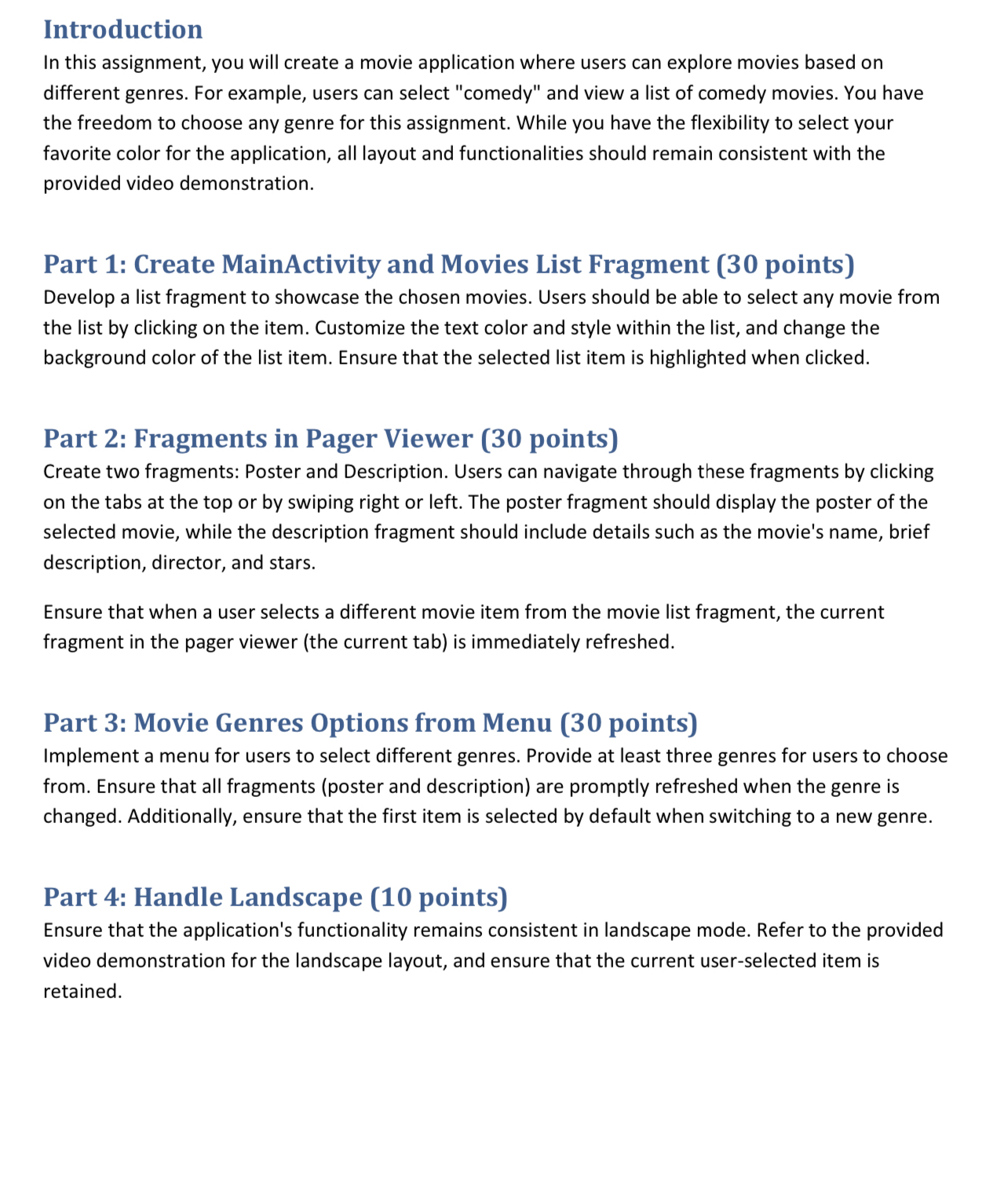
Introduction
In this assignment, you will create a movie application where users can explore movies based on different genres. For example, users can select "comedy" and view a list of comedy movies. You have the freedom to choose any genre for this assignment. While you have the flexibility to select your favorite color for the application, all layout and functionalities should remain consistent with the provided video demonstration.
Part : Create MainActivity and Movies List Fragment points Develop a list fragment to showcase the chosen movies. Users should be able to select any movie from the list by clicking on the item. Customize the text color and style within the list, and change the background color of the list item. Ensure that the selected list item is highlighted when clicked.
Part : Fragments in Pager Viewer points
Create two fragments: Poster and Description. Users can navigate through these fragments by clicking on the tabs at the top or by swiping right or left. The poster fragment should display the poster of the selected movie, while the description fragment should include details such as the movie's name, brief description, director, and stars.
Ensure that when a user selects a different movie item from the movie list fragment, the current fragment in the pager viewer the current tab is immediately refreshed.
Part : Movie Genres Options from Menu points
Implement a menu for users to select different genres. Provide at least three genres for users to choose from. Ensure that all fragments poster and description are promptly refreshed when the genre is changed. Additionally, ensure that the first item is selected by default when switching to a new genre.
Part : Handle Landscape points
Ensure that the application's functionality remains consistent in landscape mode. Refer to the provided video demonstration for the landscape layout, and ensure that the current userselected item is retained.
Step by Step Solution
There are 3 Steps involved in it
1 Expert Approved Answer
Step: 1 Unlock

Question Has Been Solved by an Expert!
Get step-by-step solutions from verified subject matter experts
Step: 2 Unlock
Step: 3 Unlock
 Study Help