







Question: Having issues with some HW have some code done already posted down below. import java.awt.Graphics; import java.util.ArrayList; import java.util.Random; import javax.swing.JComponent; public class DrawFaceController {
Having issues with some HW have some code done already posted down below.
import java.awt.Graphics; import java.util.ArrayList; import java.util.Random; import javax.swing.JComponent;
public class DrawFaceController { private Random rnd; private int width; private int height; private int faceWidth; public DrawFaceController() { rnd = new Random(); width = 400; height = 400; faceWidth = 50; } public DrawFaceController(int w, int h) { width = w; height = h; rnd = new Random(); faceWidth = (int)(0.2 * width); } public void drawFaces(ArrayList
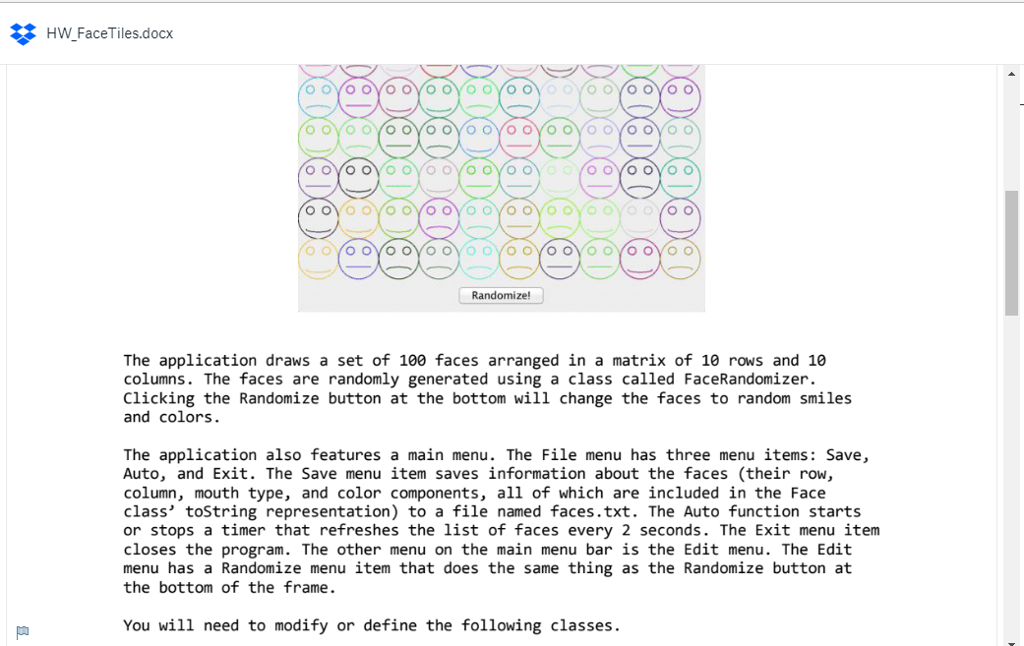
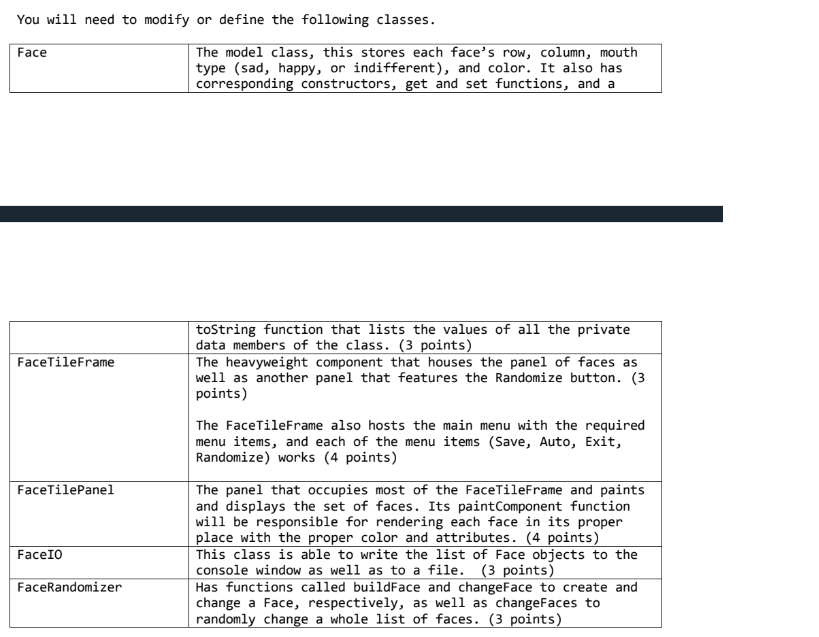
HWFaceTiles.docx - Randomize! The application draws a set of 100 faces arranged in a matrix of 10 rows and 10 columns. The faces are randomly generated using a class called FaceRandomizer. Clicking the Randomize button at the bottom will change the faces to random smiles and colors. The application also features a main menu. The File menu has three menu items: Save, Auto, and Exit. The Save menu item saves information about the faces (their row, column, mouth type, and color components, all of which are included in the Face class' toString representation) to a file named faces.txt. The Auto function starts or stops a timer that refreshes the list of faces every 2 seconds. The Exit menu item closes the program. The other menu on the main menu bar is the Edit menu. The Edit menu has a Randomize menu item that does the same thing as the Randomize button at the bottom of the frame. You will need to modify or define the following classes
Step by Step Solution
There are 3 Steps involved in it

Get step-by-step solutions from verified subject matter experts
 Study Help