







Question: Having trouble adding the $15 and the invalid input. It's just not working for me Instructions Add a prompt to the ShadyRestRoom application, from Chapter
Having trouble adding the "$15" and the invalid input. It's just not working for me
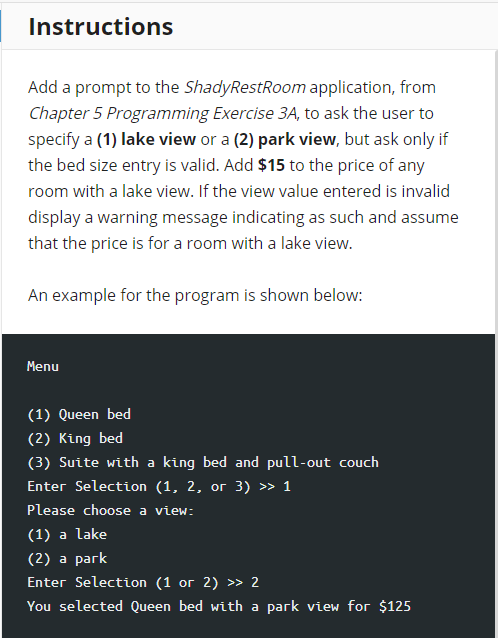

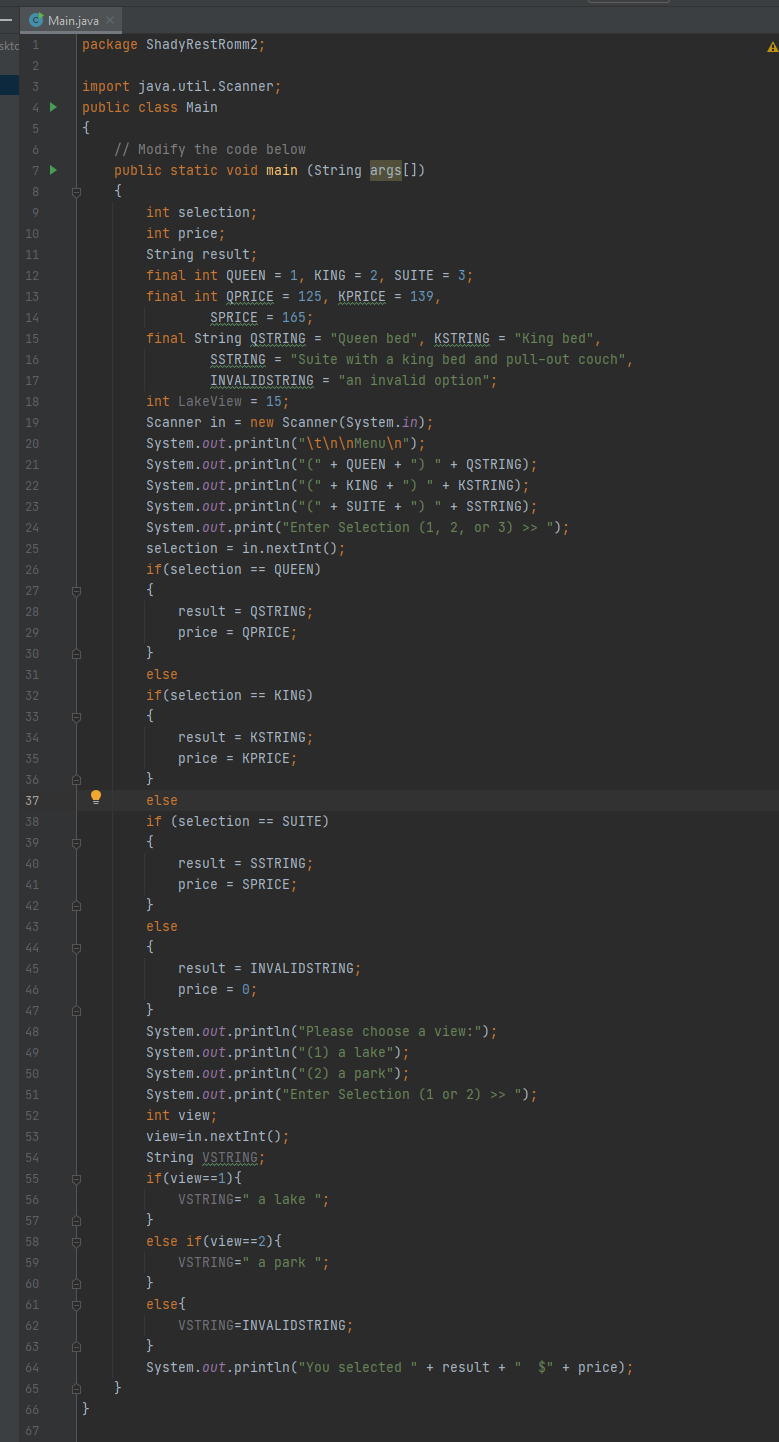
Instructions Add a prompt to the ShadyRestRoom application, from Chapter 5 Programming Exercise 3A, to ask the user to specify a (1) lake view or a (2) park view, but ask only if the bed size entry is valid. Add $15 to the price of any room with a lake view. If the view value entered is invalid display a warning message indicating as such and assume that the price is for a room with a lake view. An example for the program is shown below: Menu (1) Queen bed (2) King bed (3) Suite with a king bed and pull-out couch Enter Selection (1, 2, or 3) >> 1 Please choose a view: (1) a lake (2) a park Enter Selection (1 or 2) >> 2 You selected Queen bed with a park view for $125 The ShadyRestRoom2 program displays a message for invalid view values and defaults to a lake view. 0.00 out of 10.00 Main.java package Shady RestRomm2; skte 1 3 5 6 8 9 10 11 12 13 14 15 16 17 18 19 20 21 22 23 24 25 26 27 28 29 30 31 32 33 34 35 36 37 38 39 40 import java.util.Scanner; public class Main { // Modify the code below public static void main(String args[]) { int selection; int price; String result; final int QUEEN = 1, KING = 2, SUITE = 3; final int QPRICE = 125, KPRICE = 139, SPRICE = 165; final String QSTRING = "Queen bed", KSTRING = "King bed", SSTRING = "Suite with a king bed and pull-out couch", INVALIDSTRING = "an invalid option"; int LakeView = 15; Scanner in = new Scanner(System.in); System.out.println("\t Menu "); System.out.println("(" + QUEEN + ") " + QSTRING); System.out.println("(" + KING + ")" + KSTRING); System.out.println("(" + SUITE + ") " + SSTRING); System.out.print("Enter Selection (1, 2, or 3) >> "); selection = in.nextInt(); if(selection == QUEEN) o { result = QSTRING; price = QPRICE; A } else if(selection == KING) { result = KSTRING; price = KPRICE; } else if (selection == SUITE) o { result = SSTRING; price = SPRICE; } else { result = INVALIDSTRING; price = 0; } System.out.println("Please choose a view:"); System.out.println("(1) a lake"); System.out.println("(2) a park"); System.out.print("Enter Selection (1 or 2) >> "); int view; view=in.nextInt(); String VSTRING; if(view==1){ VSTRING=" a lake "; G } o else if(view==2){ VSTRING=" a park "; } o else{ VSTRING=INVALIDSTRING; A } System.out.println("You selected + result + $" + price); } } 41 42 43 44 45 46 47 48 49 50 51 52 53 54 55 56 57 58 59 60 61 62 63 64 65 66 67
Step by Step Solution
There are 3 Steps involved in it

Get step-by-step solutions from verified subject matter experts
 Study Help