Question: Having trouble writing this code please help ! Step 1: Create a new ASSEMBLY project using Keil Software Step 2: Assign the following values: R1

Having trouble writing this code please help !

Having trouble writing this code please help ! Step 1: Create anew ASSEMBLY project using Keil Software Step 2: Assign the following values:R1 = -6 R2 =-18 Step 3: If R3 less than orequal to R4, then evaluate the following formula using: R4 R5 =(50 n - n + R3 + R4) n=R3 Step 4: IfR3 is greater than R4, then stop the program. Step 5: Makesure you test both cases by changing the values for R3 and
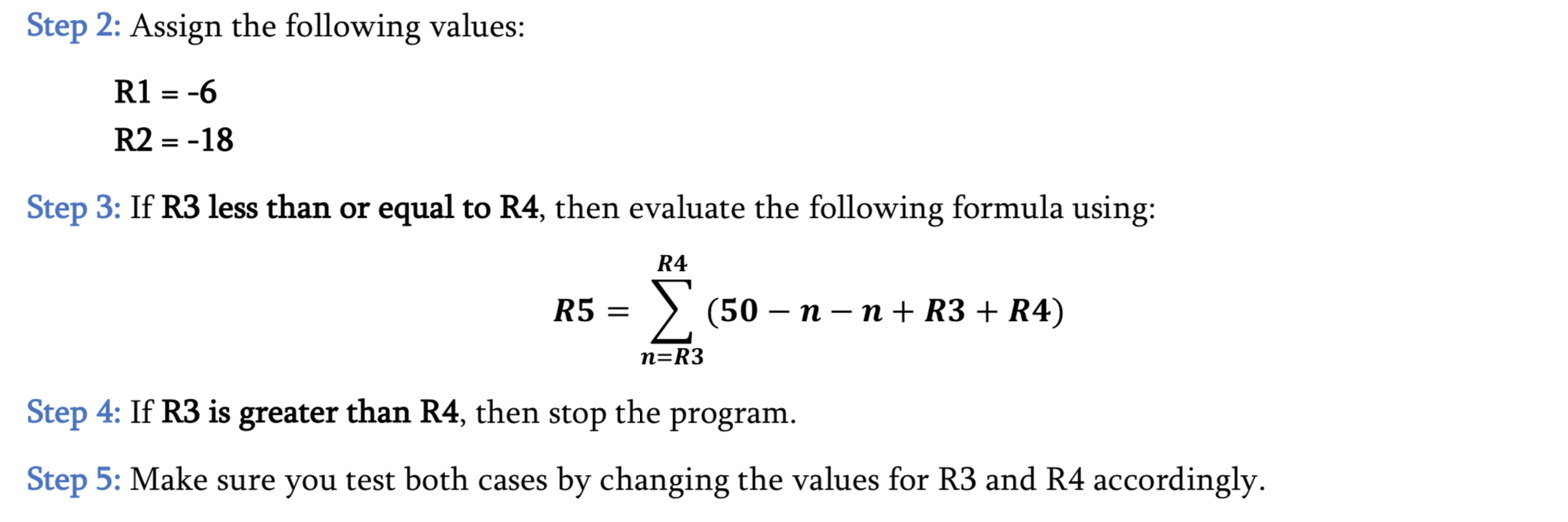
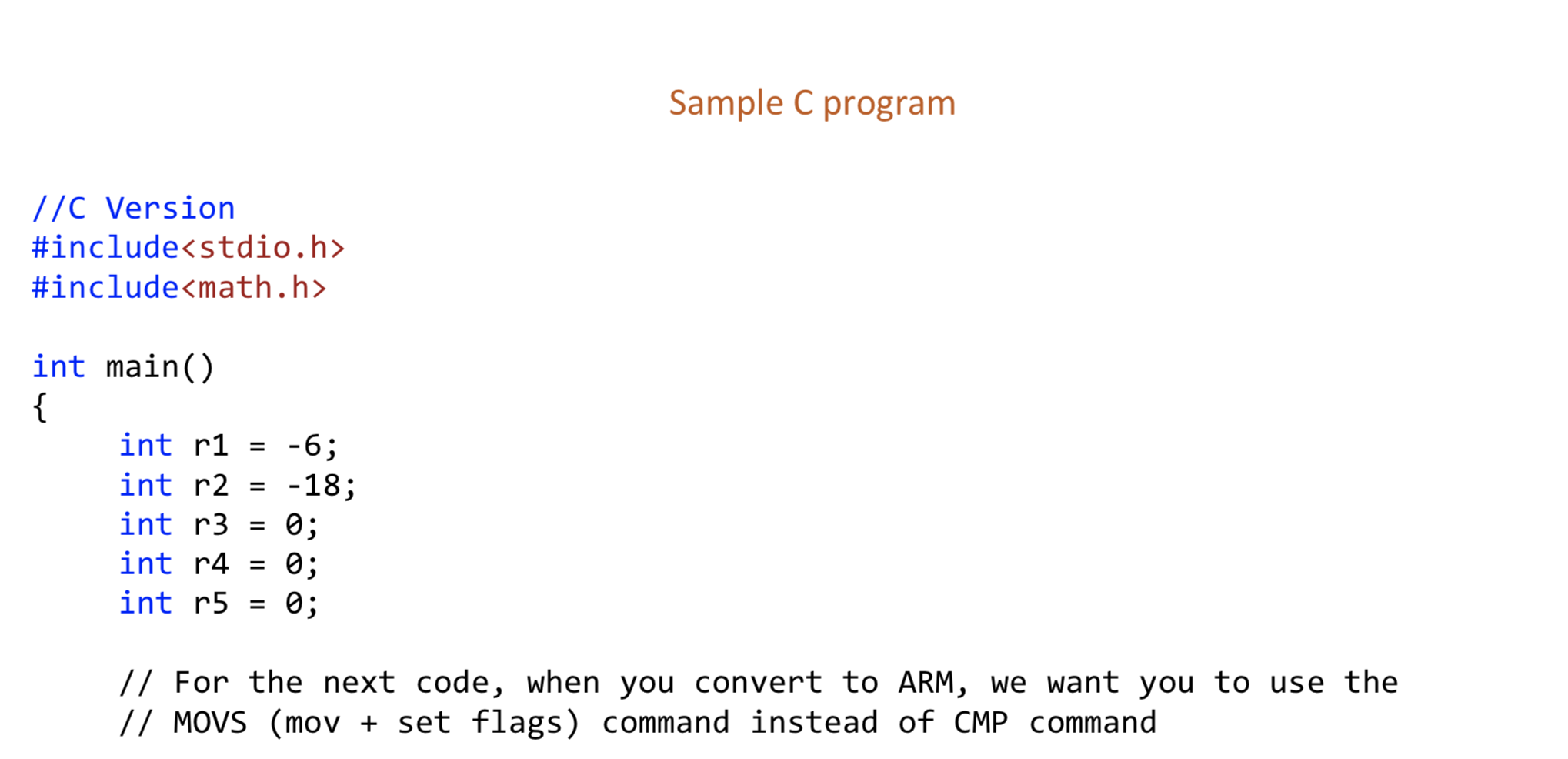
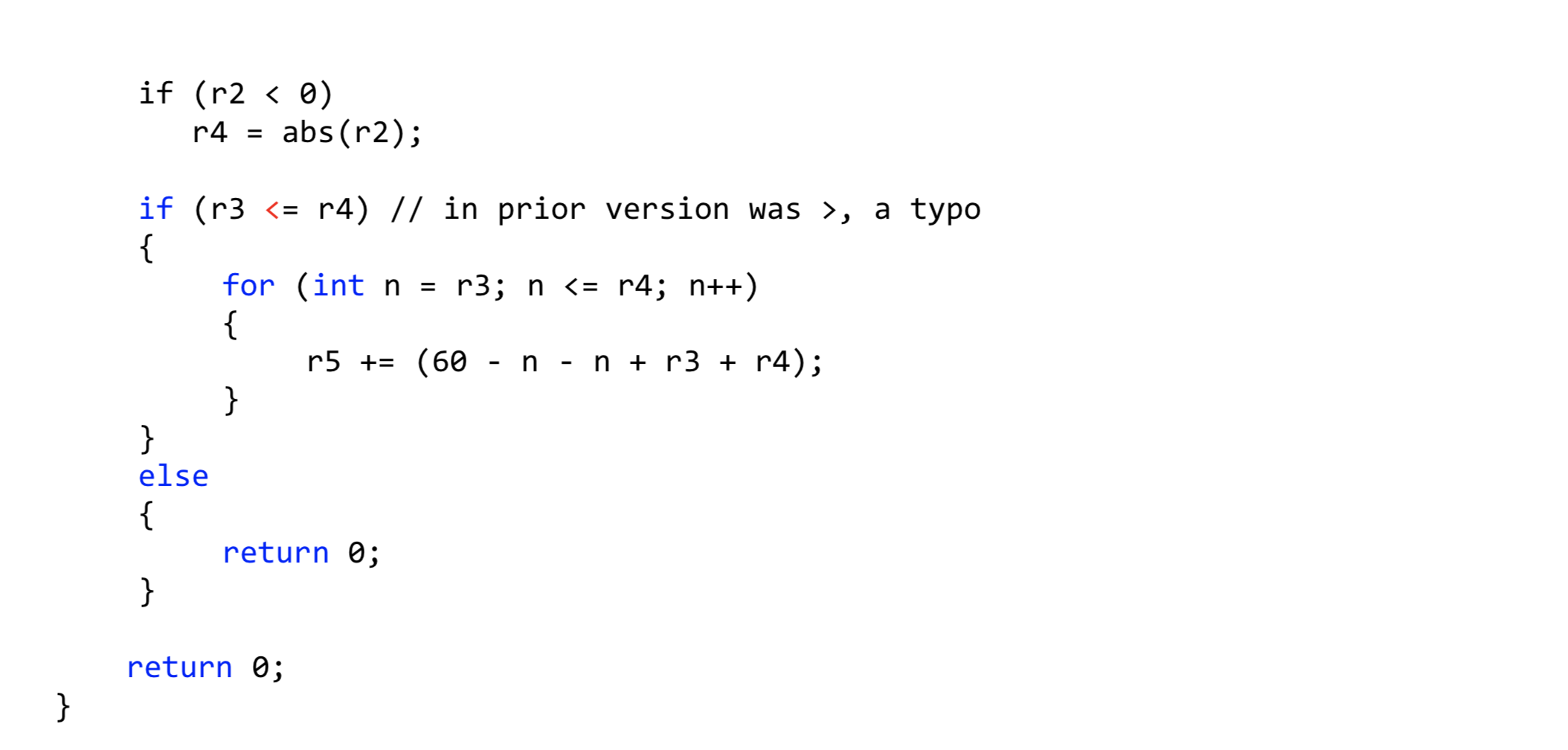
Step 1: Create a new ASSEMBLY project using Keil Software Step 2: Assign the following values: R1 = -6 R2 =-18 Step 3: If R3 less than or equal to R4, then evaluate the following formula using: R4 R5 = (50 n - n + R3 + R4) n=R3 Step 4: If R3 is greater than R4, then stop the program. Step 5: Make sure you test both cases by changing the values for R3 and R4 accordingly. Sample C program //C Version #include #include int main() int r1 = -6; int r2 = -18; int r3 = 0; int r4 = 0; int r5 = 0; // For the next code, when you convert to ARM, we want you to use the // MOVS (mov + set flags) command instead of CMP command if (r1 , a typo { for (int n = r3; n #include int main() int r1 = -6; int r2 = -18; int r3 = 0; int r4 = 0; int r5 = 0; // For the next code, when you convert to ARM, we want you to use the // MOVS (mov + set flags) command instead of CMP command if (r1 , a typo { for (int n = r3; n

Step by Step Solution

There are 3 Steps involved in it

1 Expert Approved Answer
Step: 1 Unlock blur-text-image
Question Has Been Solved by an Expert!

Get step-by-step solutions from verified subject matter experts

Step: 2 Unlock
Step: 3 Unlock

Students Have Also Explored These Related Databases Questions!