







Question: Hello! Can you help me with this Lab using Cisco Packet Tracer? Im very confused, thank you. Place Devices: Open the Cisco Packet Tracer and
Hello! Can you help me with this Lab using Cisco Packet Tracer? Im very confused, thank you.
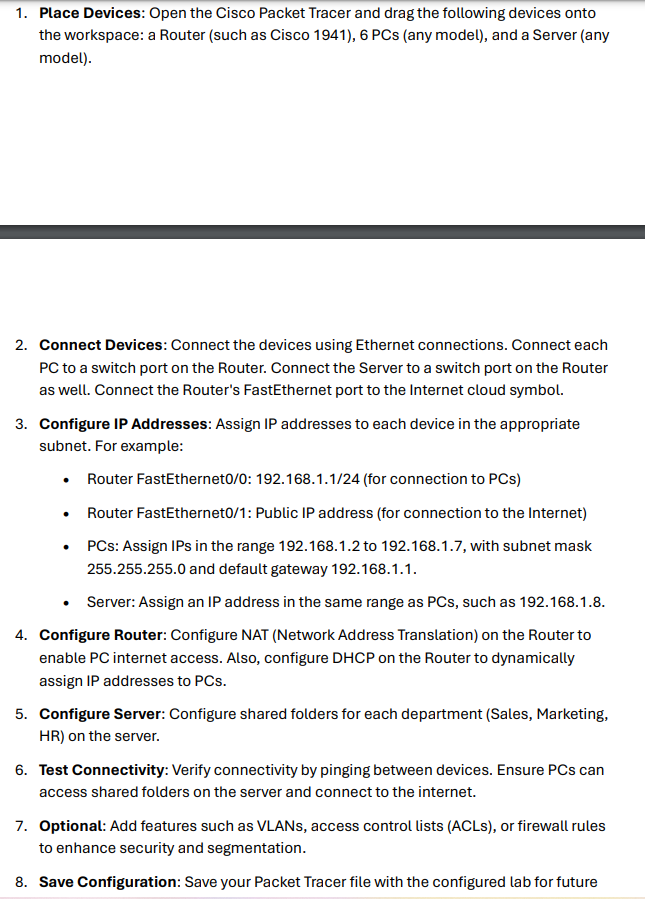
Place Devices: Open the Cisco Packet Tracer and drag the following devices onto
the workspace: a Router such as Cisco PCs any model and a Server any
model
Connect Devices: Connect the devices using Ethernet connections. Connect each
PC to a switch port on the Router. Connect the Server to a switch port on the Router
as well. Connect the Router's FastEthernet port to the Internet cloud symbol.
Configure IP Addresses: Assign IP addresses to each device in the appropriate
subnet. For example:
Router FastEthernet: for connection to PCs
Router FastEthernet: Public IP address for connection to the Internet
PCs: Assign IPs in the range to with subnet mask
and default gateway
Server: Assign an IP address in the same range as PCs such as
Configure Router: Configure NAT Network Address Translation on the Router to
enable PC internet access. Also, configure DHCP on the Router to dynamically
assign IP addresses to PCs
Configure Server: Configure shared folders for each department Sales Marketing,
on the server.
Test Connectivity: Verify connectivity by pinging between devices. Ensure PCs can
access shared folders on the server and connect to the internet.
Optional: Add features such as VLANs, access control lists ACLs or firewall rules
to enhance security and segmentation.
Save Configuration: Save your Packet Tracer file with the configured lab for future
Step by Step Solution
There are 3 Steps involved in it
1 Expert Approved Answer
Step: 1 Unlock

Question Has Been Solved by an Expert!
Get step-by-step solutions from verified subject matter experts
Step: 2 Unlock
Step: 3 Unlock
 Study Help