







Question: In this exercise, you are going to be working with 4 classes, a Book Superclass with TextBook and Novel subclasses, and a BookTester class
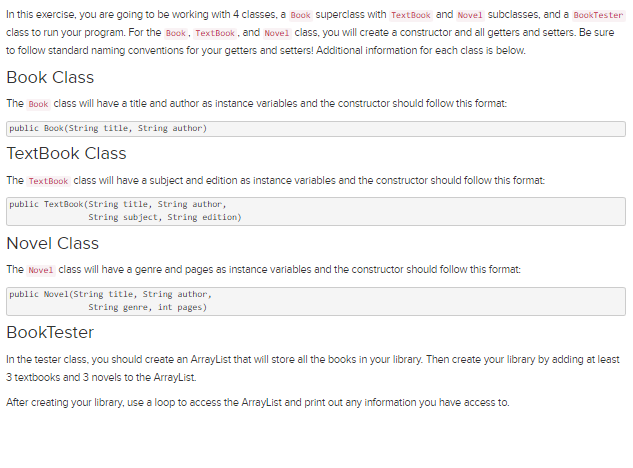
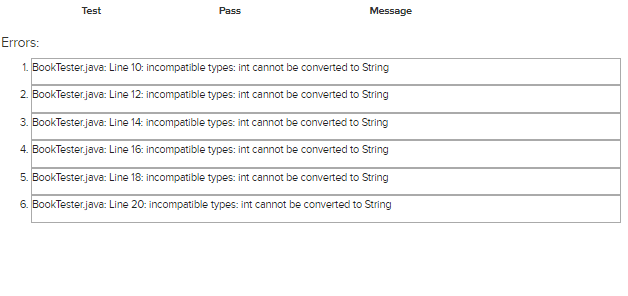
In this exercise, you are going to be working with 4 classes, a Book Superclass with TextBook and Novel subclasses, and a BookTester class to run your program. For the Book, TextBook, and Novel class, you will create a constructor and all getters and setters. Be sure to follow standard naming conventions for your getters and setters! Additional information for each class is below. Book Class The Book class will have a title and author as instance variables and the constructor should follow this format: public Book(String title, String author) TextBook Class The TextBook class will have a subject and edition as instance variables and the constructor should follow this format: public TextBook (String title, String author, String subject, String edition) Novel Class The Novel class will have a genre and pages as instance variables and the constructor should follow this format: public Novel(String title, String author, String genre, int pages) BookTester In the tester class, you should create an ArrayList that will store all the books in your library. Then create your library by adding at least 3 textbooks and 3 novels to the ArrayList. After creating your library, use a loop to access the ArrayList and print out any information you have access to. Errors: Test Pass Message 1. BookTester.java: Line 10: incompatible types: int cannot be converted to String 2. BookTester.java: Line 12: incompatible types: int cannot be converted to String 3. BookTester.java: Line 14: incompatible types: int cannot be converted to String 4. BookTester.java: Line 16: incompatible types: int cannot be converted to String 5. BookTester.java: Line 18: incompatible types: int cannot be converted to String 6. BookTester.java: Line 20: incompatible types: int cannot be converted to String
Step by Step Solution
3.45 Rating (152 Votes )
There are 3 Steps involved in it
According to the instruction java import javautilArrayList class Book private String title private String author ... View full answer

Get step-by-step solutions from verified subject matter experts
 Study Help