







Question: Hello, How do I make a form validation with HTML, CSS, and JavaScript that submits to an email address ONLY when every input is filled
Hello,
How do I make a form validation with HTML, CSS, and JavaScript that submits to an email address ONLY when every input is filled correctly? The form should give an alert in red writing at the bottom of each input slot when the user enters something incorrectly, for example,
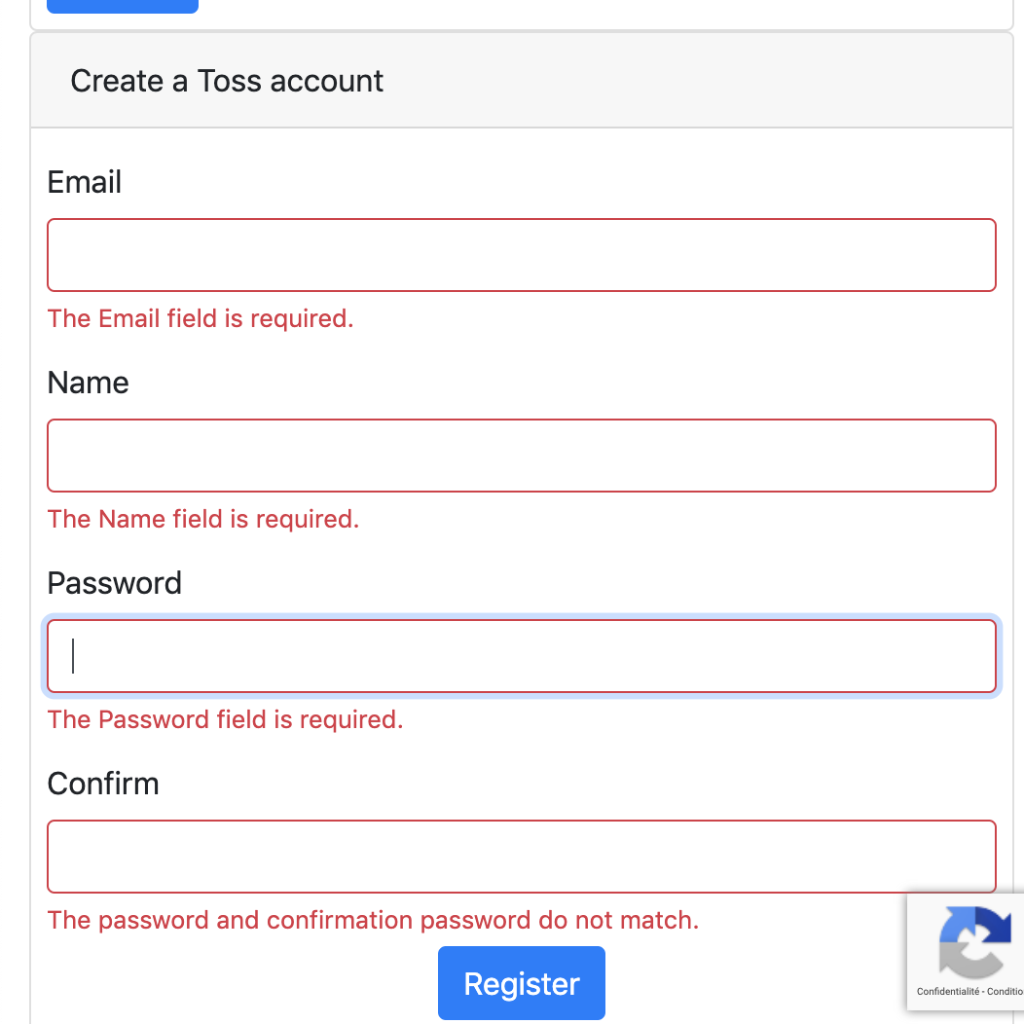
I tried creating this form but either the error messages show up and the submission button to the email address does not work or the error messages show up, but the form still gets sent to the email address with the form being blank or filled in wrong. I really need your help.
I would like the form to have inputs for: name (full name with a space in between), email address, order number (10 digits with a hyphen), and a message/text area area with no more than 500 characters (a character counter would be great to have as well).
Please let me know if you have further questions, but I need this form to be created with these exact details, submits to an email address ONLY when everything is filled incorrectly (and everything else as explained above).
Thanks!
Create a Toss account Email The Email field is required. Name The Name field is required. Password The Password field is required. Confirm The password and confirmation password do not match. Register Confidentialit - Conditio
Step by Step Solution
There are 3 Steps involved in it

Get step-by-step solutions from verified subject matter experts
 Study Help