







Question: Hello. I need help troubleshooting this program using Eclipse. The program is not reading my FileToSave and making neccessary edits. import java.util.*; import java.util.TreeMap; import
Hello. I need help troubleshooting this program using Eclipse. The program is not reading my FileToSave and making neccessary edits.
import java.util.*;
import java.util.TreeMap;
import java.io.*;
public class Rules {
public static void main (String args[]) throws Exception
{
//declare file
String fileToSave = null;
Scanner input = new Scanner(System.in);
int contactNumber = 1;
TreeMap
displayProgramMenu();
int userChoice = input.nextInt();
while (true)
{
switch (userChoice)
{
case 1:
String m = input.nextLine();
for (int k=0; k { System.out.print(myContactList.get(k+1)); } break; case 2: { m =input.nextLine(); MapClass newContact = new MapClass(); System.out.print("Enter Last Name "); newContact.setLastName(input.nextLine()); System.out.print("Enter First Name "); newContact.setFirstName(input.nextLine()); System.out.print("Enter Phone Number (numbers only)"); newContact.setphoneNumber(input.nextLine()); System.out.print("Enter an email: "); newContact.setEmail(input.nextLine()); myContactList.put(contactNumber, newContact); contactNumber++; break; } case 3: { m = input.nextLine(); System.out.print("Enter Last Name of Contact to Delete"); String name = input.nextLine(); for (int k = 0; k { MapClass tp = (MapClass)myContactList.get(k+1); if (tp.getLastName().equals(name)) { for (int a = k+1; a { System.out.println(a); MapClass mp = (myContactList.get(a+1)); myContactList.put(a, mp); } } contactNumber--; break; } } case 4: { System.out.print("Enter file Name to save."); fileToSave = input.next(); BufferedWriter outContactFile = new BufferedWriter (new FileWriter(fileToSave)); for (int k =0; k { MapClass tp = (MapClass)myContactList.get(k+1); outContactFile.write(tp.getLastName()); outContactFile.newLine(); outContactFile.write(tp.getFirstName()); outContactFile.newLine(); outContactFile.write(tp.getPhoneNumber()); outContactFile.newLine(); outContactFile.write(tp.getEmail()); outContactFile.newLine(); } outContactFile.close(); System.out.println("Save is successful."); System.exit(0); break; } } } } public static void displayProgramMenu() { System.out.println("1 Display contact list"); System.out.println("2 add contact"); System.out.println("3 Delete contact"); System.out.println("4 Save contact and close"); } } public class MapClass { private String lastName; private String firstName; private String phoneNumber; private String email; public void setLastName (String lastName) { this.lastName = lastName; } public void setFirstName (String firstName) { this.firstName = firstName; } public void setphoneNumber (String phoneNumber) { this.phoneNumber = phoneNumber; } public void setEmail (String email) { this.email = email; } public String getLastName () { return lastName; } public String getFirstName() { return firstName; } public String getPhoneNumber() { return phoneNumber; } public String getEmail() { return email; } public String toString() { return ("\tName " + lastName + " " + firstName + "\t" + phoneNumber + "\t" + email + " "); } } Example FIle Palmer Suzette 9407652372 suzettenpalmer10@tamu.com Etter Marissa 8174423452 metter@tamu.edu Rainwater Brittanie 8762362235 brainwater@tamu.edu 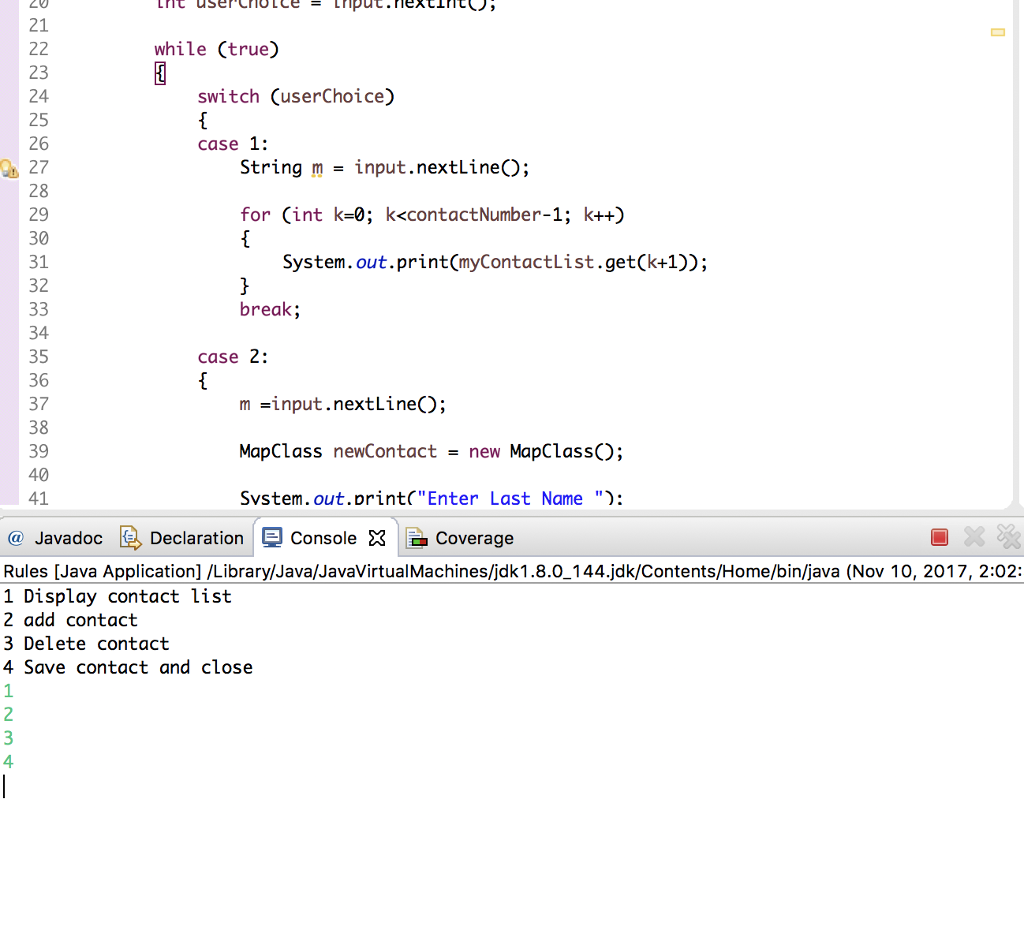 This is what my results bring up for eclipse when I press "Run Configurations" and then use MapClass and Integer as my arguments.
Step by Step Solution
There are 3 Steps involved in it

Get step-by-step solutions from verified subject matter experts
 Study Help