







Question: Hello! I need helps on this question. Please concern all the reqiurements and the question are asking about. And also, please make sure it works.
Hello! I need helps on this question. Please concern all the reqiurements and the question are asking about. And also, please make sure it works.
Thank you so much!
https://cs1110.cs.virginia.edu/gamebox-summary.html
https://cs1110.cs.virginia.edu/gamebox.html
(These links may helpful)
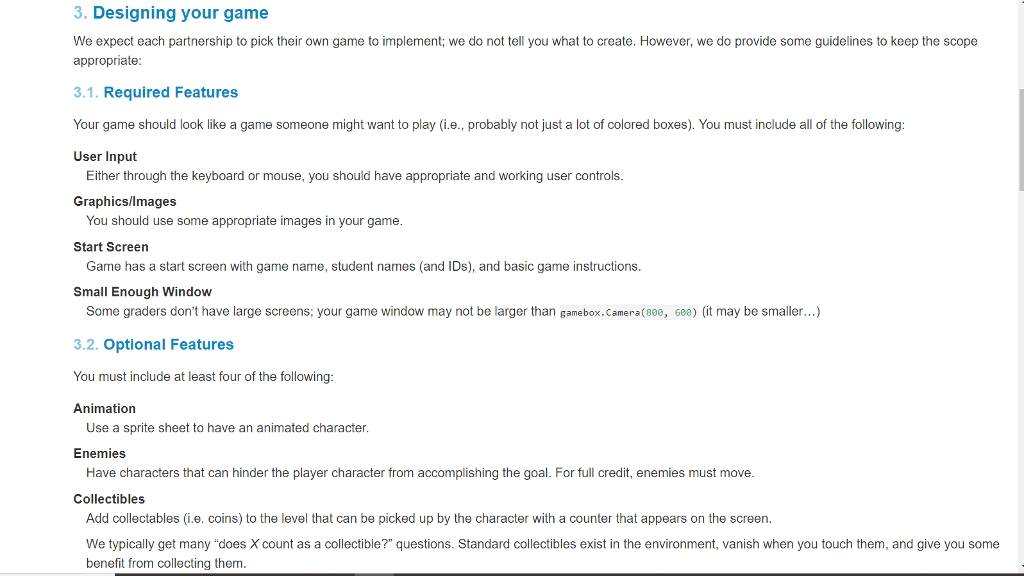
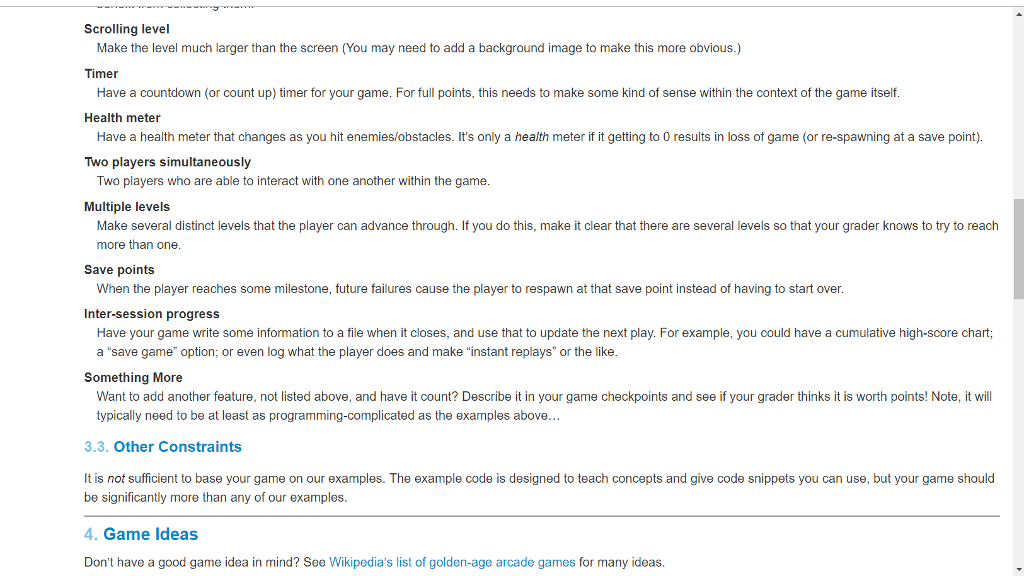
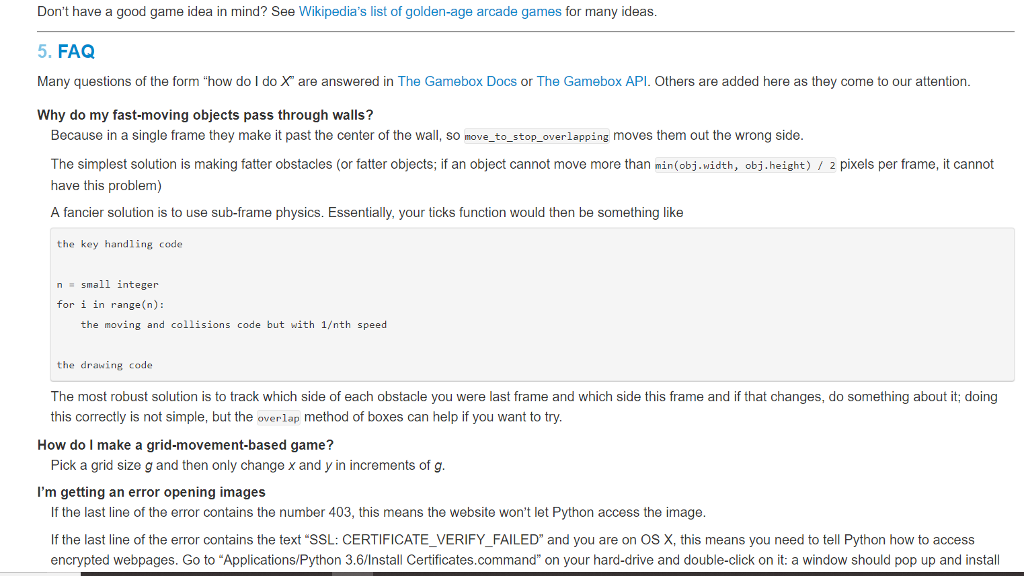
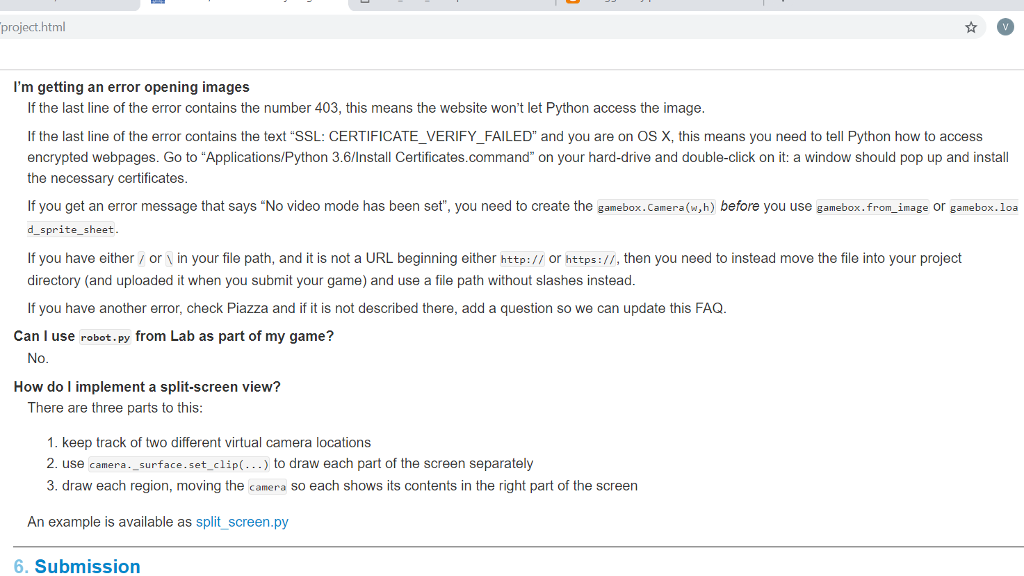
3. Designing your game We expect each partnership to pick their own game to implement; we do not tell you what to create. However, we do provide some guidelines to keep the scope appropriate 3.1. Required Features Your game should look like a game someone might want to play (i.e., probably not just a lot of colored boxes). You must include all of the following User Input Either through the keyboard or mouse, you should have appropriate and working user controls Graphics/lmages You should use some appropriate images in your game Start Screen Game has a start screen with game name, student names (and IDs), and basic game instructions Small Enough Window Some graders don't have large screens; your game window may not be larger than gamebox.Camera(800, 608) (it may be smaller...) 3.2. Optional Features You must include at least four of the following Animation Use a sprite sheet to have an animated character Enemies Have characters that can hinder the player character from accomplishing the goal. For full credit, enemies must move Collectibles Add collectables (i.e. coins) to the level that can be picked up by the character with a counter that appears on the screen. We typically get many "does X count as a collectible?" questions. Standard collectibles exist in the environment, vanish when you touch them, and give you some benefit from collecting them 3. Designing your game We expect each partnership to pick their own game to implement; we do not tell you what to create. However, we do provide some guidelines to keep the scope appropriate 3.1. Required Features Your game should look like a game someone might want to play (i.e., probably not just a lot of colored boxes). You must include all of the following User Input Either through the keyboard or mouse, you should have appropriate and working user controls Graphics/lmages You should use some appropriate images in your game Start Screen Game has a start screen with game name, student names (and IDs), and basic game instructions Small Enough Window Some graders don't have large screens; your game window may not be larger than gamebox.Camera(800, 608) (it may be smaller...) 3.2. Optional Features You must include at least four of the following Animation Use a sprite sheet to have an animated character Enemies Have characters that can hinder the player character from accomplishing the goal. For full credit, enemies must move Collectibles Add collectables (i.e. coins) to the level that can be picked up by the character with a counter that appears on the screen. We typically get many "does X count as a collectible?" questions. Standard collectibles exist in the environment, vanish when you touch them, and give you some benefit from collecting them
Step by Step Solution
There are 3 Steps involved in it

Get step-by-step solutions from verified subject matter experts
 Study Help