







Question: Hello, I'm suppose to write a basic IA23 assembly routine using gnu assembly. The name of the directory should be called prog2. For the asignment,
Hello, I'm suppose to write a basic IA23 assembly routine using gnu assembly. The name of the directory should be called prog2. For the asignment, an assembly code in the provided file prog2.s as shown in the following pic below.
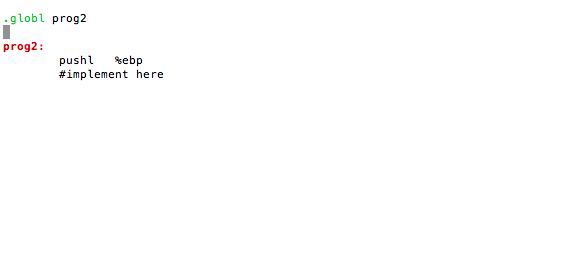
The file should implement the following prototype:
int prog2 (int i, int j, int *k, int a[5], int *1);
This function should do the following three things:
1. Return j - i
2. Set *k = 3 * (*k);
* NOTE: Do NOT use any multiplication or division instructions.
3. Set *1 = a[0] + a[1] +a[2] +a[3] + a[4];
* It isn't required to use conditional jumping for this task, but it can be used for this program.
* When any any callee-save register is modified, its old value needs to be saved and restored.
* NOTE: please write comments for each instruction to explain its purpse. (use # when writing a comment)
------------------------------------------------
How to get this working in 3 distinct steps:
1. Write a function taking the above arguments, but the only thing it does is return j - i. The function can be tested by running the provided xtest program. (Hint: the return value should be stored in %eax.)
2. Try to use the address passed in as the k parameter to change the caller's variable. The integer needs to be stored at the address, multiply by 3 (without using any multiplication or division instruction), and then store the computed value at the adress.
3. Try to use the address passed in as the a parameter to read integers stored in the array. Note that the address is the starting address of the array, and you need to calculate an appropriate offset to read each array element.
----------------------------------
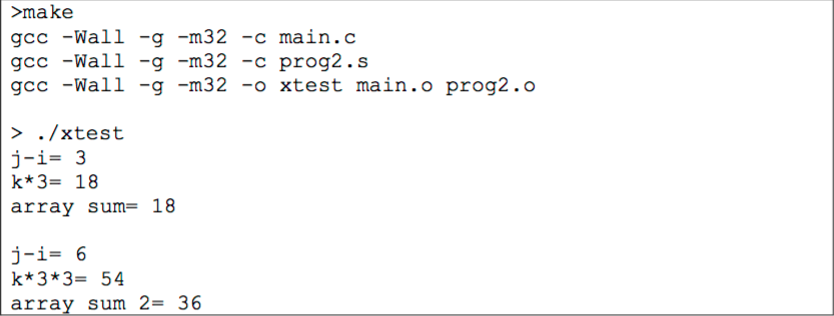
The output of how to run the tester is shown below.
globl prog2 prog2: pushl %ebp #implement here globl prog2 prog2: pushl %ebp #implement here
Step by Step Solution
There are 3 Steps involved in it

Get step-by-step solutions from verified subject matter experts
 Study Help