







Question: Hello, please answer the following question completely allowing the bash script to work correctly. I will upvote, thank you :), if more info is required
Hello, please answer the following question completely allowing the bash script to work correctly. I will upvote, thank you :), if more info is required please be specific in what you need in clarification
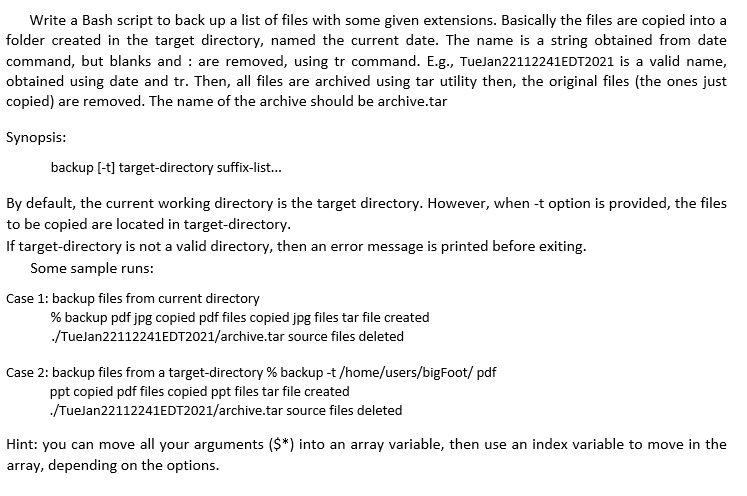
Write a Bash script to back up a list of files with some given extensions. Basically the files are copied into a folder created in the target directory, named the current date. The name is a string obtained from date command, but blanks and : are removed, using tr command. E.g., TueJan22112241EDT2021 is a valid name, obtained using date and tr. Then, all files are archived using tar utility then, the original files (the ones just copied) are removed. The name of the archive should be archive.tar Synopsis: backup [-t] target-directory suffix-list... By default, the current working directory is the target directory. However, when -t option is provided, the files to be copied are located in target-directory. If target-directory is not a valid directory, then an error message is printed before exiting. Some sample runs: Case 1: backup files from current directory % backup pdf jpg copied pdf files copied jpg files tar file created ./TueJan22112241EDT2021/archive.tar source files deleted Case 2: backup files from a target-directory % backup-t /home/users/bigFoot/ pdf ppt copied pdf files copied ppt files tar file created ./TueJan22112241EDT2021/archive.tar source files deleted Hint: you can move all your arguments ($*) into an array variable, then use an index variable to move in the array, depending on the options. Write a Bash script to back up a list of files with some given extensions. Basically the files are copied into a folder created in the target directory, named the current date. The name is a string obtained from date command, but blanks and : are removed, using tr command. E.g., TueJan22112241EDT2021 is a valid name, obtained using date and tr. Then, all files are archived using tar utility then, the original files (the ones just copied) are removed. The name of the archive should be archive.tar Synopsis: backup [-t] target-directory suffix-list... By default, the current working directory is the target directory. However, when -t option is provided, the files to be copied are located in target-directory. If target-directory is not a valid directory, then an error message is printed before exiting. Some sample runs: Case 1: backup files from current directory % backup pdf jpg copied pdf files copied jpg files tar file created ./TueJan22112241EDT2021/archive.tar source files deleted Case 2: backup files from a target-directory % backup-t /home/users/bigFoot/ pdf ppt copied pdf files copied ppt files tar file created ./TueJan22112241EDT2021/archive.tar source files deleted Hint: you can move all your arguments ($*) into an array variable, then use an index variable to move in the array, depending on the options
Step by Step Solution
There are 3 Steps involved in it

Get step-by-step solutions from verified subject matter experts
 Study Help