







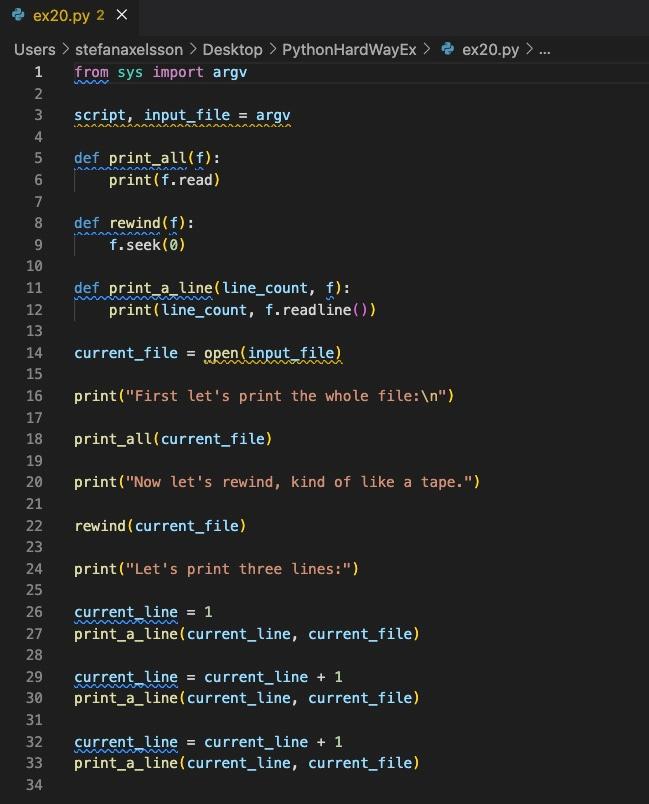
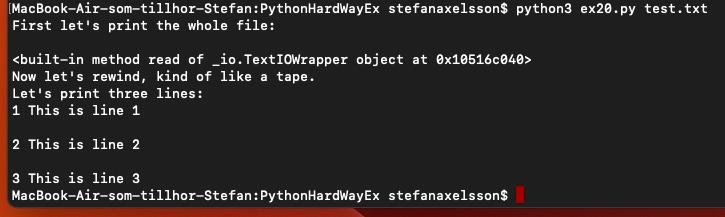
Question: Hello, please check the below pics of Python code in visual studio code and when I run it in terminal bash I got the output
Hello, please check the below pics of Python code in visual studio code
and when I run it in terminal bash I got the output like in the second pic below
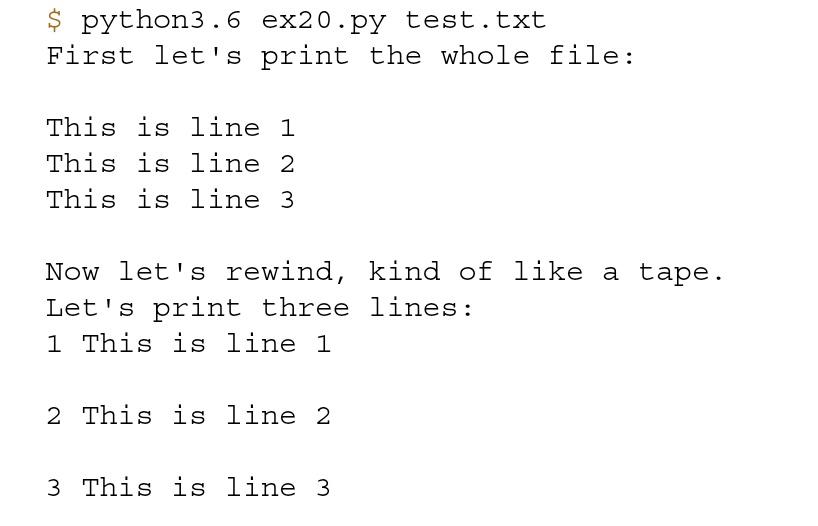
I like to have it like the third pic below.
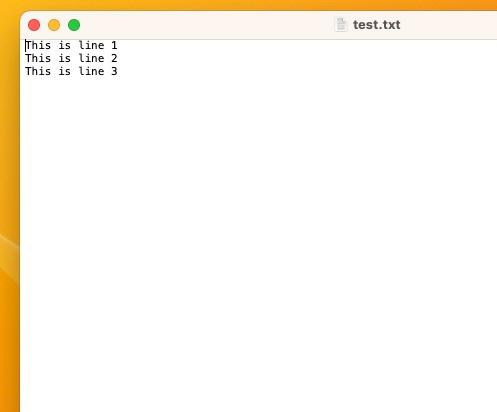
I created the text file callede test.txt like in the forth pic below.
do I need to put more text in the text file before I run the code?
or do need to create another text file there I open the text file and enter som input in?
Thanks!
[MacBook-Air-som-tillhor-Stefan:PythonHardWayEx stefanaxelssons python 3 ex 20. py test.txt First let's print the whole file: 010516c040> Now let's rewind, kind of like a tape. Let's print three lines: 1 This is line 1 2 This is line 2 3 This is line 3 MacBook-Air-som-tillhor-Stefan:PythonHardWayEx stefanaxelsson\$ $ python 3.6 ex 20. py test.txt First let's print the whole file: This is line 1 This is line 2 This is line 3 Now let's rewind, kind of like a tape. Let's print three lines: 1 This is line 1 2 This is line 2 3 This is line 3 This is line 1 This is line 2 This is line 3
Step by Step Solution
There are 3 Steps involved in it

Get step-by-step solutions from verified subject matter experts
 Study Help