







Question: Hello! So I am trying to use a multilayer perception for machine learning. This is done in Google Collab. Code is in python. Attached is
Hello! So I am trying to use a multilayer perception for machine learning. This is done in Google Collab. Code is in python. Attached is my code below:
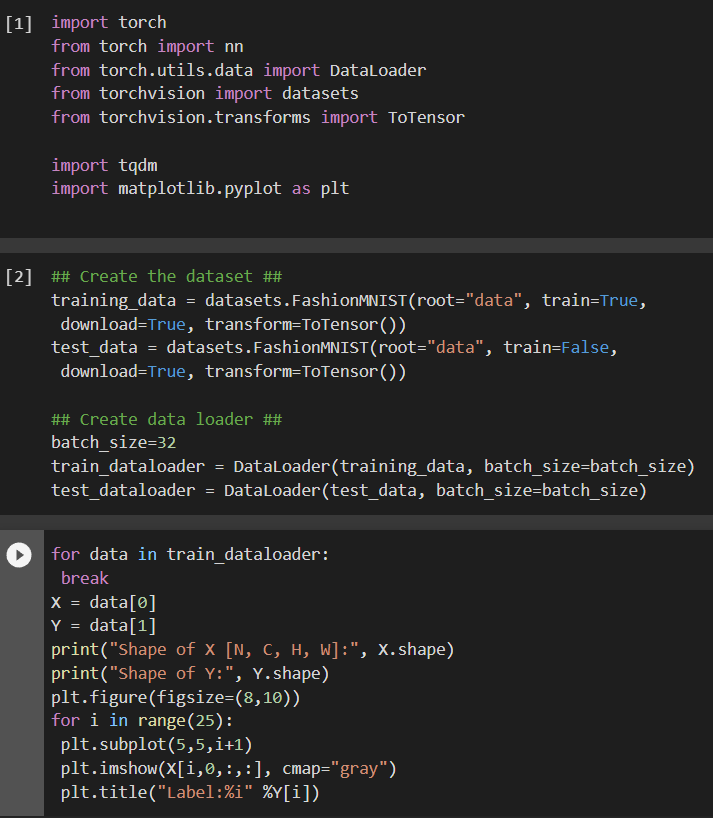
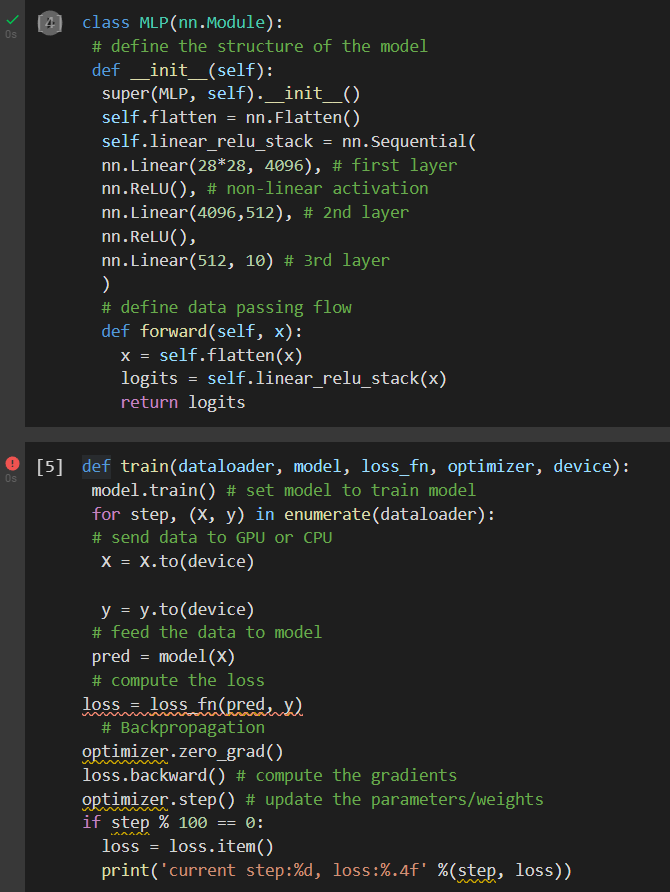
But as you can see in cell 5 I am receiving an error. This is the error:
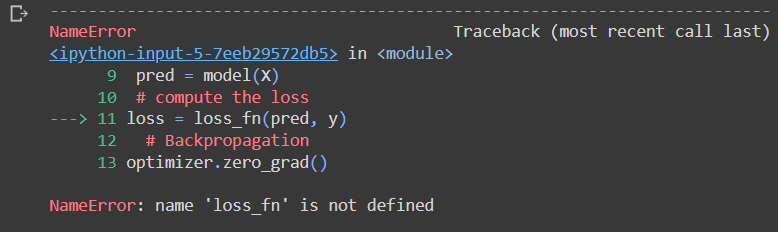
Here is the rest of the code:
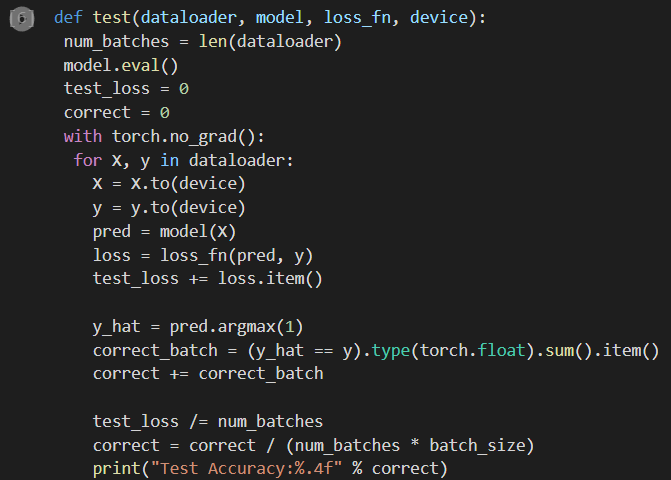
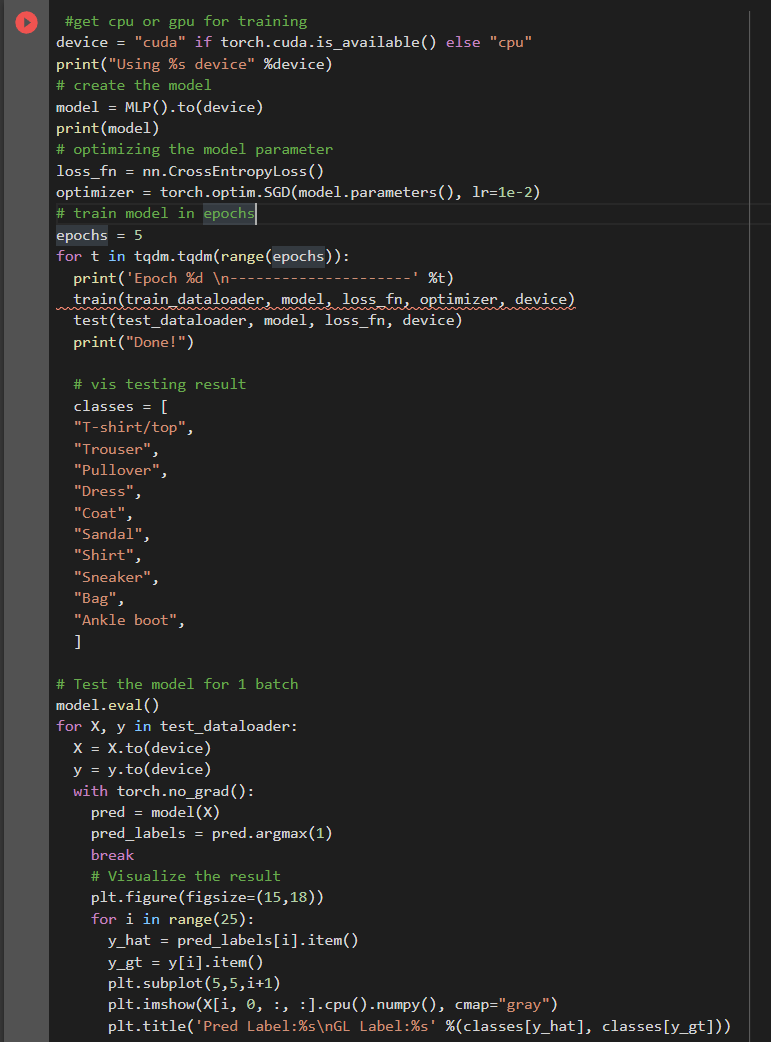 I am also getting an error for this cell which is cell 7. Here is the error:
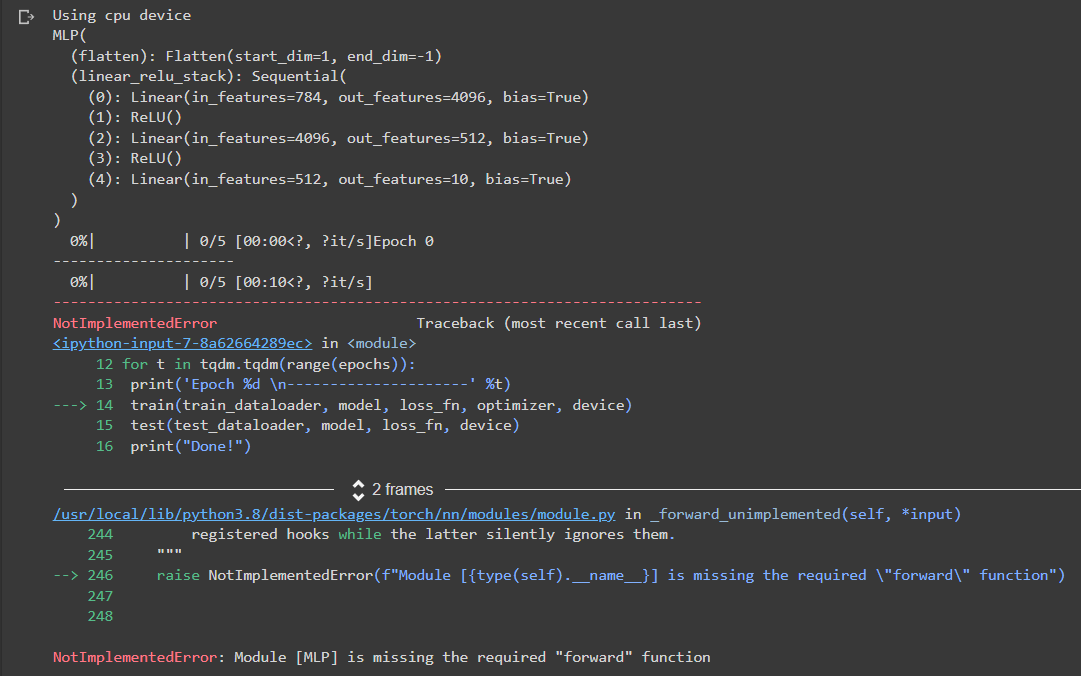 What am I doing wrong? Any help with the right corrections made would be really appreciated. Please explain as well if you can because I would like to learn where I am going wrong and I want to fix it as soon as possible. Thank you!
[4] Class MLP(nn.Module): \# define the structure of the model def init_(self): super(MLP, self)._init__() self.flatten = nn.Flatten () self.linear_relu_stack =nn. Sequential nn. Linear (2828,4096), \# first layer nn. ReLU(), \# non-linear activation nn. Linear (4096,512), \# 2nd layer nn.ReLU(), nn. Linear (512,10) \# 3rd layer ) \# define data passing flow def forward(self, x) : x=self.flatten(x) logits = self.linear_relu_stack (x) return logits [5] def train(dataloader, model, loss_fn, optimizer, device): model.train() \# set model to train model for step, (X,y) in enumerate(dataloader): \# send data to GPU or CPU X=x.to (device) y=yto (device) \# feed the data to model pred =mode(X) \# compute the loss loss = loss fn ( pred, y) \# Backpropagation optimizer.zero grad( ) loss.backward() \# compute the gradients optimizer.step() \# update the parameters/weights if step %100==0 : loss = loss.item( ) print('current step:\%d, loss:\%.4f' \%(step, loss)) Using cpu device
Step by Step Solution
There are 3 Steps involved in it

Get step-by-step solutions from verified subject matter experts
 Study Help