







Question: HELLO! This is for my Intro to Linux class. We are using BASH and learning HTML and CGI using Vi editor. Thank you for the
HELLO! This is for my Intro to Linux class. We are using BASH and learning HTML and CGI using Vi editor. Thank you for the help!
STAGE 1 | HTML & JavaScript
Remember that all of your web pages must be saved inside of your public_html directory so be sure to change directories to this directory before continuing. Once you are inside of your public_html directory, create a new page called GrossPay.html and add the following:
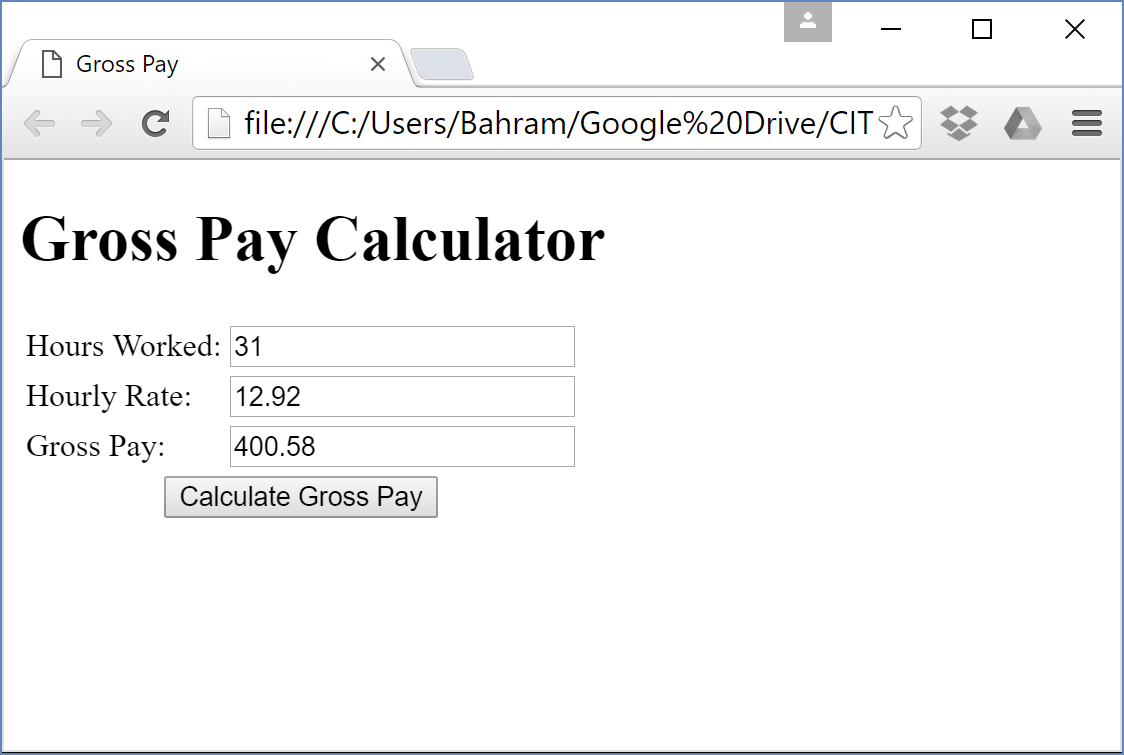
Page title should be Gross Pay
Gross Pay Calculator as Heading 1
Three textBoxes (hours Worked, Hourly Rate, Gross Pay)
Calculate Button
Criteria
Use
Step by Step Solution
There are 3 Steps involved in it

Get step-by-step solutions from verified subject matter experts
 Study Help