







Question: Hello world.java MathTestjava X D Math.java 1 package labi; 3+ import static org.junit.jupiter.api.Assertions. * ;D. 5 6 7 public class MathTest { @Test public void
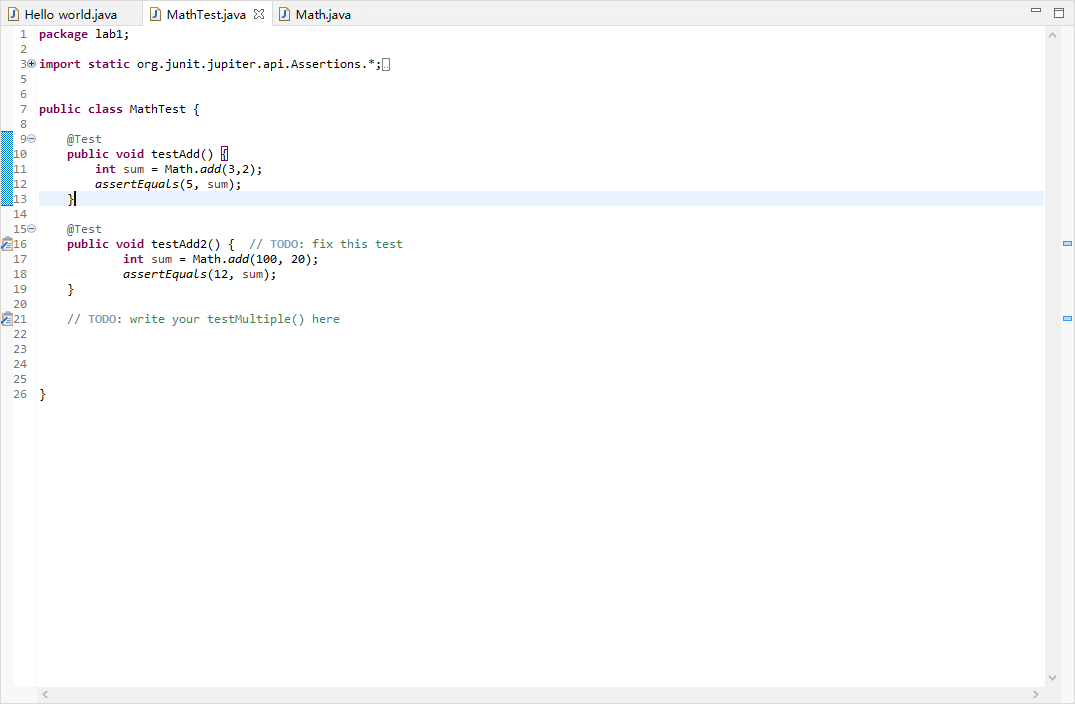
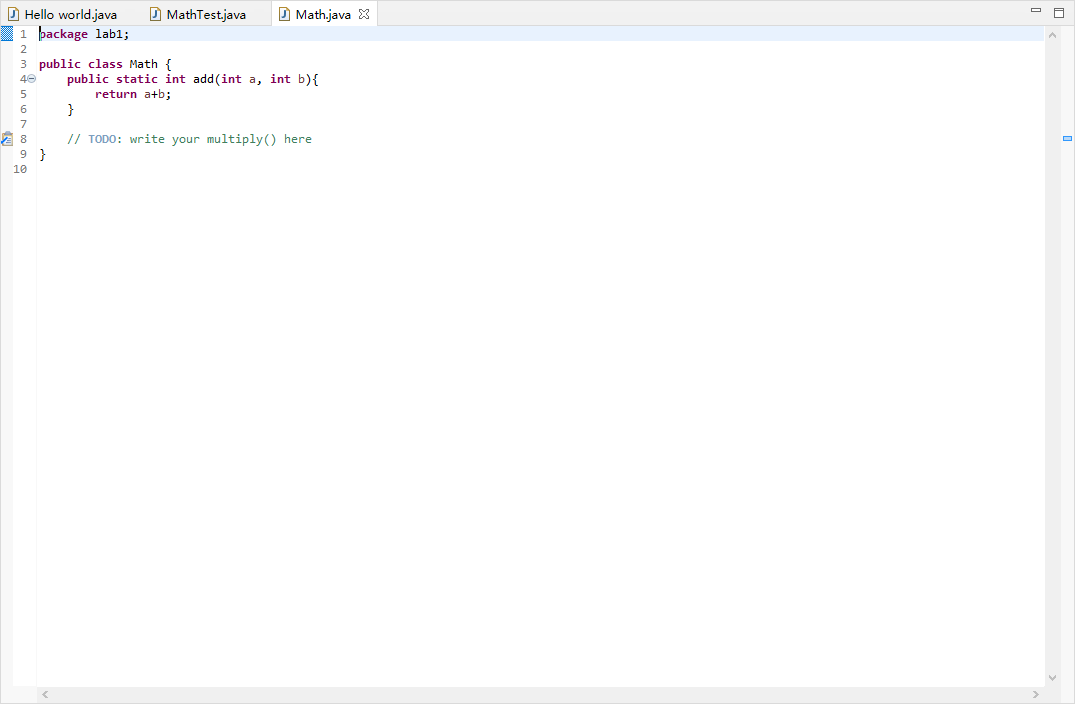
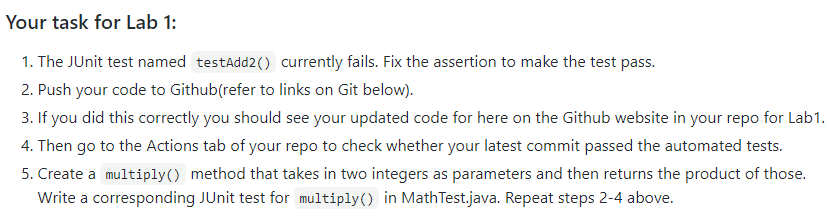
Hello world.java MathTestjava X D Math.java 1 package labi; 3+ import static org.junit.jupiter.api.Assertions. * ;D. 5 6 7 public class MathTest { @Test public void testAdd() int sum = Math.add(3, 2); assertEquals(5, sum); } 90 10 11 12 13 14 150 216 17 18 19 20 221 22 23 24 25 26 } @Test public void testAdd2() { // TODO: fix this test int sum = Math.add(100, 20); assertEquals(12, sum); } // TODO: write your testMultiple here Hello world.java MathTestjava Math.java X 1 package labi; 2 3 public class Mathi 46 public static int add(int a, int b){ 5 return a+b; 6 } 7 8 // TODO: write your multiply here 9} 10 Your task for Lab 1: 1. The JUnit test named testAdd2() currently fails. Fix the assertion to make the test pass. 2. Push your code to Github(refer to links on Git below). 3. If you did this correctly you should see your updated code for here on the Github website in your repo for Lab1. 4. Then go to the Actions tab of your repo to check whether your latest commit passed the automated tests. 5. Create a multiply() method that takes in two integers as parameters and then returns the product of those. Write a corresponding JUnit test for multiply() in MathTest.java. Repeat steps 2-4 above
Step by Step Solution
There are 3 Steps involved in it

Get step-by-step solutions from verified subject matter experts
 Study Help