







Question: HELP, Add button wont work?, i would click on the button and that page would contuine to load but not go anywhere but dont go
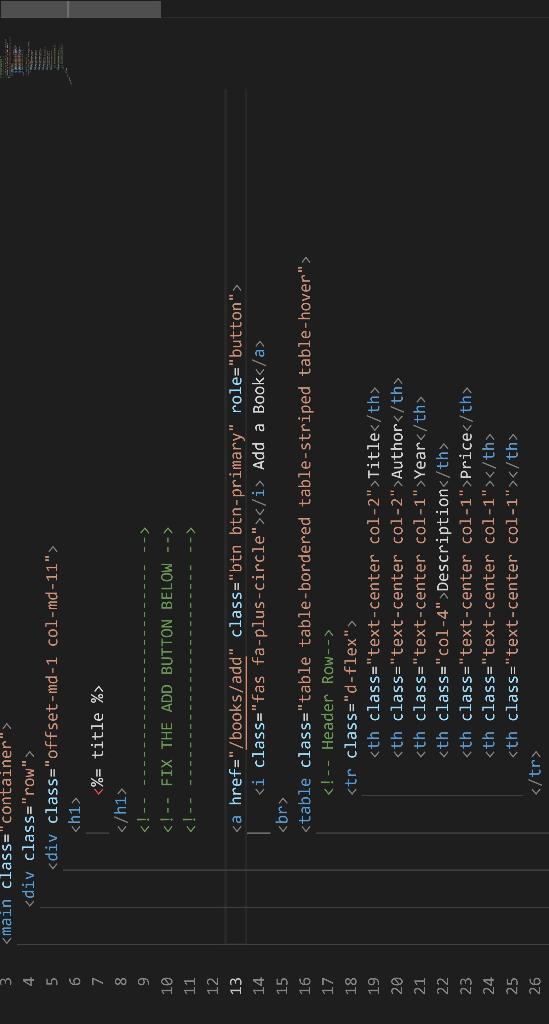
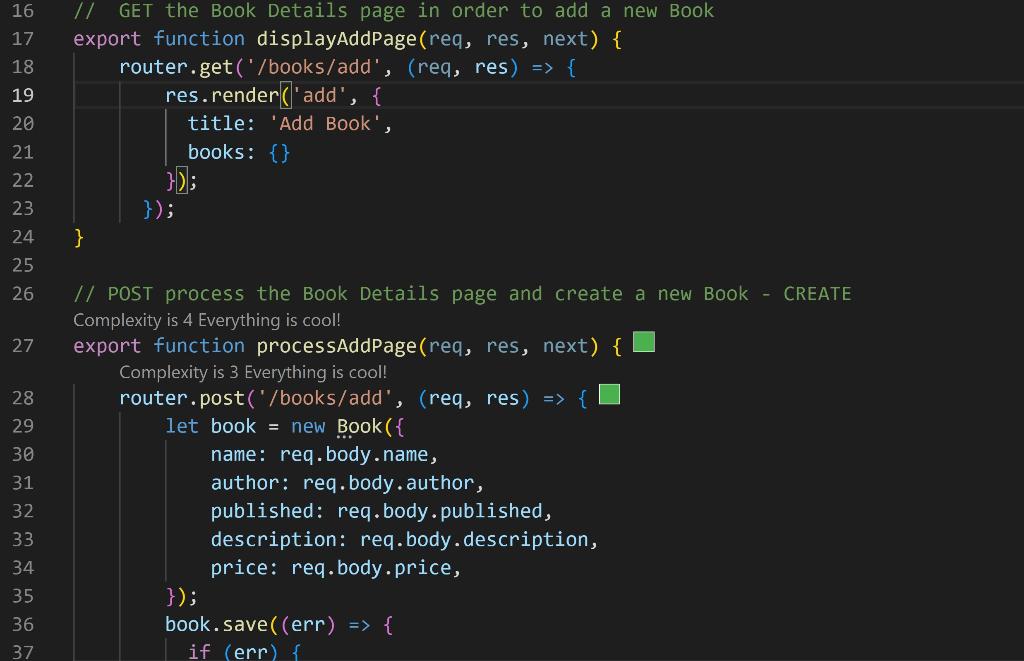
HELP, Add button wont work?, i would click on the button and that page would contuine to load but not go anywhere but dont go anywhere.
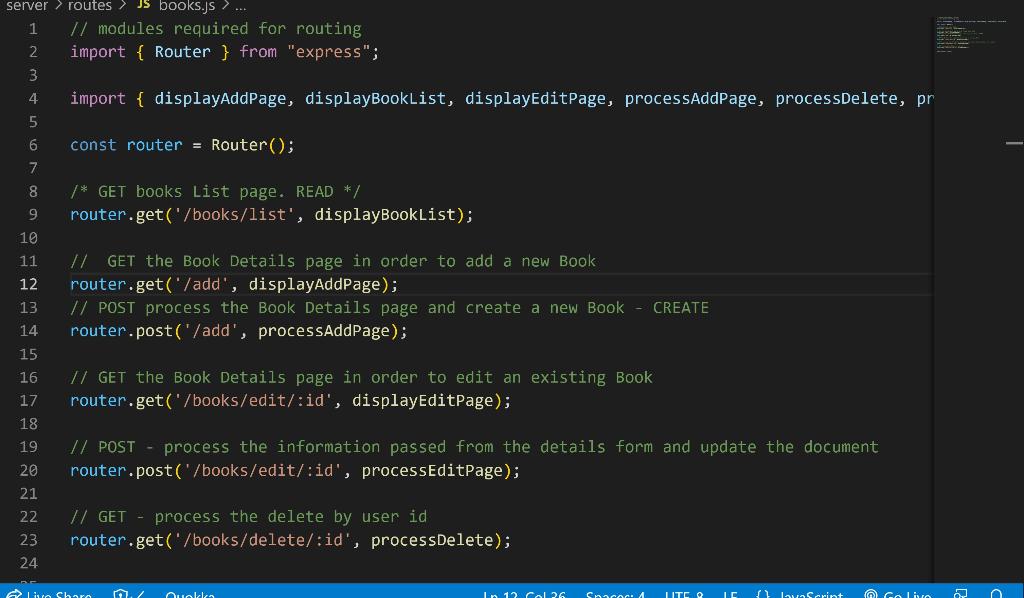
// modules required for routing import \{ Router \} from "express"; import \{ displayAddPage, displayBookList, displayEditPage, processAddPage, processDelete, pr const router = Router(); /* GET books List page. READ */ router.get('/books/list', displayBookList); // GET the Book Details page in order to add a new Book router.get('/add', displayAddPage); // POST process the Book Details page and create a new Book - CREATE router.post('/add', processAddPage); I/ GET the Book Details page in order to edit an existing Book router.get('/books/edit/:id', displayeditPage); I/ POST - process the information passed from the details form and update the document router.post('/books/edit/:id', processeditPage); // GET - process the delete by user id router. get('/books/delete/:id', processDelete); // modules required for routing import \{ Router \} from "express"; import \{ displayAddPage, displayBookList, displayEditPage, processAddPage, processDelete, pr const router = Router(); /* GET books List page. READ */ router.get('/books/list', displayBookList); // GET the Book Details page in order to add a new Book router.get('/add', displayAddPage); // POST process the Book Details page and create a new Book - CREATE router.post('/add', processAddPage); I/ GET the Book Details page in order to edit an existing Book router.get('/books/edit/:id', displayeditPage); I/ POST - process the information passed from the details form and update the document router.post('/books/edit/:id', processeditPage); // GET - process the delete by user id router. get('/books/delete/:id', processDelete)
Step by Step Solution
There are 3 Steps involved in it

Get step-by-step solutions from verified subject matter experts
 Study Help