







Question: Help!! Code in Matlab Create a 1 by 20 vector that contains random numbers between 1 and 10. Call this vector Vect. Use Vect in
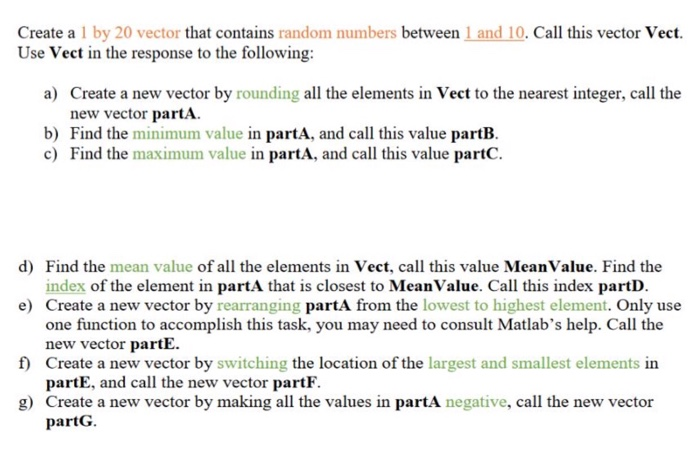
Create a 1 by 20 vector that contains random numbers between 1 and 10. Call this vector Vect. Use Vect in the response to the following: Create a new vector by rounding all the elements in Vect to the nearest integer, call the new vector partA a) b) Find the minimum value in partA, and call this value partB. c) Find the maximum value in partA, and call this value partC Find the mean value of all the elements in Vect, call this value Mean Value. Find the index of the element in partA that is closest to MeanValue. Call this index partD Create a new vector by rearranging partA from the lowest to highest element. Only use one function to accomplish this task, you may need to consult Matlab's help. Call the new vector partE Create a new vector by switching the location of the largest and smallest elements in partE, and call the new vector partF. Create a new vector by making all the values in partA negative, call the new vector partG. d) e) f) g)
Step by Step Solution
There are 3 Steps involved in it

Get step-by-step solutions from verified subject matter experts
 Study Help