







Question: Help generate the outcomes using Excel and show formulas if possible. and place the Demand, x categories 0, 1, 2,
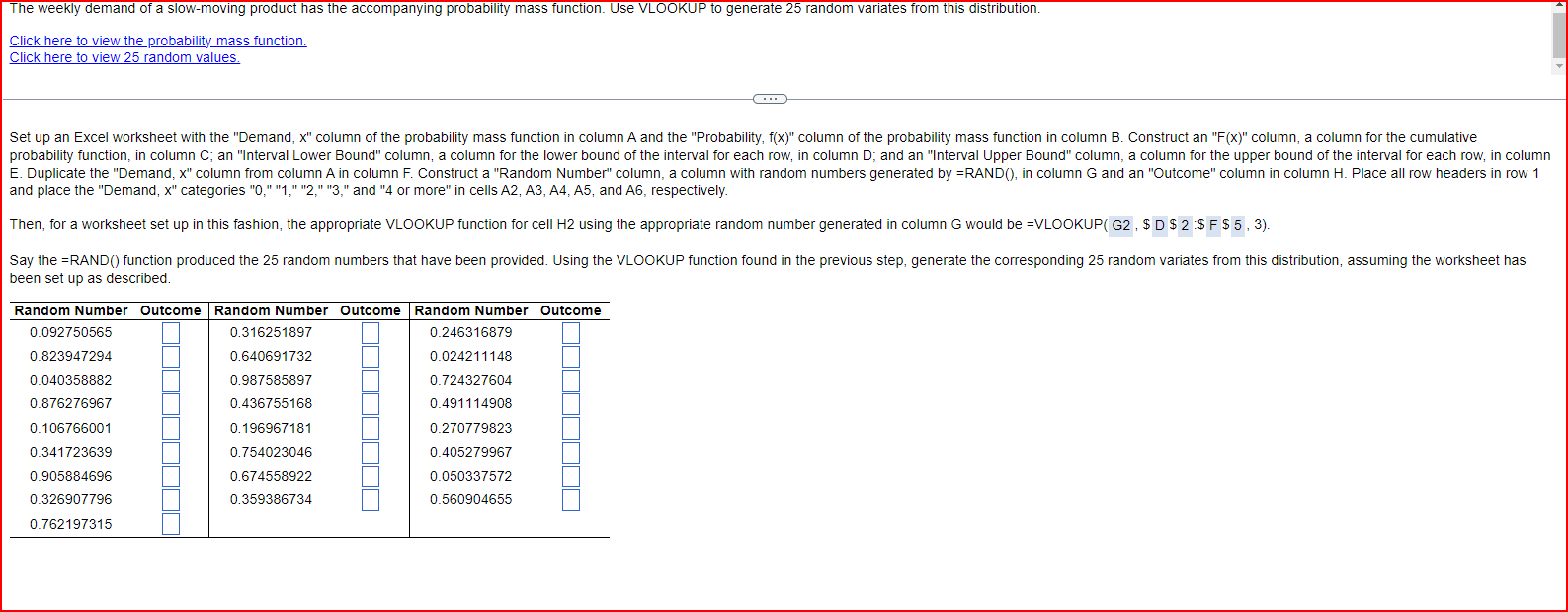
Help generate the outcomes using Excel and show formulas if possible.
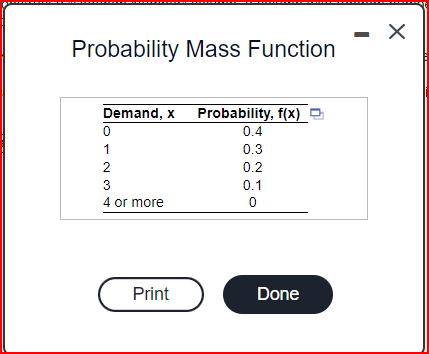
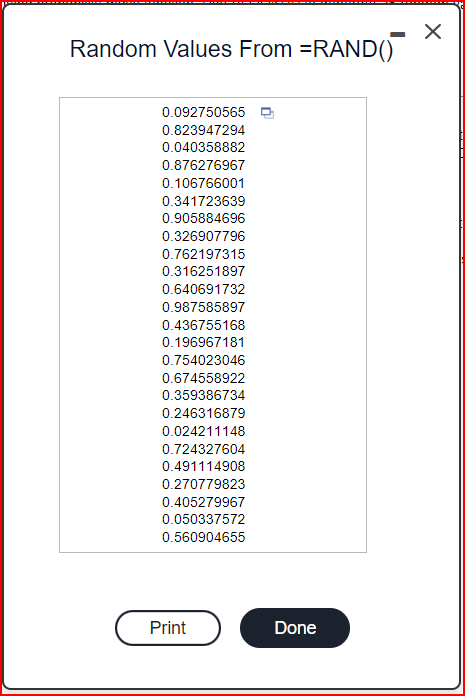
and place the "Demand, x " categories " 0, " "1," " 2, " " 3 ," and " 4 or more" in cells A2, A3, A4, A5, and A6, respectively. Then, for a worksheet set up in this fashion, the appropriate VLOOKUP function for cell H2 using the appropriate random number generated in column G would be =VLOOKUP( G2, \$ D$2:$F$5,3 ). heen set un as described Probability Mass Function Random Values From =RAND()
Step by Step Solution
There are 3 Steps involved in it
1 Expert Approved Answer
Step: 1 Unlock

Question Has Been Solved by an Expert!
Get step-by-step solutions from verified subject matter experts
Step: 2 Unlock
Step: 3 Unlock
 Study Help