







Question: Help, I done step 2, and 3. I just need from 4th and on... ' EX16 XL CH07 GRADER CAP AS Sales Data 1.1 Project
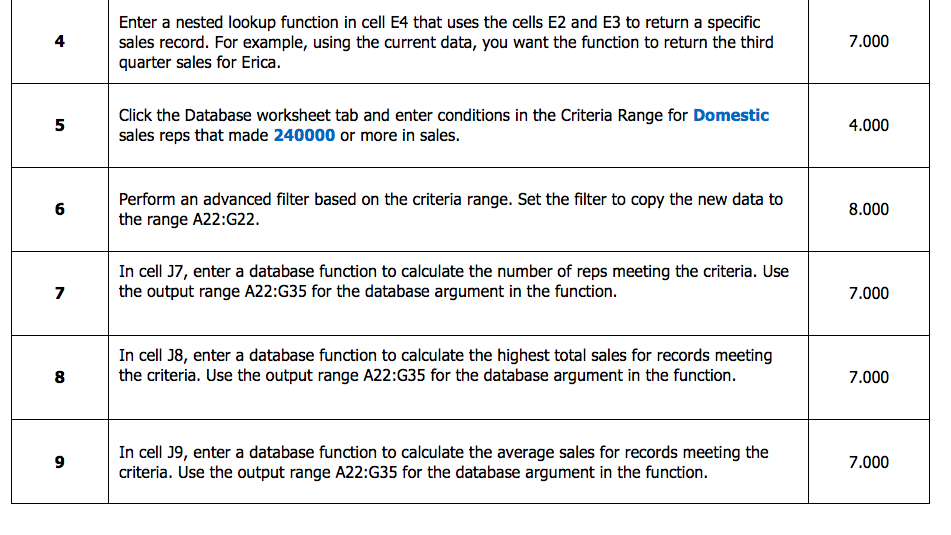
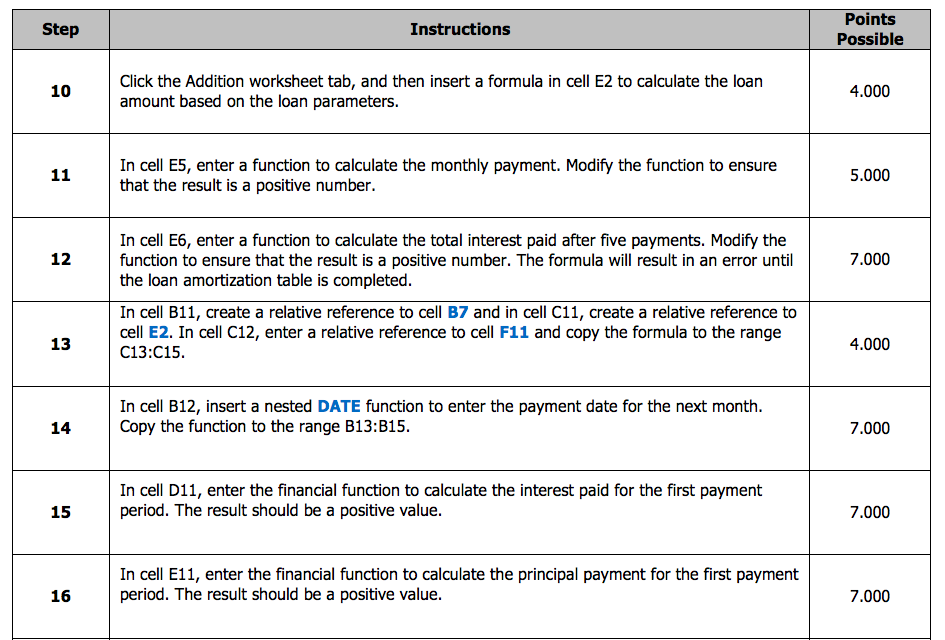
Help, I done step 2, and 3. I just need from 4th and on...
 '
'
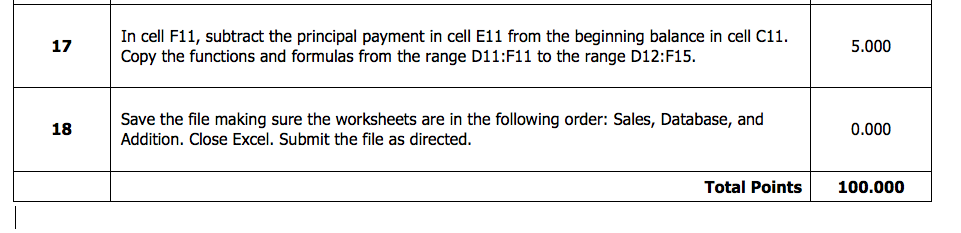
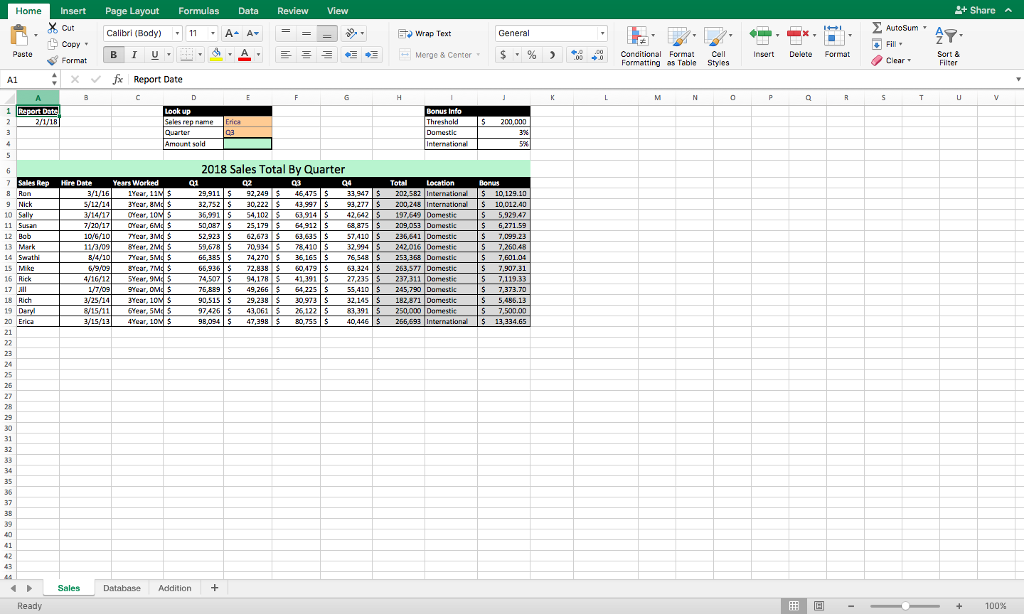
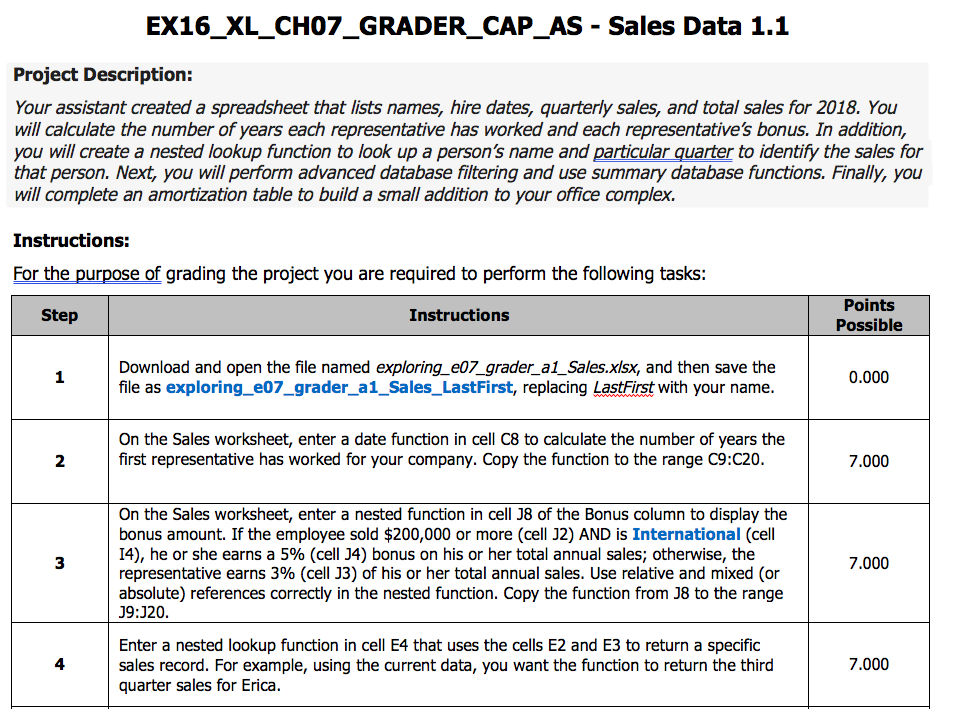
EX16 XL CH07 GRADER CAP AS Sales Data 1.1 Project Description: Your assistant created a spreadsheet that lists names, hire dates, quarterly sales, and total sales for 2018. You will calculate the number of years each representative has worked and each representatives bonus. In addition, you will create a nested lookup function to look up a person's name and particular quarter to identify the sales for that person. Next, you will perform advanced database filtering and use summary database functions. Finally, you will complete an amortization table to build a small addition to your office complex. Instructions: For the purpose of grading the project you are required to perform the following tasks: Points Step Instructions Possible 0.000 file as exploring e07 grader a Sales LastFirst, replacing LastFirst with your name On the Sales worksheet, enter a date function in cell C8 to calculate the number of years the first representative has worked for your company. Copy the function to the range C9:C20 7.000 On the Sales worksheet, enter a nested function in cell J8 of the Bonus column to display the bonus amount. If the employee sold $200,000 or more (cell J2) AND is International (cell I4), he or she earns a 5% (cell J4) bonus on his or her total annual sales; otherwise, the 7.000 representative earns 3% (cell J3) of his or her total annual sales. Use relative and mixed (or absolute) references correctly in the nested function. Copy the function from J8 to the range J9:J20. Enter a nested lookup function in cell E4 that uses the cells E2 and E3 to return a specific 7.000 sales record. For example, using the current data, you want the function to return the third quarter sales for Erica
Step by Step Solution
There are 3 Steps involved in it

Get step-by-step solutions from verified subject matter experts
 Study Help