







Question: Help I don't know what to do. how do I enter them? please use excel for example. thanks in advance :) L06 Basic Functions 107
Help I don't know what to do. how do I enter them? please use excel for example. thanks in advance :)
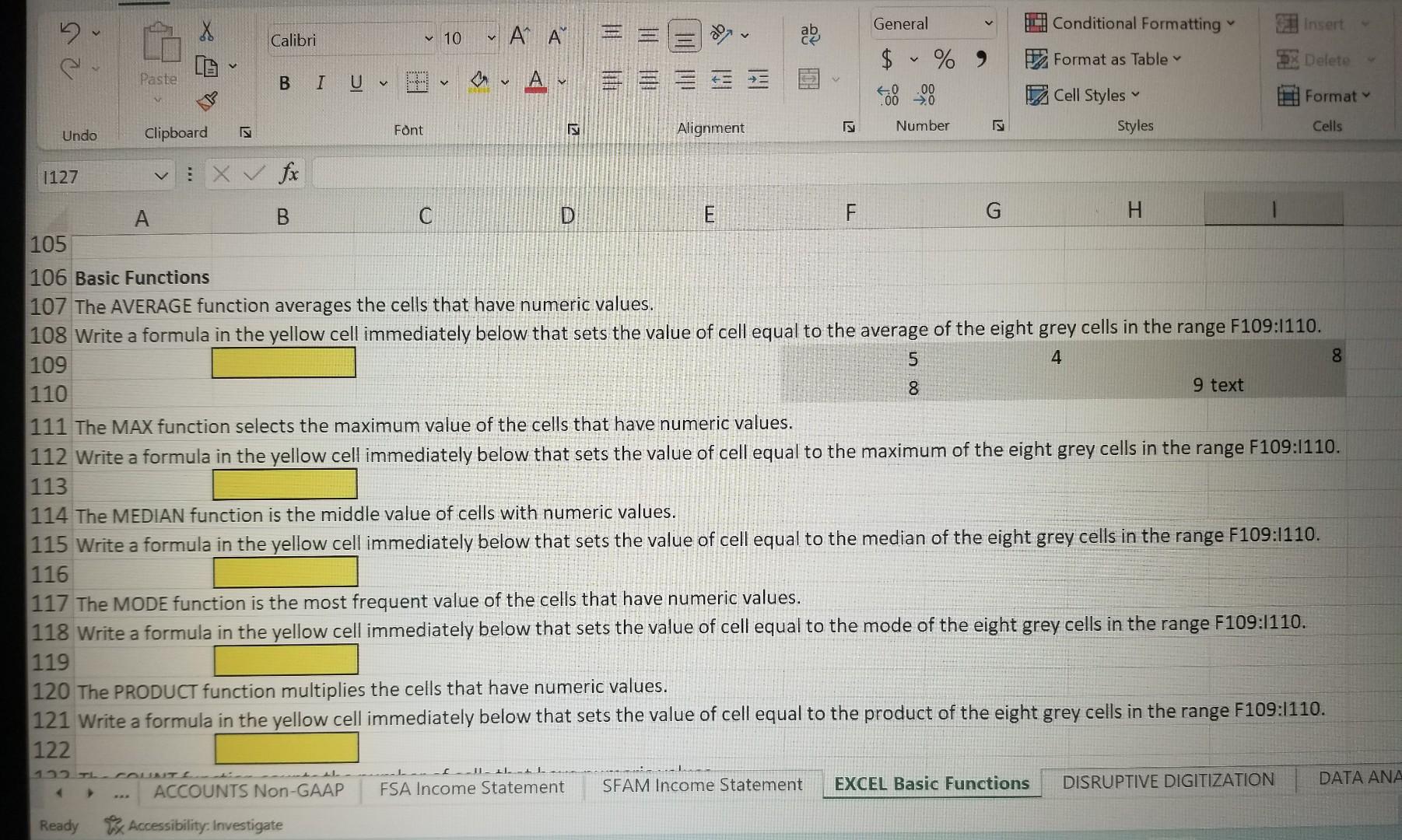
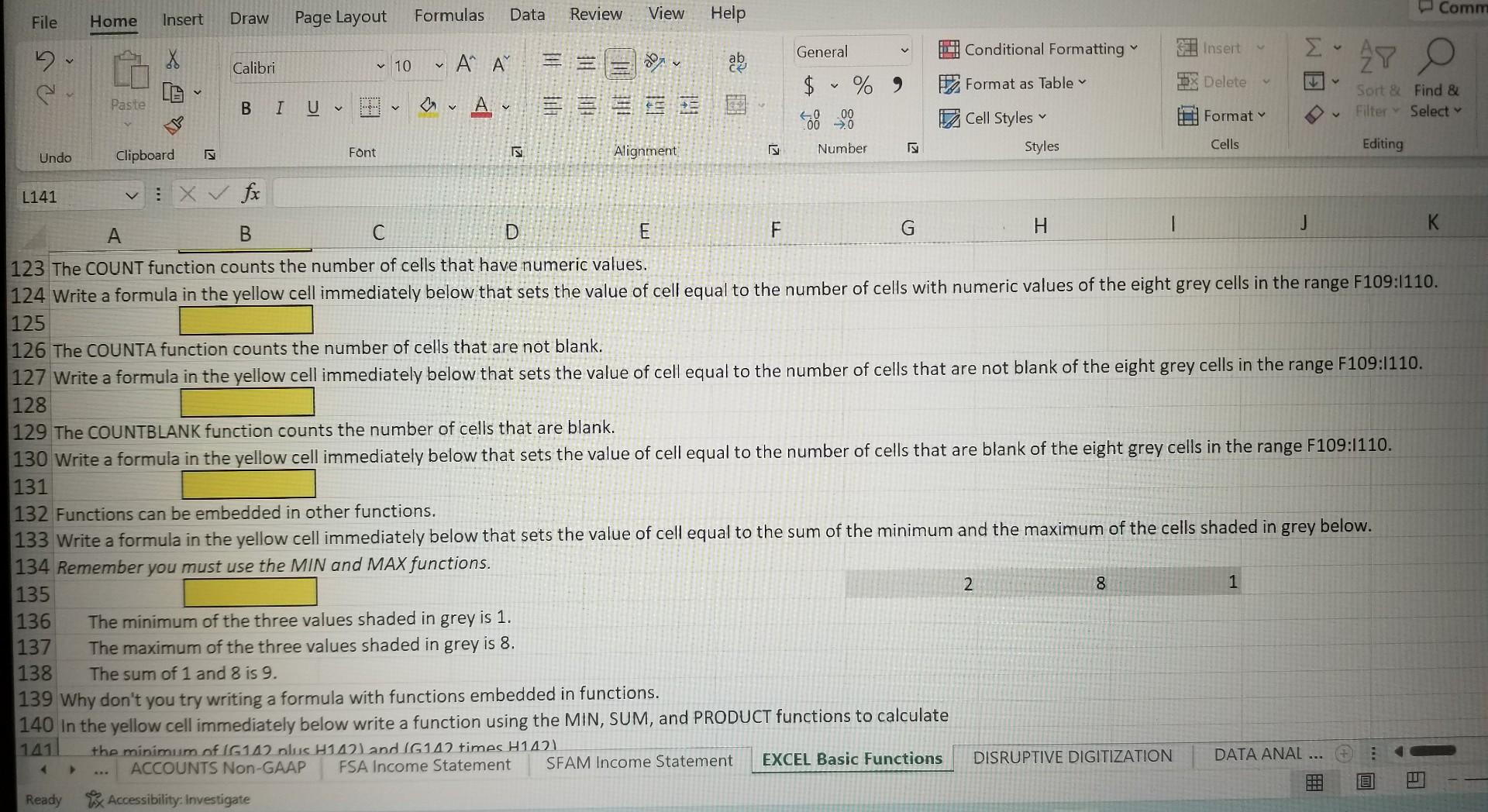
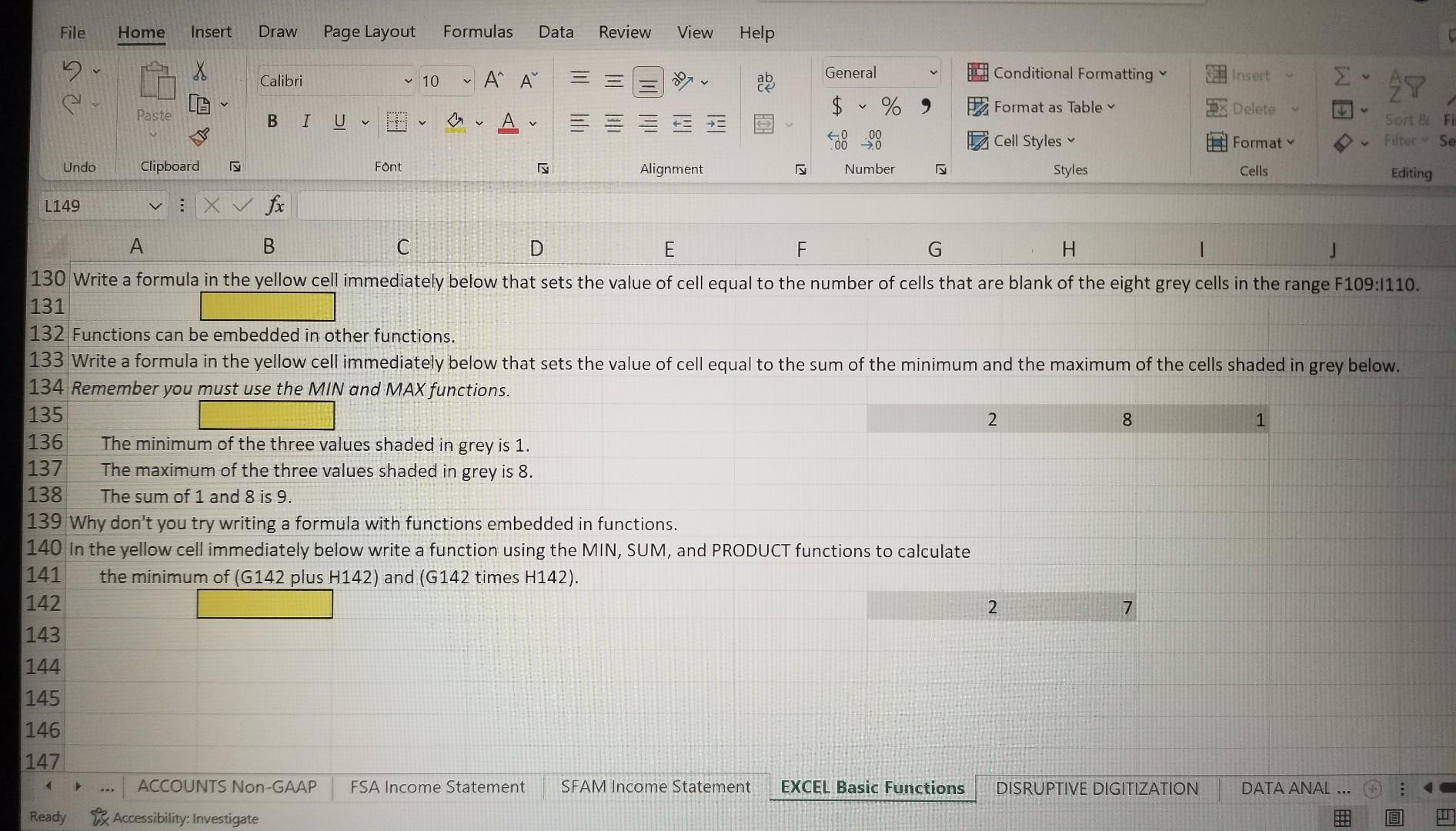
L06 Basic Functions 107 The AVERAGE function averages the cells that have numeric values. 108 Write a formula in the yellow cell immediately below that sets the value of cell equal to the average of the eight grey cells in the range F109:I110. 11 The MAX function selects the maximum value of the cells that have numeric values. 112 Write a formula in the yellow cell immediately below that sets the value of cell equal to the maximum of the eight grey cells in the range F109:I110. 13 14 The MEDIAN function is the middle value of cells with numeric values. 115 Write a formula in the yellow cell immediately below that sets the value of cell equal to the median of the eight grey cells in the range F109:I110. 116 117 The MODE function is the most frequent value of the cells that have numeric values. 118 Write a formula in the yellow cell immediately below that sets the value of cell equal to the mode of the eight grey cells in the range F109:I110. 119 120 The PRODUCT function multiplies the cells that have numeric values. 121 Write a formula in the yellow cell immediately below that sets the value of cell equal to the product of the eight grey cells in the range F109:I110. 123 The COUNT function counts the number of cells that have numeric values. 124 Write a formula in the vellow cell immediately below that sets the value of cell equal to the number of cells with numeric values of the eight grey cells in the range F109:I110. 125 126 The COUNTA function counts the number of cells that are not blank: 127 Write a formula in the yellow cell immediately below that sets the value of cell equal to the number of cells that are not blank of the eight grey cells in the range F109:I110. 128 129 The COUNTBLANK function counts the number of cells that are blank. 130 Write a formula in the vellow cell immediately below that sets the value of cell equal to the number of cells that are blank of the eight grey cells in the range F109:I110. 131 132 Functions can be embedded in other functions. 133 Write a formula in the yellow cell immediately below that sets the value of cell equal to the sum of the minimum and the maximum of the cells shaded in grey below. 130 Write a formula in the vellow cell immediately below that sets the value of cell equal to the number of cells that are blank of the eight grey cells in the range F109:I110. 131 132 Functions can be embedded in other functions. 133 Write a formula in the yellow cell immediately below that sets the value of cell equal to the sum of the minimum and the maximum of the cells shaded in grey below. 134 Remember you must use the MIN and MAX functions. 135 The minimum of the three values shaded in grey is 1. 136 The minimum of the three values shaded in grey is 1. 138 The sum of 1 and 8 is 9. 139 Why don't you try writing a formula with functions embedded in functions. 140 In the yellow cell immediately below write a function using the MIN, SUM, and PRODUCT functions to calculate 141 the minimum of (G142 plus H142) and (G142 times H142). 142
Step by Step Solution
There are 3 Steps involved in it

Get step-by-step solutions from verified subject matter experts
 Study Help