







Question: Help me in this project using excel formula. ll Verizon 3:32 PM 201808 1020 Project Instr ENGR 3020 Fall 2018 Prajt Overview uide. The gpal
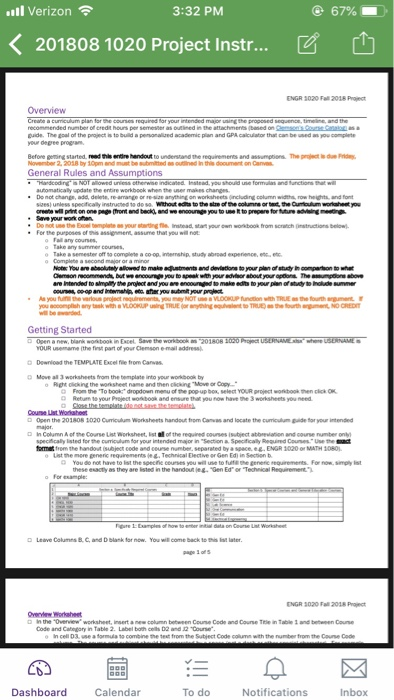
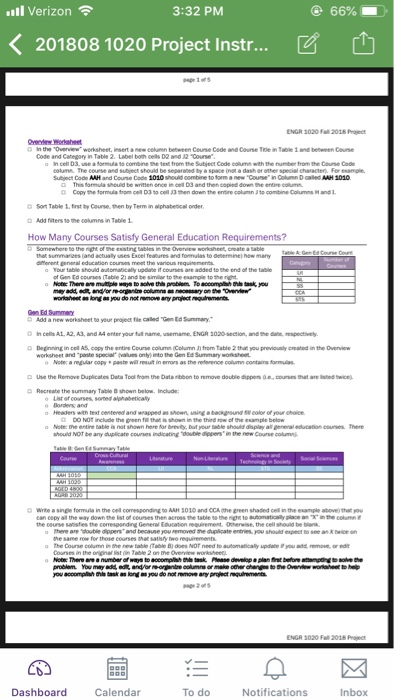
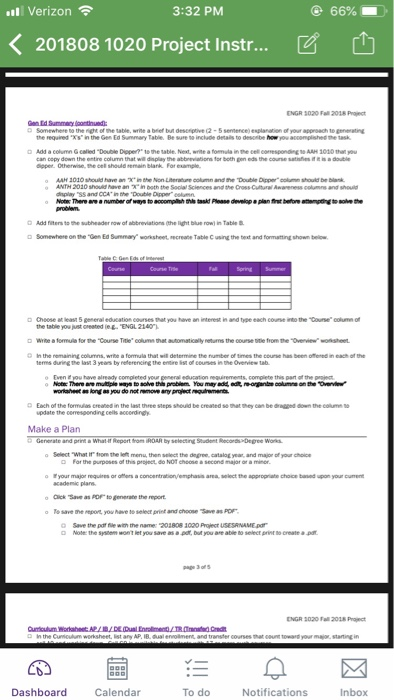
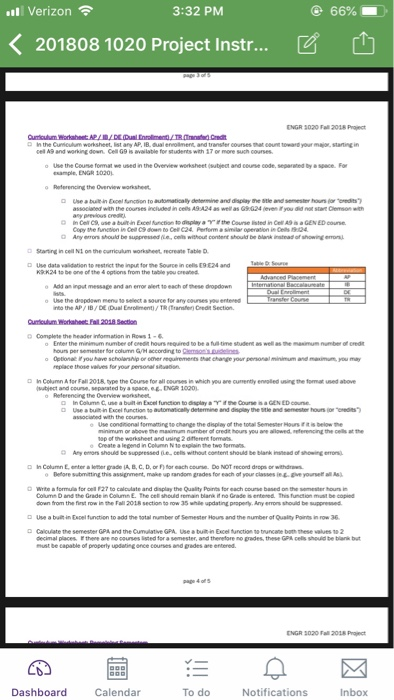
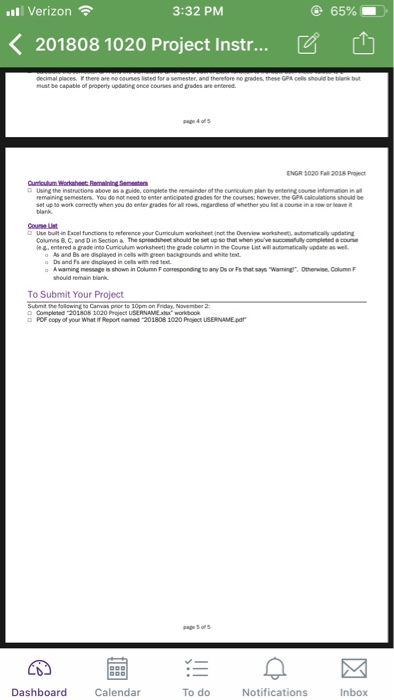
ll Verizon 3:32 PM 201808 1020 Project Instr ENGR 3020 Fall 2018 Prajt Overview uide. The gpal of the project is to build a penonalie academic plan and GPA calculator that can be used as you complete your degee progran Before geming started, read s entire hendout to understand the requiremerts and assumptions. The roject i due rid General Rules and Assumptions columna or Do "ot .ne the Enel te gne iratead, stat your own wo took from scrath (intritors below). . your y alowed to to npenk with your courses coop and Intenahl et ater you submt your project Getting Started OUR uemame the fist part of your Clemson e mail address D Dewnload t D Move all 3 worksheets firom the bemplate into your workbook by the TEMPLATE Excel file from o Right icking the woksheet name and then king "Move or Copy YOUR project Coure List Woraheet Open the 201 so s 1020 amp Aum worksheets handat tom Canas and locate the pumelum pade tor you intended Column A ef ne Cone ust worksheet, ist of the "egured oones 's teect atomosen and course manter only, formet from the handout (subject code and ceurse number, separated by a space eg ENGR 1020 or MATH 1080 use to fute these esactly as they are listed in the handout n."Gen Edor Technical Reuirement NGR 3020 Fall 2018 Project the 4Overvew" worksheet, insert Code and Category in Table 2. Label both celts D2 and 2 "Course new column between Couse Code and Course Tne in Table 1 and between Course Dashboard Calendar To do Notifications Inbox ll Verizon 3:32 PM 201808 1020 Project Instr ENGR 3020 Fall 2018 Prajt Overview uide. The gpal of the project is to build a penonalie academic plan and GPA calculator that can be used as you complete your degee progran Before geming started, read s entire hendout to understand the requiremerts and assumptions. The roject i due rid General Rules and Assumptions columna or Do "ot .ne the Enel te gne iratead, stat your own wo took from scrath (intritors below). . your y alowed to to npenk with your courses coop and Intenahl et ater you submt your project Getting Started OUR uemame the fist part of your Clemson e mail address D Dewnload t D Move all 3 worksheets firom the bemplate into your workbook by the TEMPLATE Excel file from o Right icking the woksheet name and then king "Move or Copy YOUR project Coure List Woraheet Open the 201 so s 1020 amp Aum worksheets handat tom Canas and locate the pumelum pade tor you intended Column A ef ne Cone ust worksheet, ist of the "egured oones 's teect atomosen and course manter only, formet from the handout (subject code and ceurse number, separated by a space eg ENGR 1020 or MATH 1080 use to fute these esactly as they are listed in the handout n."Gen Edor Technical Reuirement NGR 3020 Fall 2018 Project the 4Overvew" worksheet, insert Code and Category in Table 2. Label both celts D2 and 2 "Course new column between Couse Code and Course Tne in Table 1 and between Course Dashboard Calendar To do Notifications Inbox
Step by Step Solution
There are 3 Steps involved in it

Get step-by-step solutions from verified subject matter experts
 Study Help