







Question: Help me with this Google spreadsheet assignment. I just need to find the last answer but i have this steps completed: 1. Open a new
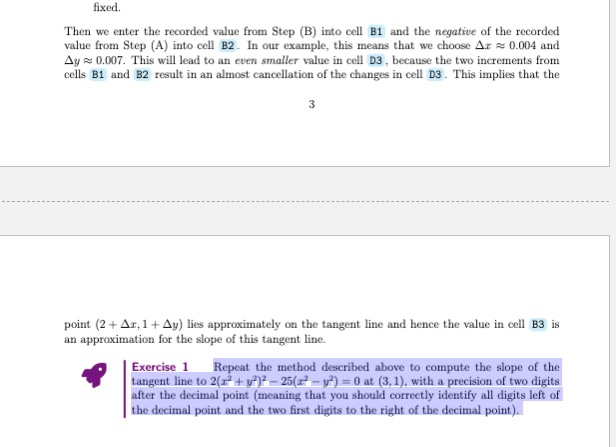
Help me with this Google spreadsheet assignment. I just need to find the last answer but i have this steps completed: 1. Open a new spreadsheet.2. Enter:? Delta x in cell A1.? Delta y in cell A2.? Delta y/Delta x in cell A3.? x = 2+Delta x in cell C1..? y = 1+Delta y in cell C2? LHS in cell C3. Here "LHS" means left-hand side of equation3. Choose the values Ax = ?? = 0, meaning that our second point (2 + Ar, l + Ay) is the same as the point (2,1). So enter 0 in cells B1 and B24. Compute the coordinates of the second point by entering -2+B1 in cell D1 and =1+B2 in cell D2.5. Compute the left-hand side of(0.1) by entering -D1-3+2+D2*3-5*D1*D2 in cell D3. Notethat the result should be exactly 0, because we have chosen the point (2 + Az, 1 + Ay) = (2,1), which lies exactly on the blue curve.6. Compute Z by entering -B2/B1 in cell B3. Note that this produces an error message, because we are trying to computeB3???202/8Delta xDelta yDelta y/Delta x0 x ? 2+Deita xO y = 1+Delta yFOIVO! UMSWe now need to choose good non-zero values for Ar and Ay.7. Choose values 0.1, 0.01, etc. for Ar (cell B1). Observe how the left-hand side of (0.1) (the value in cell D3) changes. You should notice that this value is about 7 times the value in cell B1.8. Reset the value in cell B1 back to 0. Choose values 0.1, 0.01, etc. for Ay (cell B2 ).Observe how the left-hand side of (0.1) (the value in cell D3) changes. You should notice that this value is about -4 times the value in cell B2.9. Enter different small values in cells B1 and B2 and observe that the value in cell D3 isapproximately 7 times the value in cell B1 minus 4 times the value in cell B2You should observe the following:? If Ax = 0.001 and Ay = 0, then the value in the cell D3 is approximately 0.007 = 7?0.001.? If Ar = 0 and Ay = 0.001, then the value in the cellD3 is approximately ?0.004 =-4 - 0.001.But this has the following consequence (verify this using your spreadsheet): |? If Ar = 0.004 and y = 0, then the value in the cell D3 is approximately 7 ? 0.004.? If x = 0 and Ay = 0.007, then the value in the cell D3 is approximately ?4 ? 0.007But 7 ? 0.004 = 4 - 0.007. So if we choose Ar = 0.004 and Ay = 0.007, then the effects on cell D3 should approximately cancel out.10. Enter 0.004 and 0.007 in cells B1 and B2, respectively. Look at the value in cell D3 : it should be even smaller than expected. Then repeat the same process with 0.0004 and 0.0007, and so on.It is important to note that we have to be careful about what we mean by "small". The value in cell D3, observed in Steps 7. and 8. was already small; it was 7 or -4 times a small number.So what do we mean by "smaller than expected" in Step 10? Here we need to think in terms of orders of magnitude again. In Steps 7., 8., the value in cellD3had approximately as manyleading zeros after the decimal point as the values in cells B1However, in Step 10.,there were about twice as many leading zeros, at least as long as we chose small enough numbers in cells B1 .B2Let us summarize our method. We can approximate the slope of the tangent line as follows.(A) We first enter a small number, for example 0.001, in cell B1 and 0 in B2.We record thevalue of cell D3. In our example this was ~ 0.007. In other words, we analyze the change of the left-hand side of equation ) corresponding to a small increment Ar of r while wekeep y fixed.(B) Next, we enter the same small number in cell B2 and 0 in B1.We record the value ofcell D3. In our example this was & -0.004. In other words, we analyze the change of the left-hand side of equation fixed.
Step by Step Solution
There are 3 Steps involved in it

Get step-by-step solutions from verified subject matter experts
 Study Help