







Question: Help me write a matlab code to denoise an image after adding noise to it using wavelength denoising. Can be denoised using hard or soft
Help me write a matlab code to denoise an image after adding noise to it using wavelength denoising.
Can be denoised using hard or soft thresholding.
Use the blood256.gif image
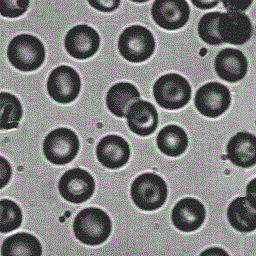
Here are the codes to add noise to image.
im1=imnoise(im,gaussian,0,0.09);
im2=imnoise(im,salt & pepper,0.25); Im3=imnoise(im,speckle,0.20);
Sample code given to denoise.
%use the following command to denoise the image;
% WDENCMP('gbl',X,'wname',N,THR,SORH,KEEPAPP) % X is the image to be denoised, wname is the wavelet name e.g. 'db1' % N is the number of levels e.g. 3. % THR is the detail component threshold value e.g. 30. % SORH is either 's' for soft threshoding or 'h' for hard. % KEEPAPP is used to keep the approximation with value 1. %using these parameters in matlab as % b=WDENCMP('gbl',X,'db2',3,30,'h',1); % b is the output denoised image.
Please also help me find the rmse of the 2 images.
Step by Step Solution
There are 3 Steps involved in it

Get step-by-step solutions from verified subject matter experts
 Study Help