







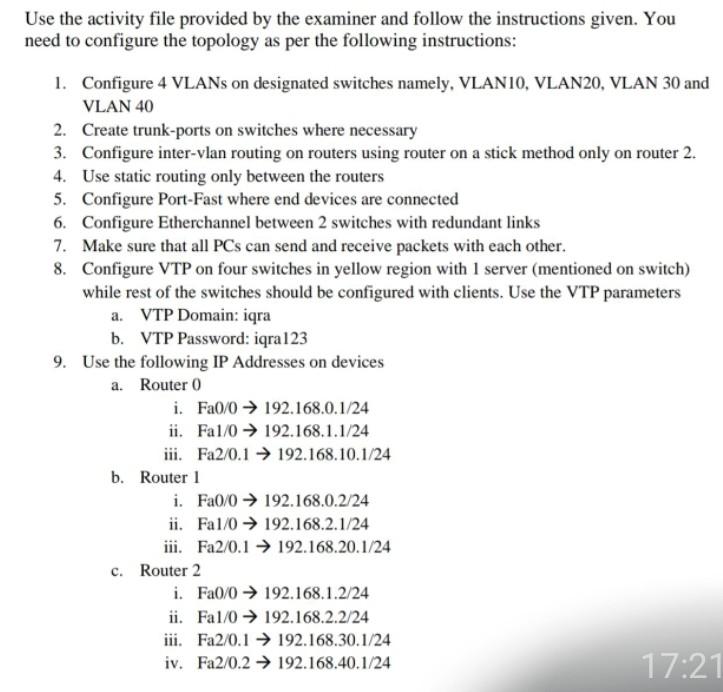
Question: help please Use the activity file provided by the examiner and follow the instructions given. You need to configure the topology as per the following
help please
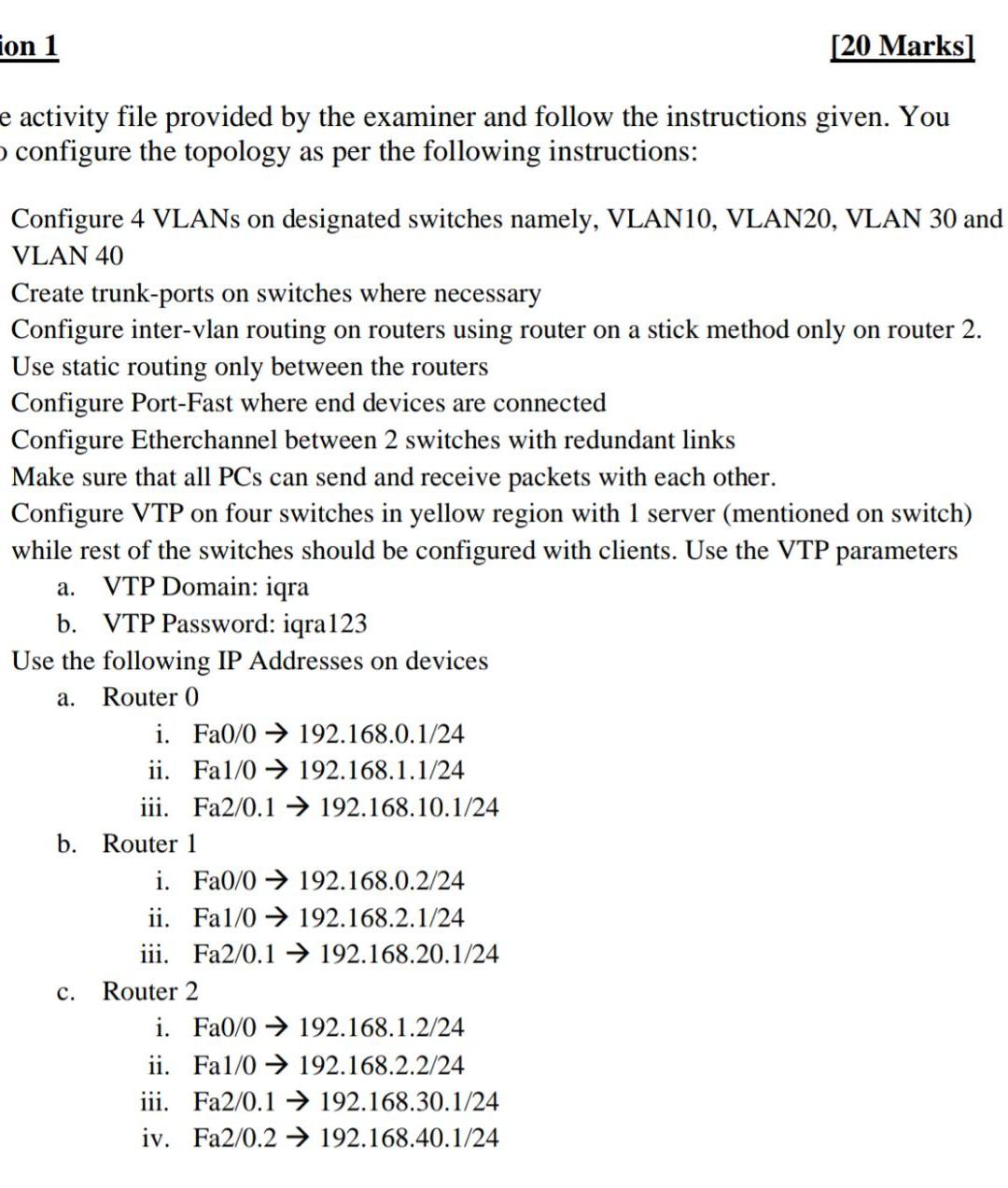
Use the activity file provided by the examiner and follow the instructions given. You need to configure the topology as per the following instructions: 1. Configure 4 VLANs on designated switches namely, VLANIO, VLAN20, VLAN 30 and VLAN 40 2. Create trunk-ports on switches where necessary 3. Configure inter-vlan routing on routers using router on a stick method only on router 2. 4. Use static routing only between the routers 5. Configure Port-Fast where end devices are connected 6. Configure Etherchannel between 2 switches with redundant links 7. Make sure that all PCs can send and receive packets with each other. 8. Configure VTP on four switches in yellow region with 1 server (mentioned on switch) while rest of the switches should be configured with clients. Use the VTP parameters a. VTP Domain: iqra b. VTP Password: iqra123 9. Use the following IP Addresses on devices a. Router 0 i. Fa0/0 192.168.0.1/24 ii. Fal/0 192.168.1.1/24 iii. Fa2/0.1 192.168.10.1/24 b. Router 1 i. Fa0/0 192.168.0.2/24 ii. Fal/0 192.168.2.1/24 iii. Fa2/0.1 > 192.168.20.1/24 c. Router 2 i. Fa0/0 192.168.1.2/24 ii. Fal/0 192.168.2.2/24 iii. Fa2/0.1 192.168.30.1/24 iv. Fa2/0.2 192.168.40.1/24 17:21 ion 1 [20 Marks) e activity file provided by the examiner and follow the instructions given. You configure the topology as per the following instructions: Configure 4 VLANs on designated switches namely, VLAN10, VLAN20, VLAN 30 and VLAN 40 Create trunk-ports on switches where necessary Configure inter-vlan routing on routers using router on a stick method only on router 2. Use static routing only between the routers Configure Port-Fast where end devices are connected Configure Etherchannel between 2 switches with redundant links Make sure that all PCs can send and receive packets with each other. Configure VTP on four switches in yellow region with 1 server (mentioned on switch) while rest of the switches should be configured with clients. Use the VTP parameters a. VTP Domain: iqra b. VTP Password: iqra123 Use the following IP Addresses on devices Router 0 i. Fa0/0 192.168.0.1/24 ii. Fa1/0 192.168.1.1/24 iii. Fa2/0.1 192.168.10.1/24 b. Router 1 i. Fa0/0 192.168.0.2/24 ii. Fa1/0 192.168.2.1/24 iii. Fa2/0.1 192.168.20.1/24 c. Router 2 i. Fa0/0 192.168.1.2/24 ii. Fa1/0 192.168.2.2/24 iii. Fa2/0.1 > 192.168.30.1/24 iv. Fa2/0.2 192.168.40.1/24 a
Step by Step Solution
There are 3 Steps involved in it

Get step-by-step solutions from verified subject matter experts
 Study Help