







Question: help please! will rate! Java programming. 1. Choose one of the Castle Outline options. Castle Outline - Option A Castle Outline - Option B Castle
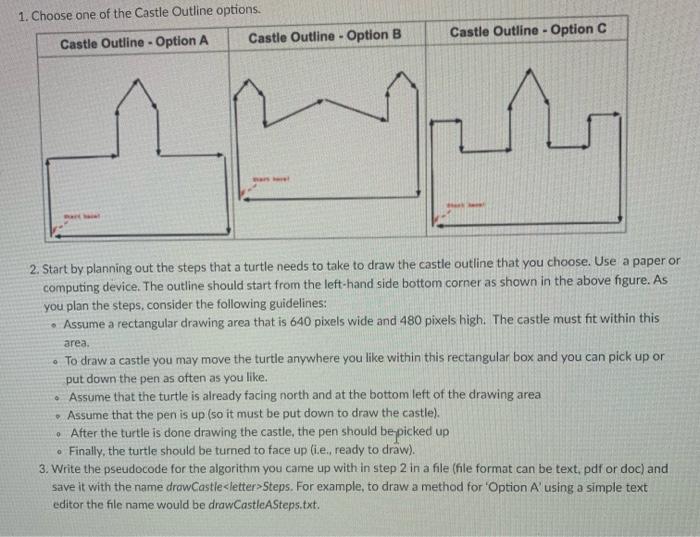
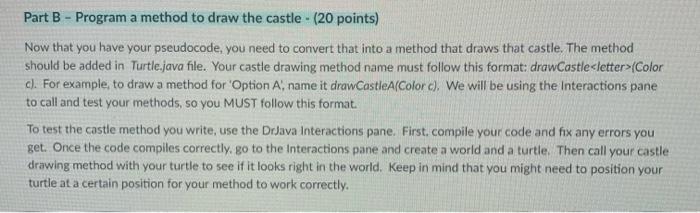
1. Choose one of the Castle Outline options. Castle Outline - Option A Castle Outline - Option B Castle Outline - Option C 2. Start by planning out the steps that a turtle needs to take to draw the castle outline that you choose. Use a paper or computing device. The outline should start from the left-hand side bottom corner as shown in the above figure. As you plan the steps, consider the following guidelines: Assume a rectangular drawing area that is 640 pixels wide and 480 pixels high. The castle must fit within this area. To draw a castle you may move the turtle anywhere you like within this rectangular box and you can pick up or put down the pen as often as you like. Assume that the turtle is already facing north and at the bottom left of the drawing area Assume that the pen is up (so it must be put down to draw the castle). After the turtle is done drawing the castle, the pen should be picked up Finally, the turtle should be turned to face up (ie, ready to draw). 3. Write the pseudocode for the algorithm you came up with in step 2 in a file (file format can be text, pdf or doc) and save it with the name drawCastle
Step by Step Solution
There are 3 Steps involved in it

Get step-by-step solutions from verified subject matter experts
 Study Help