







Question: HELP Please , WILL THUMBS UP, IF FUNCTIONS 100 perfect % in DrJava create below: Download and use the file decimel.txt. The file holds eight
HELP Please, WILL THUMBS UP, IF FUNCTIONS 100 perfect %
in DrJava create below:
Download and use the file decimel.txt. The file holds eight decimal #s (1 per line)
DecConvertToBinary class will have 1 class variable that is STRING type.
Call it output.
Use the following variables below.
Integers: decNum , base, count, and i.
Array of String: conversionArray so that will be set to be size 10
Remember to import any class you will need for this
Using a try and catch clause, read one number (at a time) from the decimel.txt file and convert the number to binary. The base will always be the value 2. Invoke the method decimalToBinary (described below) to do the conversion. The final result of the all the numbers conversions (i.e. the binary equivalents) will be placed to an element of the array conversiontArray. Use the JOptionPane to show each converted decimal number of its equivalent .Once you convert all the decimal numbers to binary properly, you are to close decimel.txt file
Finally, using an additional try and catch clause, -- write to a file called allconversions.txt all the elements of the array conversionArray. Write with one element per line to the file
HINT: The method named : decimalToBinary is declared with the method header
--> public static void decimalToBinary(int num, int base)
The base case in this method will be when the value of num becomes zero. Once this occurs, you are to print (to the console) the message Reached base case. Then you are to execute a return, but do not return any value since this method has void in its header.
Otherwise, you are to recursively invoke decimalToBinary with the two appropriate arguments. (These two arguments are what you must determine). You will then concatenate the remainder of the current value ofnum and base via the Modula operator. Then print out (to the console) the message Current answer: concatenated with the current value of output. Thus, you will be able to see your answer grow towards the correct answer.
For this program, you are to turn in the source code (DecConvertToBinary.java).
--------------------------------------------------------------------------------------------------------------------------------------------------------------------------------------------------------
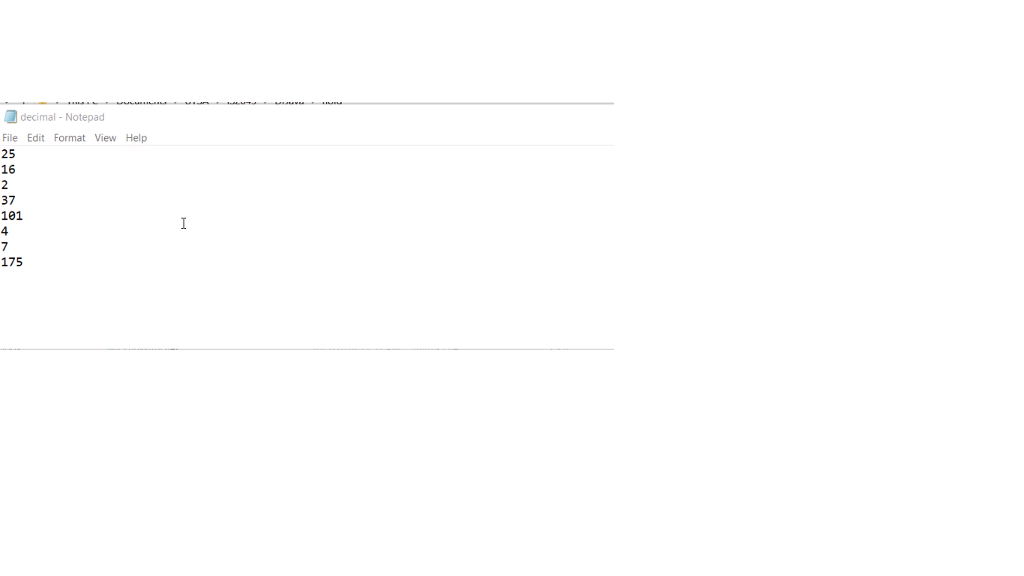
BELOW DISPLAYS CONTENT OF decimel.txt (8)
25 16 2 37 101 4 7 175
This program will not contain usage of a "project folder/files"
Decimel.txt is already given
The program output should print in console, as well as create text file "allconversions.txt
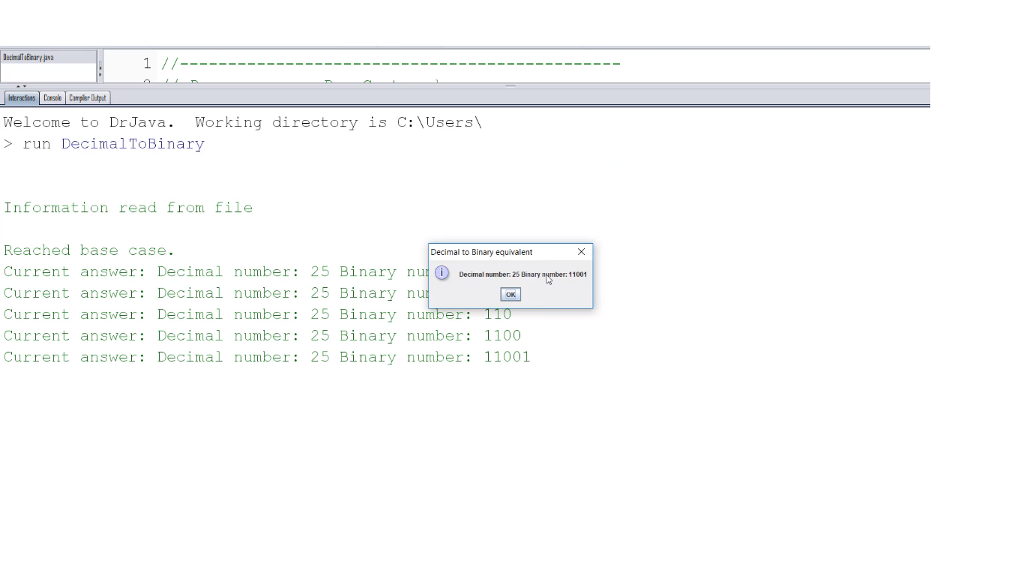
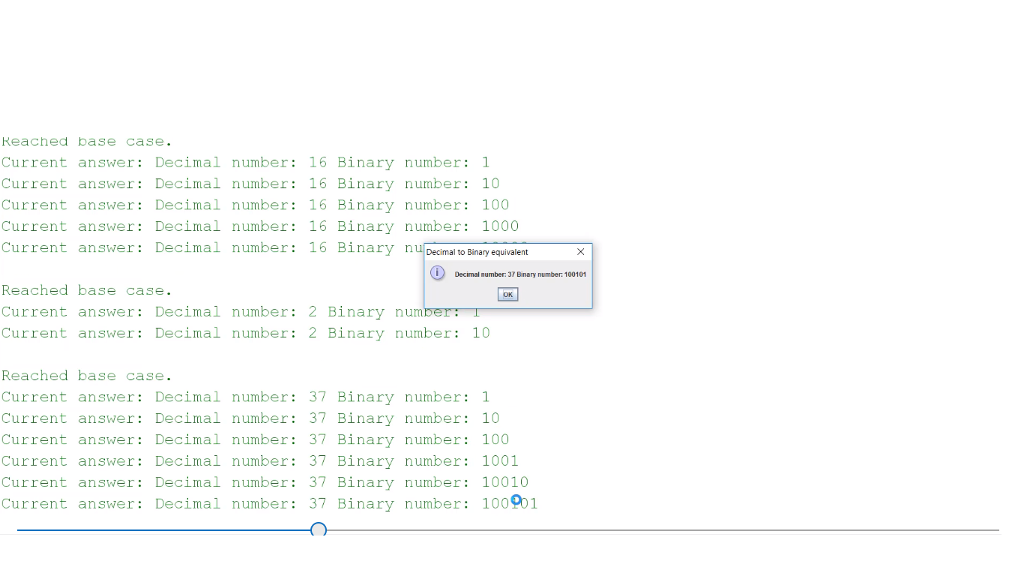
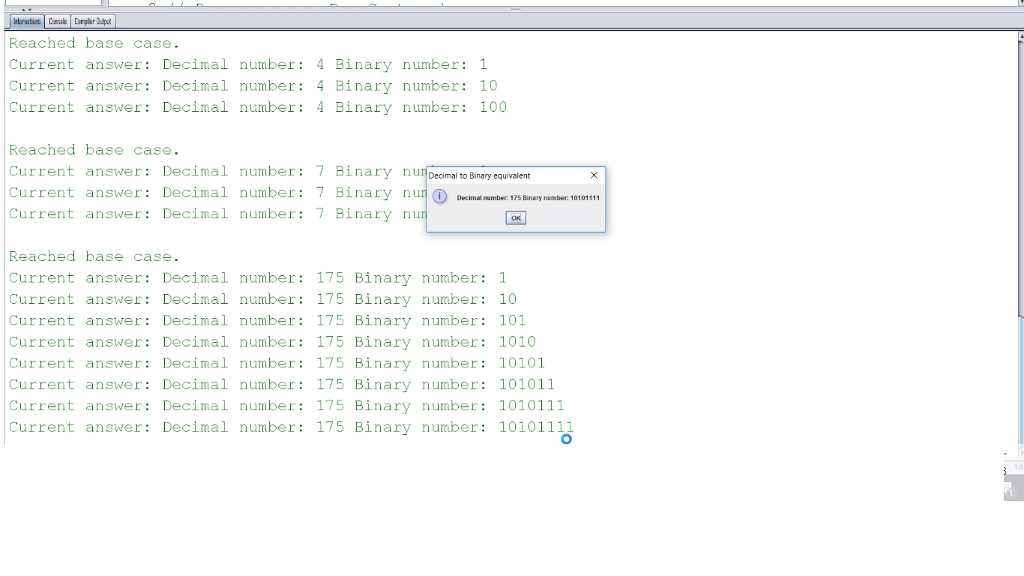
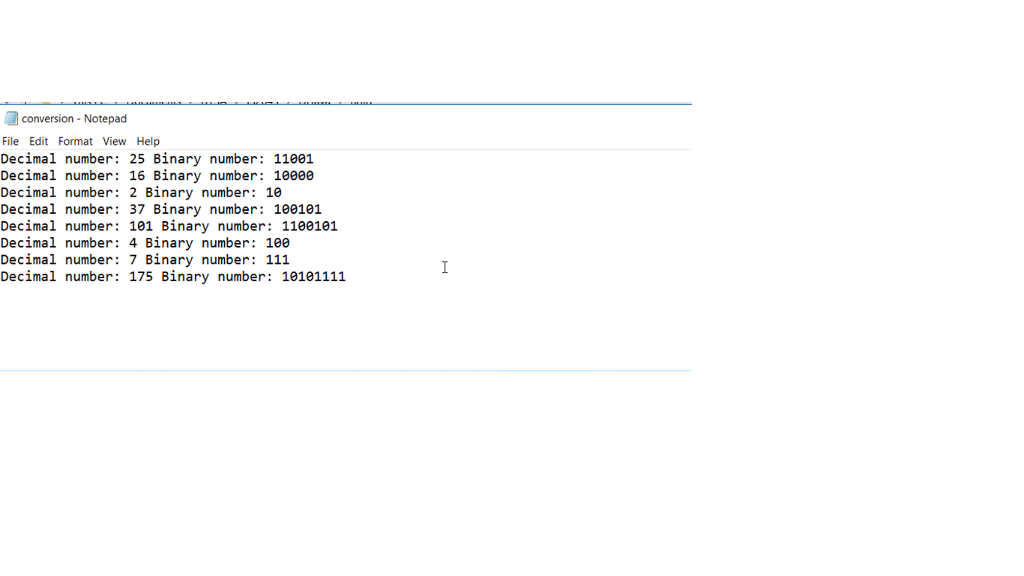
Please help i will give thumbs up 100% rating if works perfectly. ~
Welcome to DrJava. Working directory is C:\Users > run DecimalToBinary Information read from Eile Reached base case Current answer : Decimal Demainmben&Binary number: 11001 Current answer: Decimal number: 25 Binary n Current answer Decimal number: 25 Binary number 110 Current answer: Decimal number: 25 Binary number: 1100 Current answer: Decimal number: 25 Binary number: 11001 Decimal to Binary equivalent number: 25 Binary nuf
Step by Step Solution
There are 3 Steps involved in it

Get step-by-step solutions from verified subject matter experts
 Study Help