







Question: Help!!! please write in python 3. I really need the answer today, please do the question quickly, thanks! The 2-dimensional Game of Life occurs on
Help!!! please write in python 3. I really need the answer today, please do the question quickly, thanks!
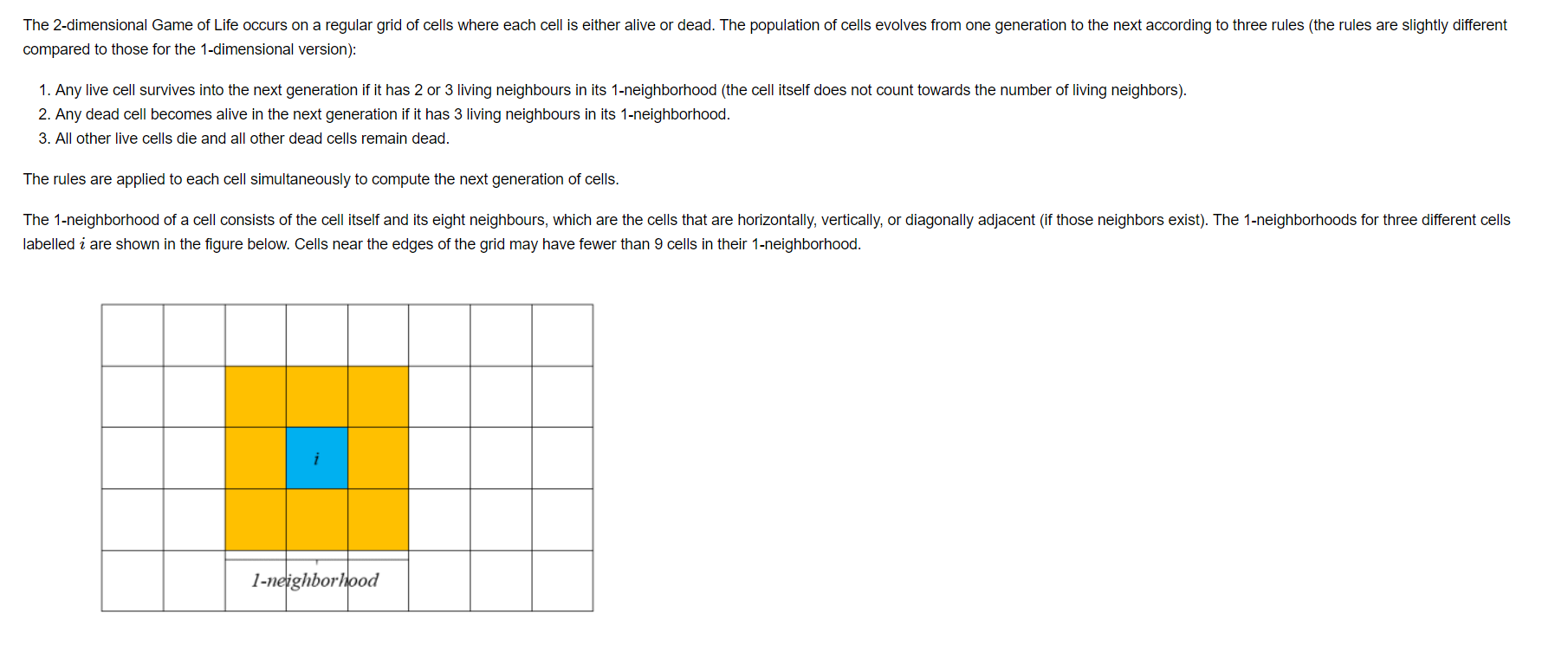
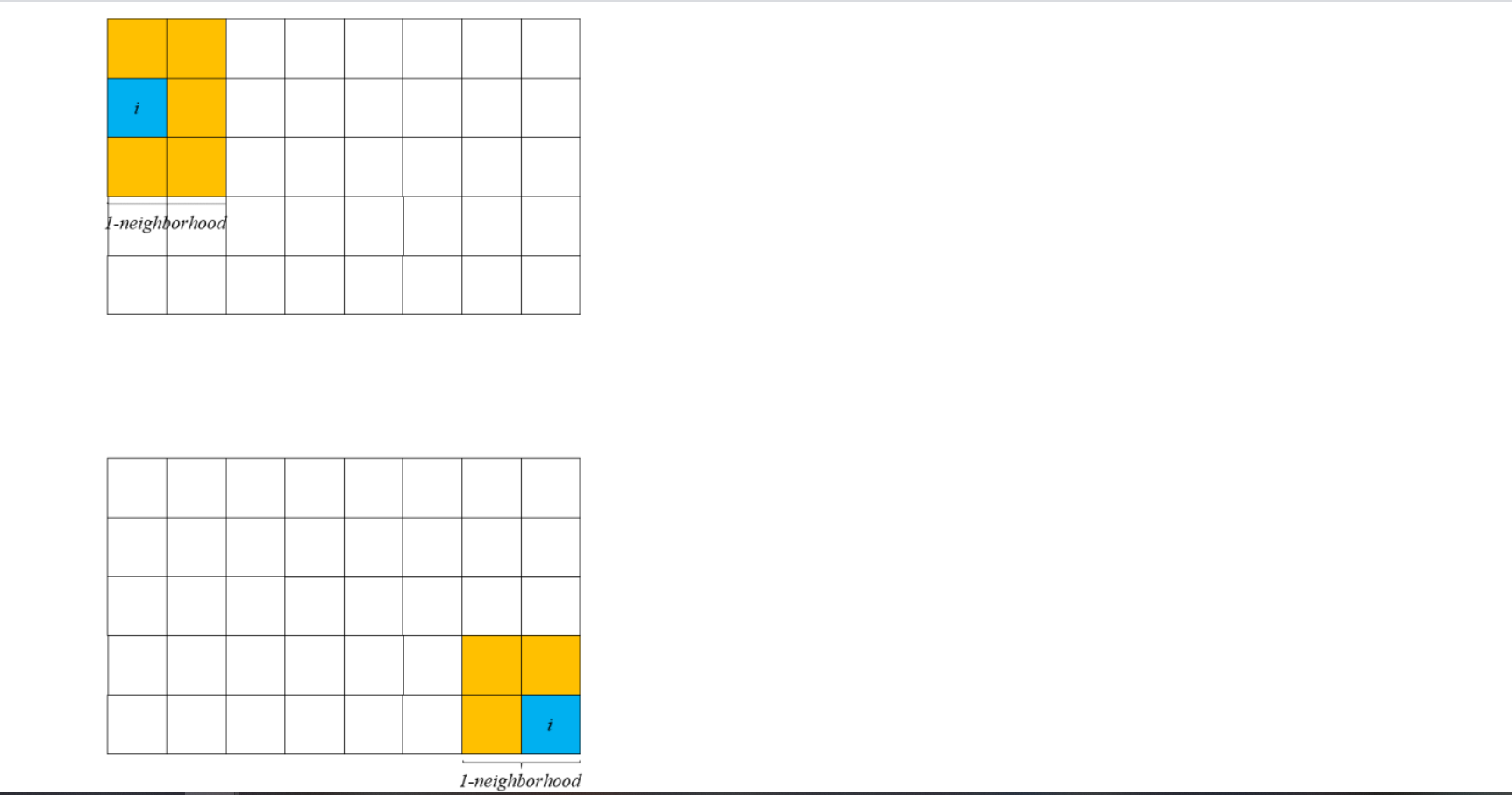
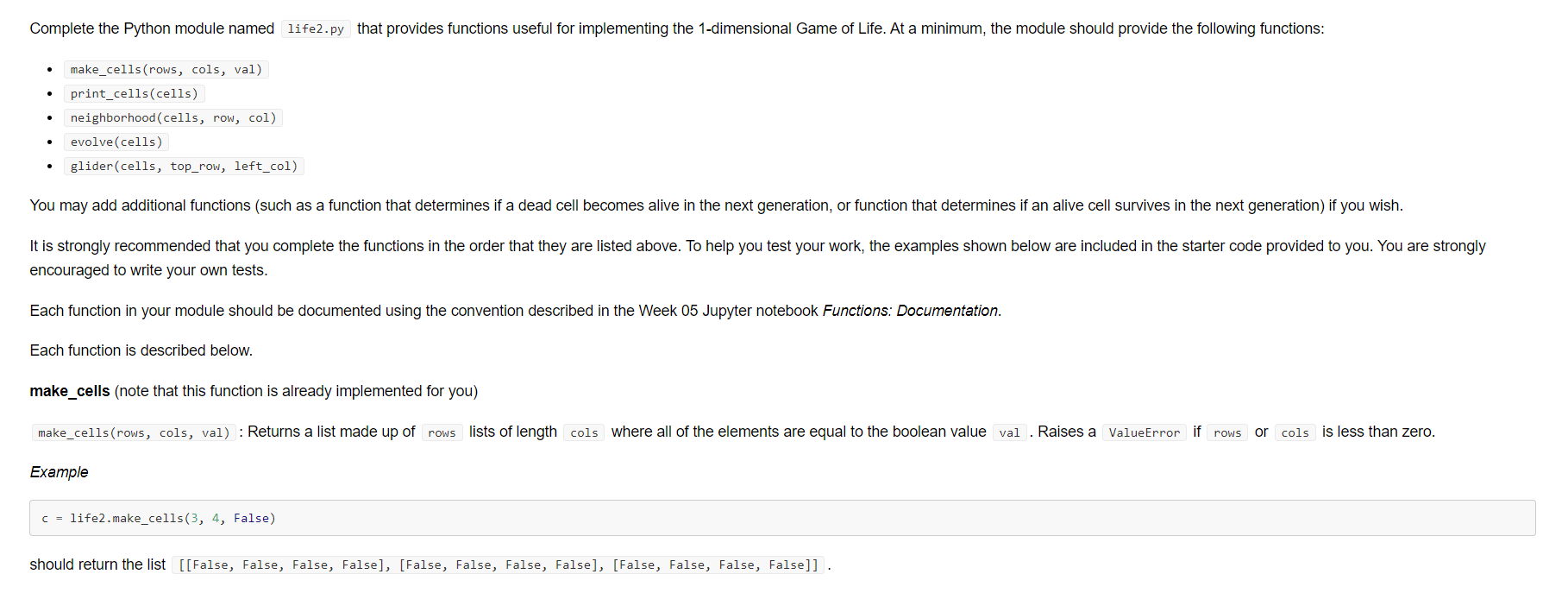
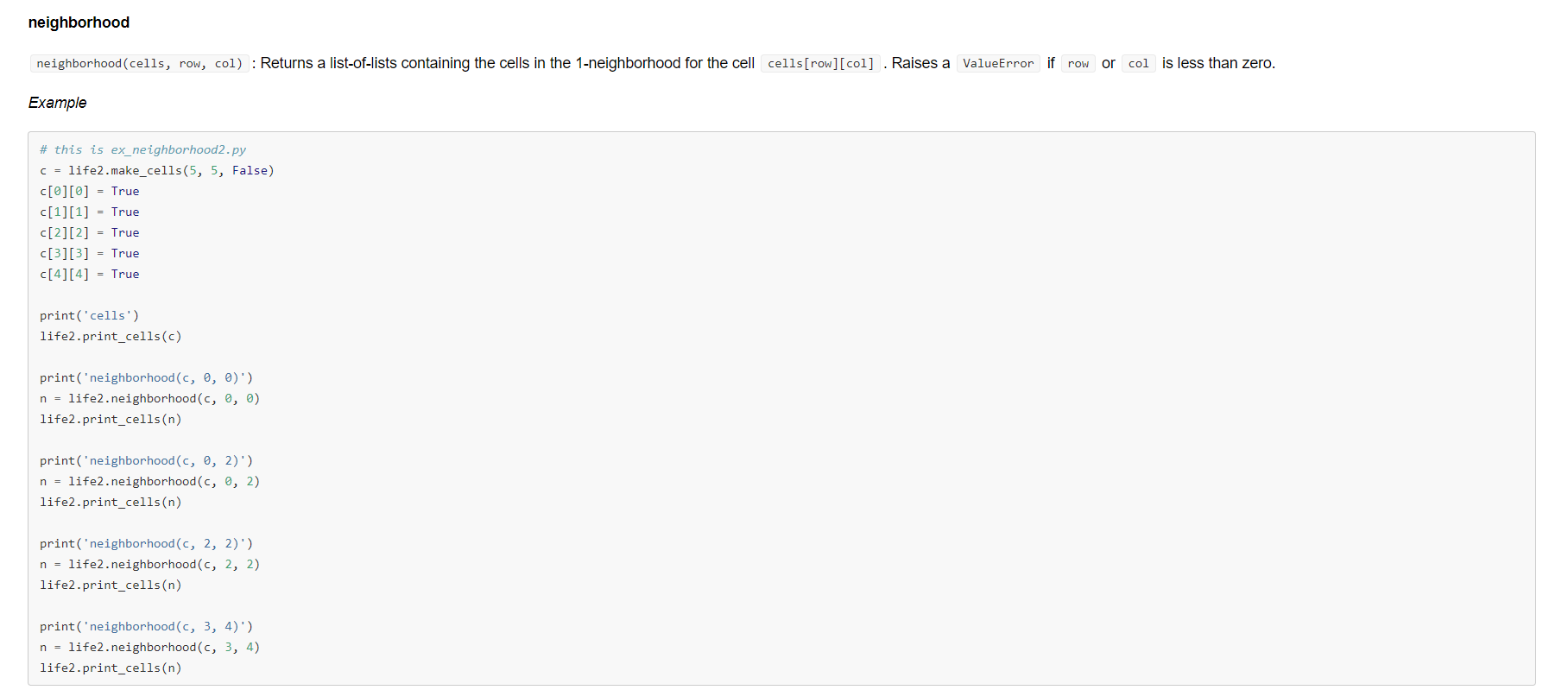
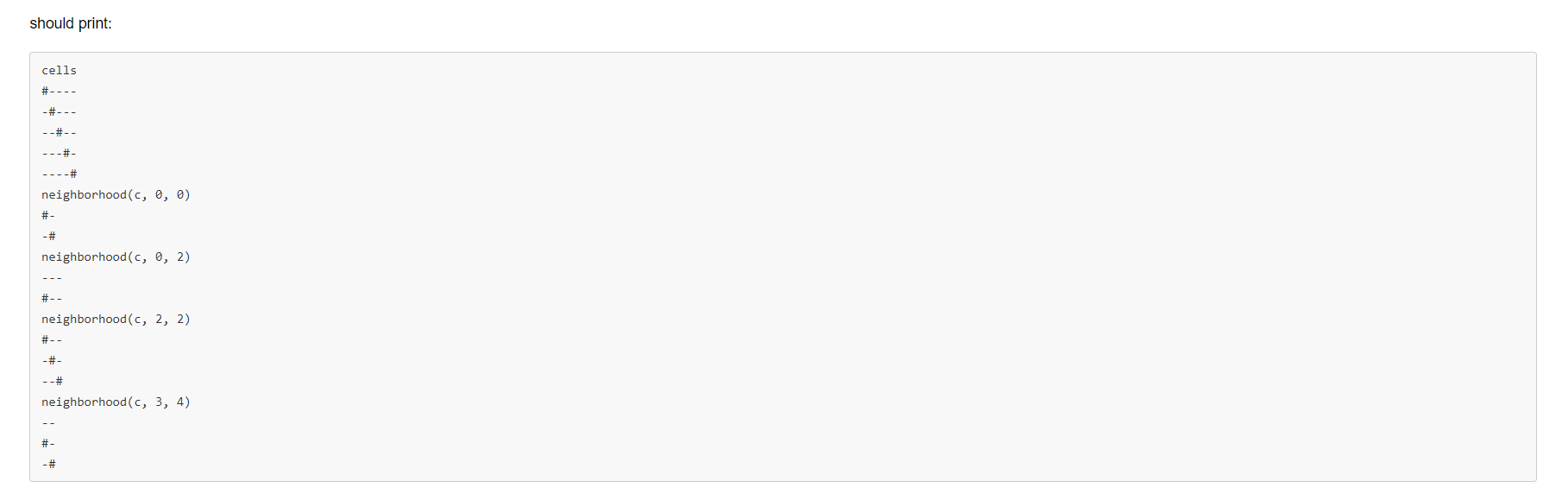
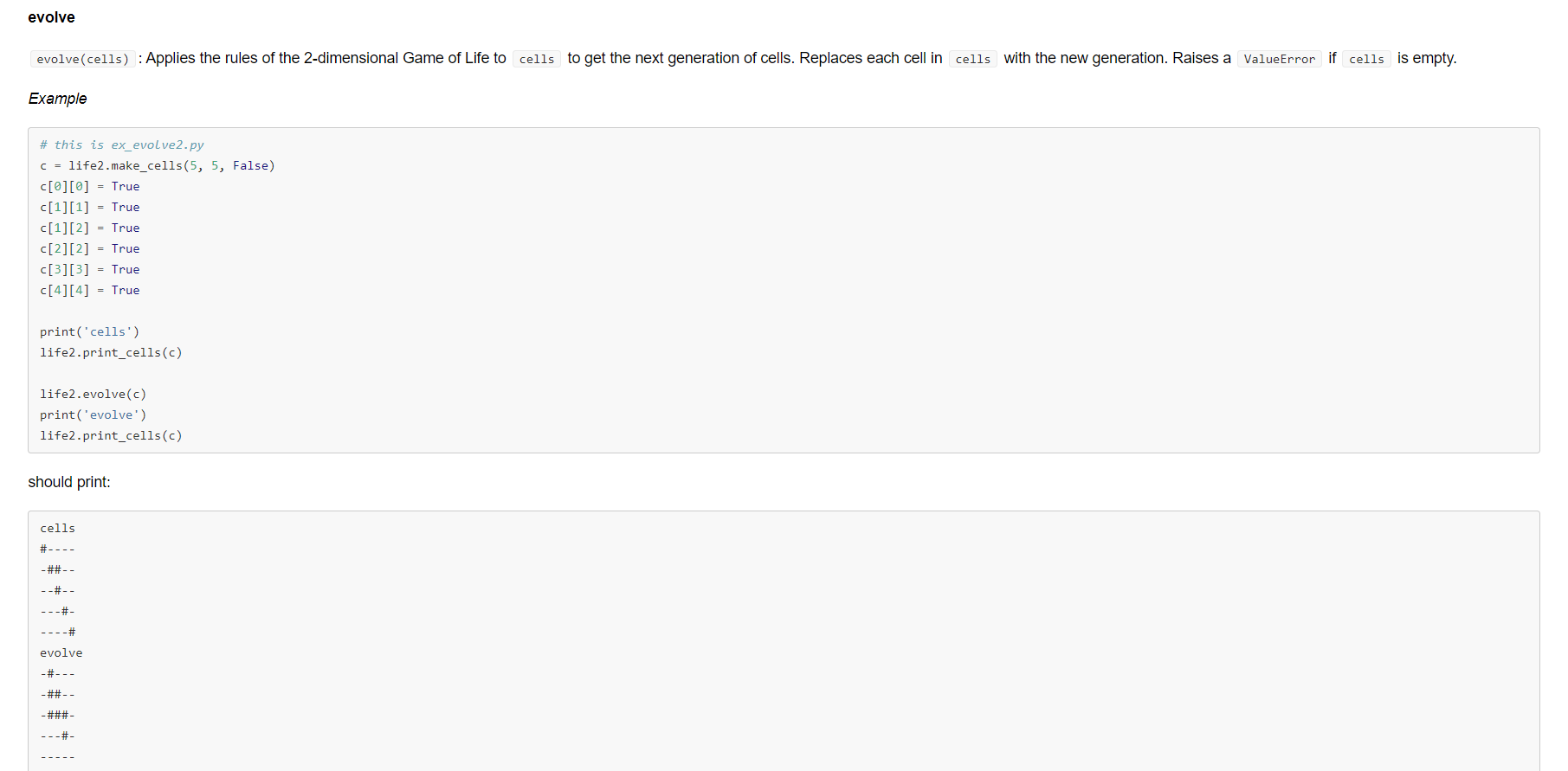

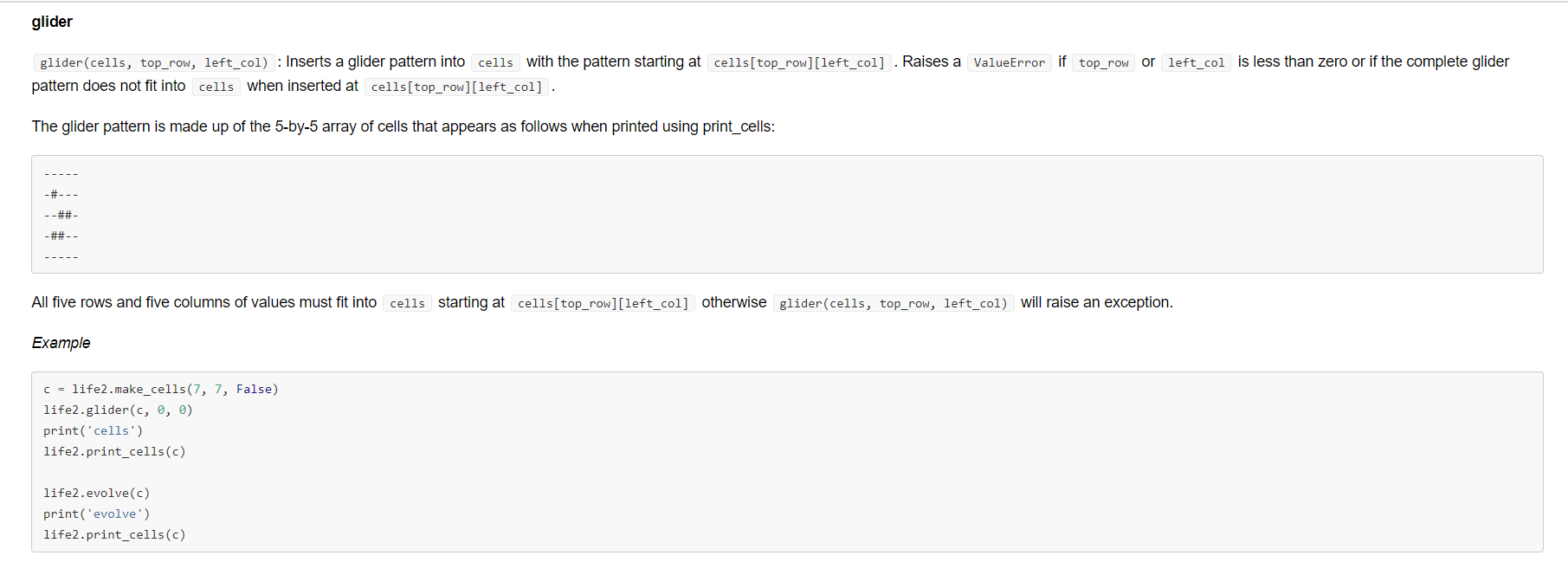
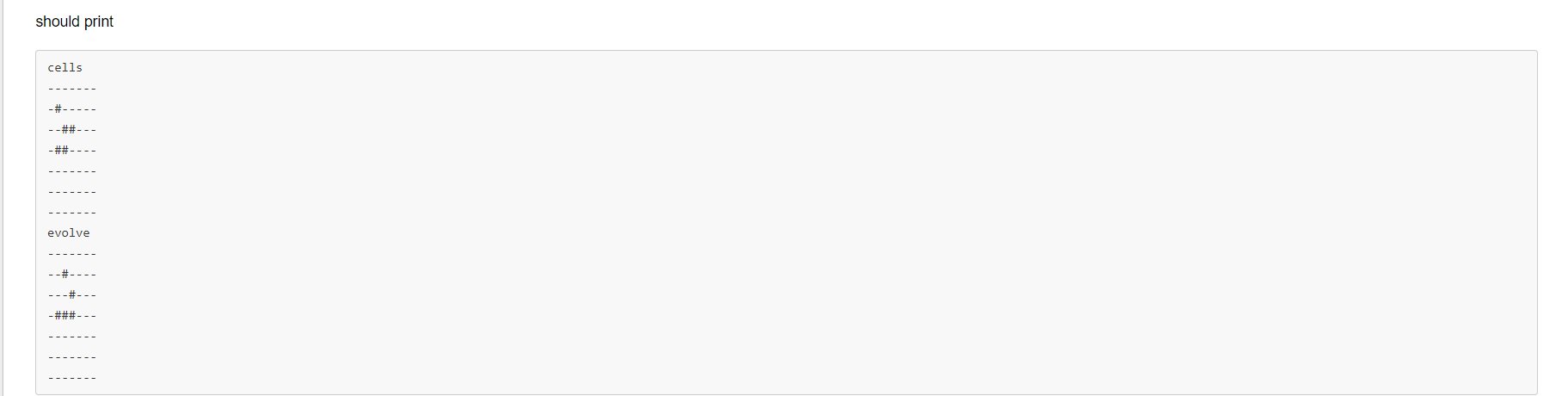
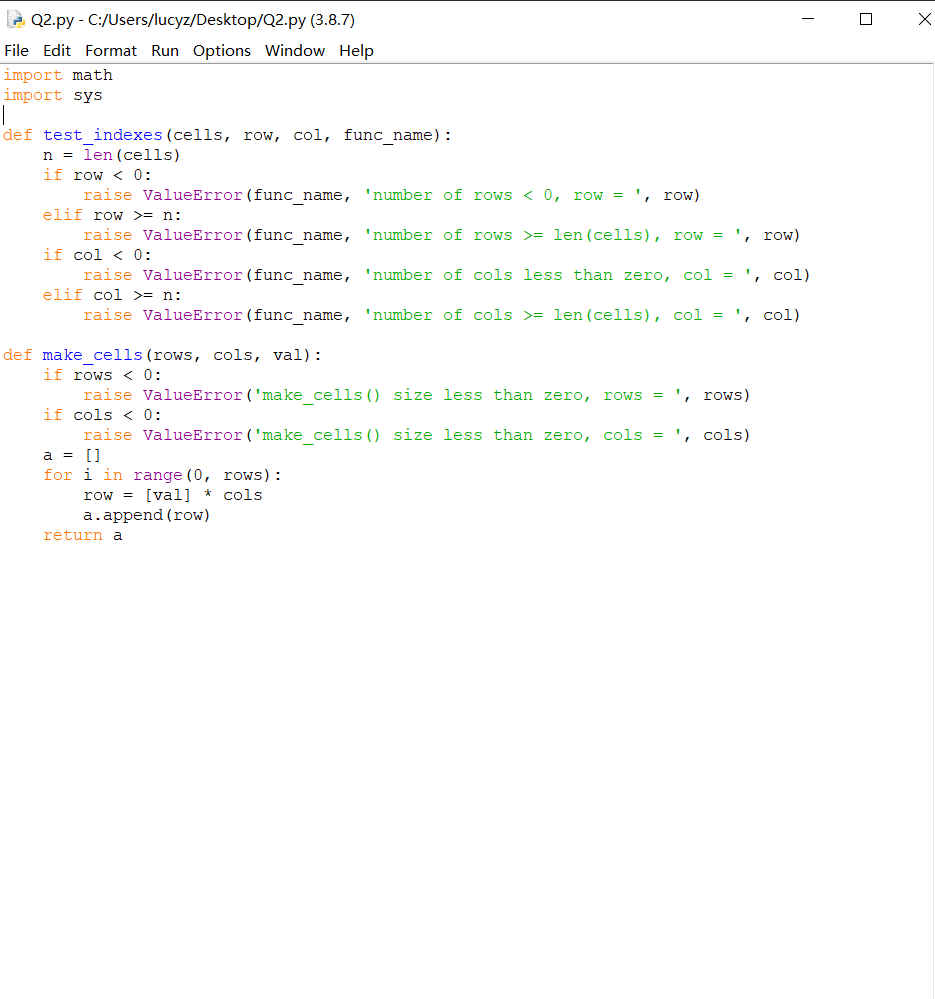
The 2-dimensional Game of Life occurs on a regular grid of cells where each cell is either alive or dead. The population of cells evolves from one generation to the next according to three rules (the rules are slightly different compared to those for the 1-dimensional version) 1. Any live cell survives into the next generation if it has 2 or 3 living neighbours in its 1-neighborhood (the cell itself does not count towards the number of living neighbors). 2. Any dead cell becomes alive in the next generation if it has 3 living neighbours in its 1-neighborhood. 3. All other live cells die and all other dead cells remain dead. The rules are applied to each cell simultaneously to compute the next generation of cells. The 1-neighborhood of a cell consists of the cell itself and its eight neighbours, which are the cells that are horizontally, vertically, or diagonally adjacent (if those neighbors exist). The 1-neighborhoods for three different cells labelled i are shown in the figure below. Cells near the edges of the grid may have fewer than 9 cells in their 1-neighborhood. i 1-neighborhood i -neighborhood 1-neighborhood Complete the Python module named life2.py that provides functions useful for implementing the 1-dimensional Game of Life. At a minimum, the module should provide the following functions: make_cells(rows, cols, val) print_cells(cells) neighborhood (cells, row, col) evolve(cells) glider(cells, top_row, left_col) You may add additional functions (such as a function that determines if a dead cell becomes alive in the next generation, or function that determines if an alive cell survives in the next generation) if you wish. It is strongly recommended that you complete the functions in the order that they are listed above. To help you test your work, the examples shown below are included in the starter code provided to you. You are strongly encouraged to write your own tests. Each function in your module should be documented using the convention described in the Week 05 Jupyter notebook Functions: Documentation. Each function is described below. make_cells (note that this function is already implemented for you) make_cells (rows, cols, val) : Returns a list made up of rows lists of length cols where all of the elements are equal to the boolean value val . Raises a ValueError if rows or cols is less than zero. Example c = life2.make_cells(3, 4, False) should return the list [[False, False, False, False], [False, False, False, False], [False, False, False, False]] . print_cells print_cells(cells) : Prints a list-of-lists cells where all of the elements of cells are equal to either True or False . Use # for True and for False . Include a newline after printing the cells. Example # this is ex_print_cells2.py c = life2.make_cells(3, 4, False) C[0][0] = True C[1][1] = True C[2][2] = True life2.print_cells(c) should print: #--- --- --#- neighborhood neighborhood (cells, row, col) : Returns a list-of-lists containing the cells in the 1-neighborhood for the cell cells[row][col] . Raises a ValueError if row or col is less than zero. Example # this is ex_neighborhood2.py c = life2.make_cells(5, 5, False) C[0][0] = True c[1][1] = True C[2][2] = True C[3][3] = True c[4][4] = True print('cells') life2.print_cells(c) print('neighborhood(s, 0, 0)') n = life2.neighborhood(C, 0, ) life2.print_cells(n) print('neighborhood(c, 0, 2)') n = life2.neighborhood(s, 0, 2) life2.print_cells(n) print('neighborhood (c, 2, 2)') n = life2.neighborhood (C, 2, 2) life2.print_cells(n) print('neighborhood(C, 3, 4)') n = life2.neighborhood(s, 3, 4) life2.print_cells(n) should print: cells #---- ---- ---- ---- ----# neighborhood(C, 0, 0) #- - # neighborhood(s, 0, 2) #-- neighborhoods, 2, 2) #-- -#- --# neighborhood(C, 3, 4) # -# evolve evolve(cells) : Applies the rules of the 2-dimensional Game of Life to cells to get the next generation of cells. Replaces each cell in cells with the new generation. Raises a ValueError if cells is empty. Example # this is ex_evolve2.py c = life2.make_cells(5, 5, False) C[0][0] = True c[1][1] = True c[1][2] = True c[2][2] = True C[3][3] = True c[4][4] = True print('cells') life2.print_cells(c) life2.evolve(c) print('evolve') life2.print_cells(c) should print: cells #---- - ##-- --#- ---- ---- evolve ---- - ##-- - ### ---- Explanation cells[0][0] and cells[4][4] die because they both have only 1 alive neighbor in their 1-neighborhood cells[0][1] , cells[2][1] and cells[2][3] become alive because they have 3 alive neighbors in their 1-neighborhood cells[1][1] , cells[1][2] , cells[2][2] , and cells[3][3] stay alive because they have 2 or 3 alive neighbors in their 1-neighborhood Implementation note: The rules are supposed to be applied to all cells simultaneously but you cannot do this in Python. Practically, what this means is that you cannot change a value in cells until that value is no longer in the 1-neighborhood of any other cell that you need to update (e.g., you cannot change cells[0][0] until you have computed the results for cells[0][1] , cells[1][0] , and cells[1][1] ). There are several different ways to deal with this problem, but the easiest solution is to first copy the elements of the list cells into a new temporary list and then use the temporary list for counting neighbors. You can then update the values in the list cells without issue. glider glider(cells, top_row, left_col) : Inserts a glider pattern into cells with the pattern starting at cells[top_row][left_col] . Raises a ValueError if top_row or left_col is less than zero or if the complete glider pattern does not fit into cells when inserted at cells[top_row][left_col] . The glider pattern is made up of the 5-by-5 array of cells that appears as follows when printed using print_cells: -#--- --##- - ##-- All five rows and five columns of values must fit into cells starting at cells[top_row][left_col] otherwise glider(cells, top_row, left_col) will raise an exception. Example c = life2.make_cells(7, 7, False) life2.glider(s, 0, 0) print('cells') life2.print_cells(c) life2.evolve(c) print('evolve') life2.print_cells(c) should print cells -#- --## -## evolve --# # - ### Q2.py - C:/Users/lucyz/Desktop/Q2.py (3.8.7) File Edit Format Run Options Window Help import math import sys def test_indexes (cells, row, col, func_name): n = len(cells) if row = n: raise ValueError(func_name, 'number of rows >= len(cells), row = ', row) if col = n: raise ValueError(func_name, 'number of cols >= len(cells), col = ', col) rows) def make_cells (rows, cols, val): if rows = n: raise ValueError(func_name, 'number of rows >= len(cells), row = ', row) if col = n: raise ValueError(func_name, 'number of cols >= len(cells), col = ', col) rows) def make_cells (rows, cols, val): if rows
Step by Step Solution
There are 3 Steps involved in it

Get step-by-step solutions from verified subject matter experts
 Study Help