







Question: help pleaseee Assignment 1 Array Buffer This first assignment is really about strengthening your programming skills in JAVA for the kinds of things we will
help pleaseee
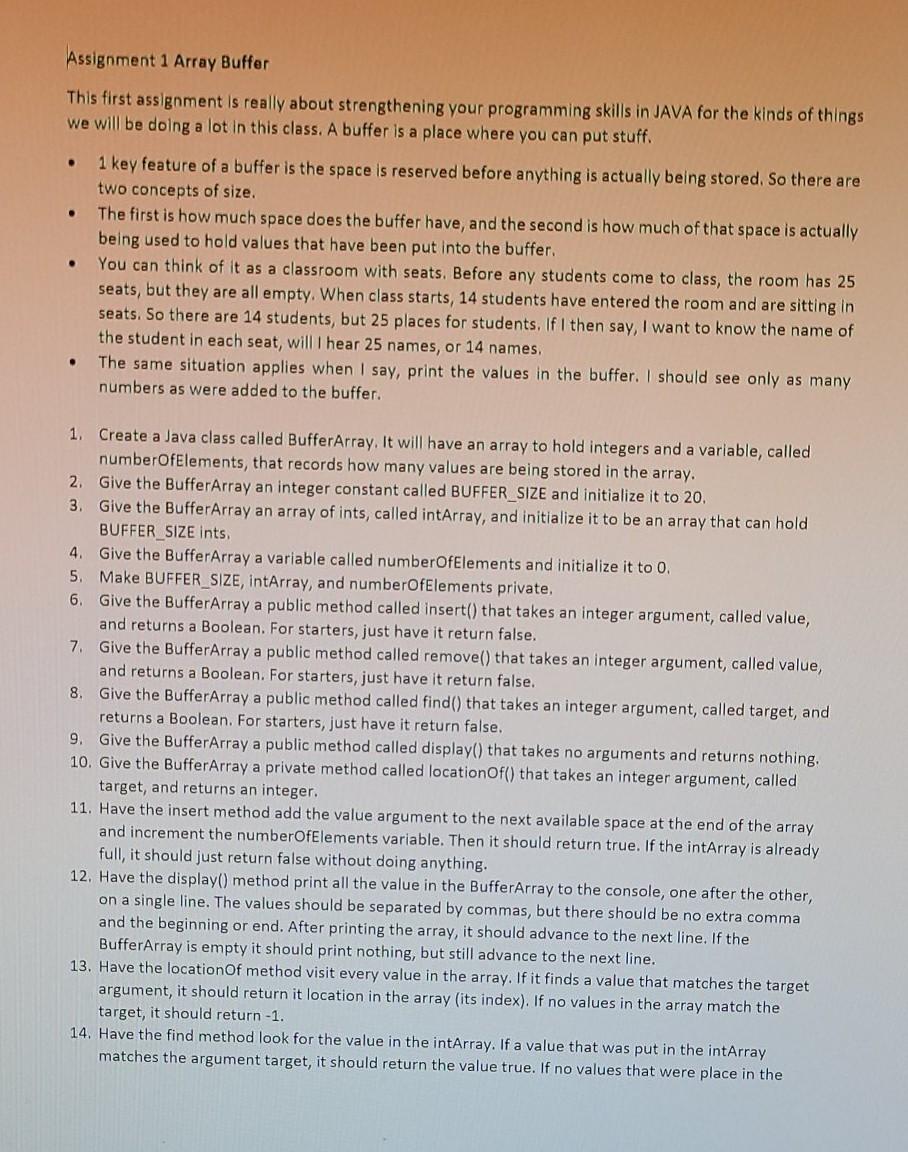
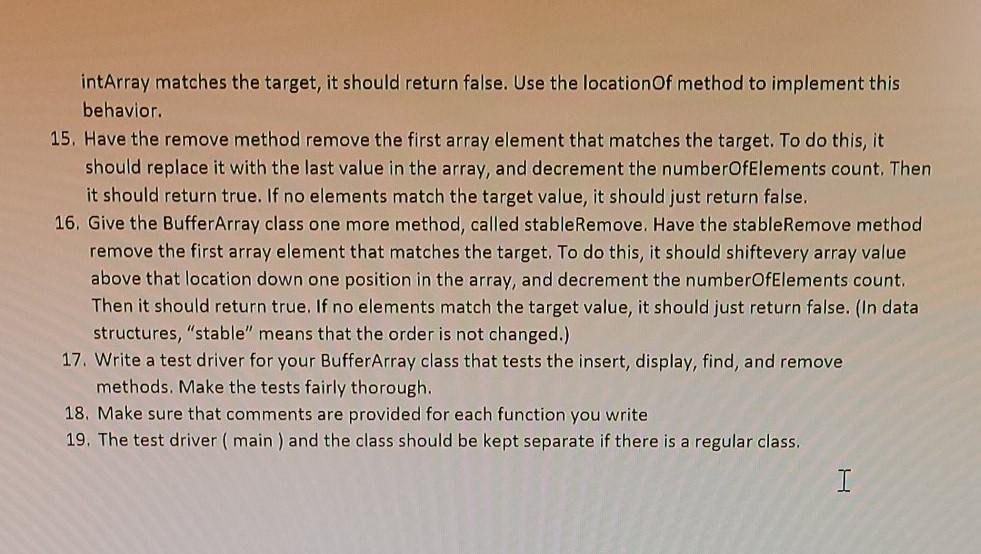
Assignment 1 Array Buffer This first assignment is really about strengthening your programming skills in JAVA for the kinds of things we will be doing a lot in this class. A buffer is a place where you can put stuff. . . 1 key feature of a buffer is the space is reserved before anything is actually being stored. So there are two concepts of size. The first is how much space does the buffer have, and the second is how much of that space is actually being used to hold values that have been put into the buffer. You can think of it as a classroom with seats. Before any students come to class, the room has 25 seats, but they are all empty. When class starts, 14 students have entered the room and are sitting in seats. So there are 14 students, but 25 places for students. If I then say, I want to know the name of the student in each seat, will hear 25 names, or 14 names, The same situation applies when I say, print the values in the buffer. I should see only as many numbers as were added to the buffer. . 1. Create a Java class called BufferArray. It will have an array to hold integers and a variable, called numberOfElements, that records how many values are being stored in the array. 2. Give the BufferArray an integer constant called BUFFER_SIZE and initialize it to 20 3. Give the BufferArray an array of ints, called intArray, and initialize it to be an array that can hold BUFFER_SIZE ints 4. Give the BufferArray a variable called numberOfElements and initialize it to 0. 5. Make BUFFER_SIZE, intArray, and numberOfElements private, 6. Give the BufferArray a public method called insert() that takes an integer argument, called value, and returns a Boolean. For starters, just have it return false. 7. Give the BufferArray a public method called remove() that takes an integer argument, called value, and returns a Boolean. For starters, just have it return false. 8. Give the BufferArray a public method called find() that takes an integer argument, called target, and returns a Boolean. For starters, just have it return false. 9. Give the BufferArray a public method called display() that takes no arguments and returns nothing. 10. Give the BufferArray a private method called location Of() that takes an integer argument, called target, and returns an integer. 11. Have the insert method add the value argument to the next available space at the end of the array and increment the numberOfElements variable. Then it should return true. If the intArray is already full, it should just return false without doing anything. 12. Have the display() method print all the value in the BufferArray to the console, one after the other, on a single line. The values should be separated by commas, but there should be no extra comma and the beginning or end. After printing the array, it should advance to the next line. If the BufferArray is empty it should print nothing, but still advance to the next line. 13. Have the location of method visit every value in the array. If it finds a value that matches the target argument, it should return it location in the array (its index). If no values in the array match the target, it should return -1. 14. Have the find method look for the value in the intArray. If a value that was put in the intArray matches the argument target, it should return the value true. If no values that were place in the intArray matches the target, it should return false. Use the location of method to implement this behavior. 15. Have the remove method remove the first array element that matches the target. To do this, it should replace it with the last value in the array, and decrement the numberOfElements count. Then it should return true. If no elements match the target value, it should just return false. 16. Give the BufferArray class one more method, called stableRemove. Have the stableRemove method remove the first array element that matches the target. To do this, it should shiftevery array value above that location down one position in the array, and decrement the numberOfElements count. Then it should return true. If no elements match the target value, it should just return false. (In data structures, "stable" means that the order is not changed.) 17. Write a test driver for your BufferArray class that tests the insert, display, find, and remove methods. Make the tests fairly thorough. 18. Make sure that comments are provided for each function you write 19. The test driver (main) and the class should be kept separate if there is a regular class
Step by Step Solution
There are 3 Steps involved in it

Get step-by-step solutions from verified subject matter experts
 Study Help