







Question: Help! Why does it not working? I've tried so many times. Both train and train not working at all. Case2r Editor Submission #7 1 #
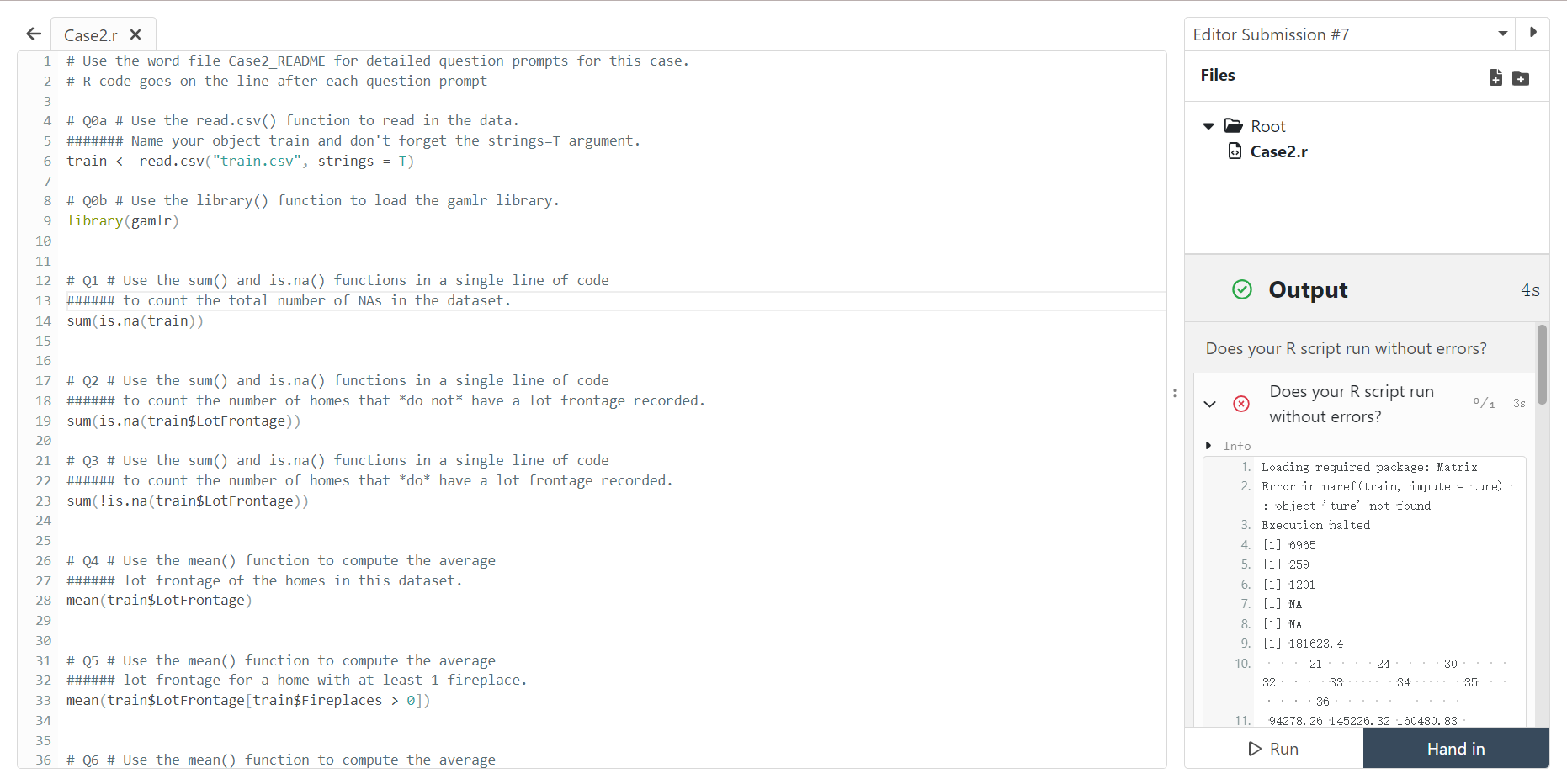 Help! Why does it not working? I've tried so many times.
Both
train
and
train
not working at all.
Case2r Editor Submission \#7 1 \# Use the word file Case2_README for detailed question prompts for this case. \# R code goes on the line after each question prompt Files \# Qa \# Use the read.csv() function to read in the data. \#\#\#\#\#\#\# Name your object train and don't forget the strings=T argument. train =T ) \# Qb \# Use the library() function to load the gamlr library. library (gamlr) \# Q1 \# Use the sum() and is.na() functions in a single line of code \#\#\#\#\#\# to count the total number of NAs in the dataset. Output sum(is.na(train)) Does your R script run without errors? \# Q2 \# Use the sum() and is.na() functions in a single line of code \#\#\#\#\#\# to count the number of homes that *do not* have a lot frontage recorded. sum(is.na(train\$LotFrontage)) \&) Does your R script run without errors? \# Q3 \# Use the sum() and is.na() functions in a single line of code - Info \#\#\#\#\#\# to count the number of homes that do* have a lot frontage recorded. 1. Loading required package: Matrix sum(!is.na(train\$LotFrontage)) 2. Error in naref (train, impute = ture) : object 'ture' not found 3. Execution halted \# Q4 \# Use the mean() function to compute the average 4. [1] 6965 \#\#\#\#\#\# lot frontage of the homes in this dataset. 5. [1] 259 mean(train\$LotFrontage) 6. [1] 1201 7. [1]NA 8. [1] NIA \# Q5 \# Use the mean() function to compute the average \#\#\#\#\#\# lot frontage for a home with at least 1 fireplace. 9. [1] 181623.4 mean(train\$LotFrontage [train\$Fireplaces >0] ) \# Q6 \# Use the mean() function to compute the average 11. 94278.26145226.32160480.83
Step by Step Solution
There are 3 Steps involved in it

Get step-by-step solutions from verified subject matter experts
 Study Help