



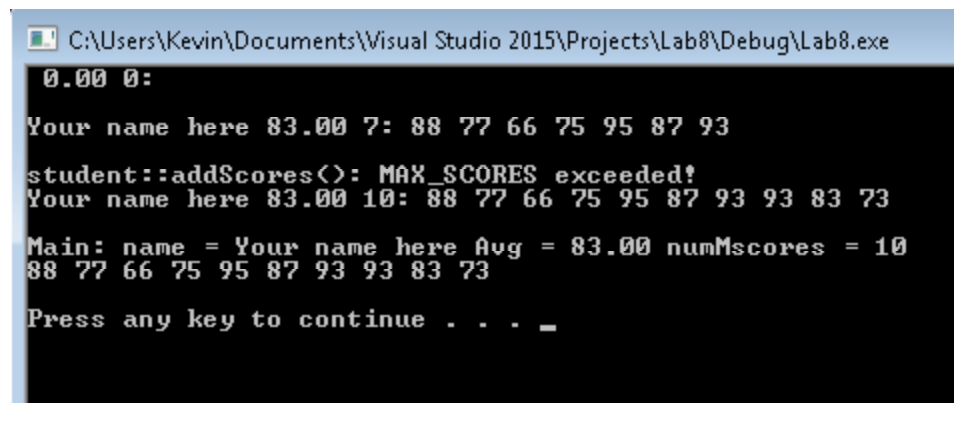
Question: Help with C++. I am trying to work on my coding on student.cpp but I cannot get the output window to look like what it's
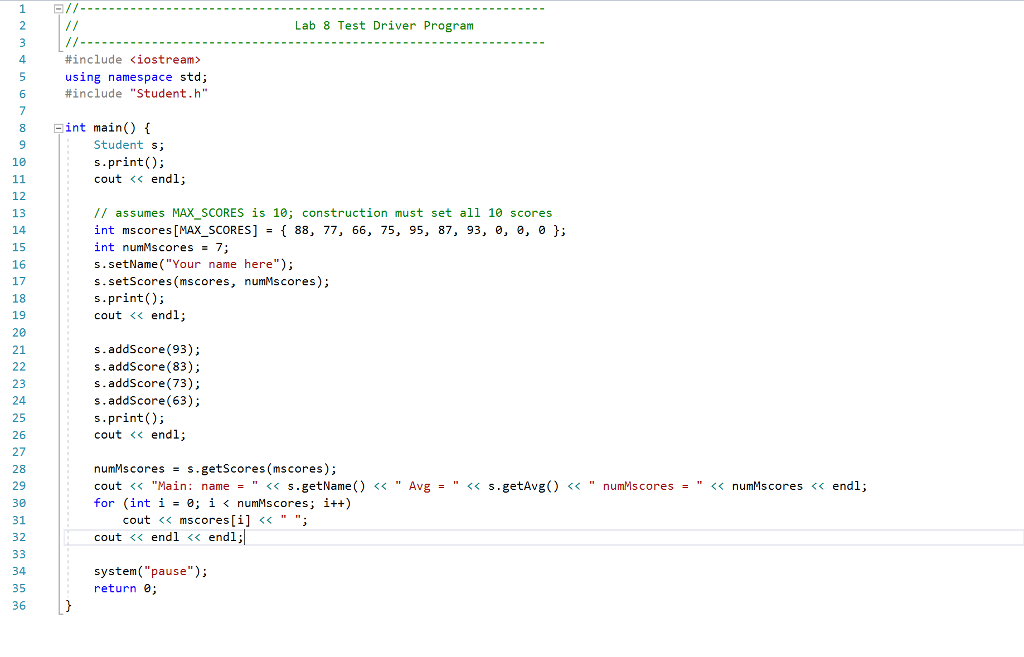
Help with C++. I am trying to work on my coding on student.cpp but I cannot get the output window to look like what it's required to look like
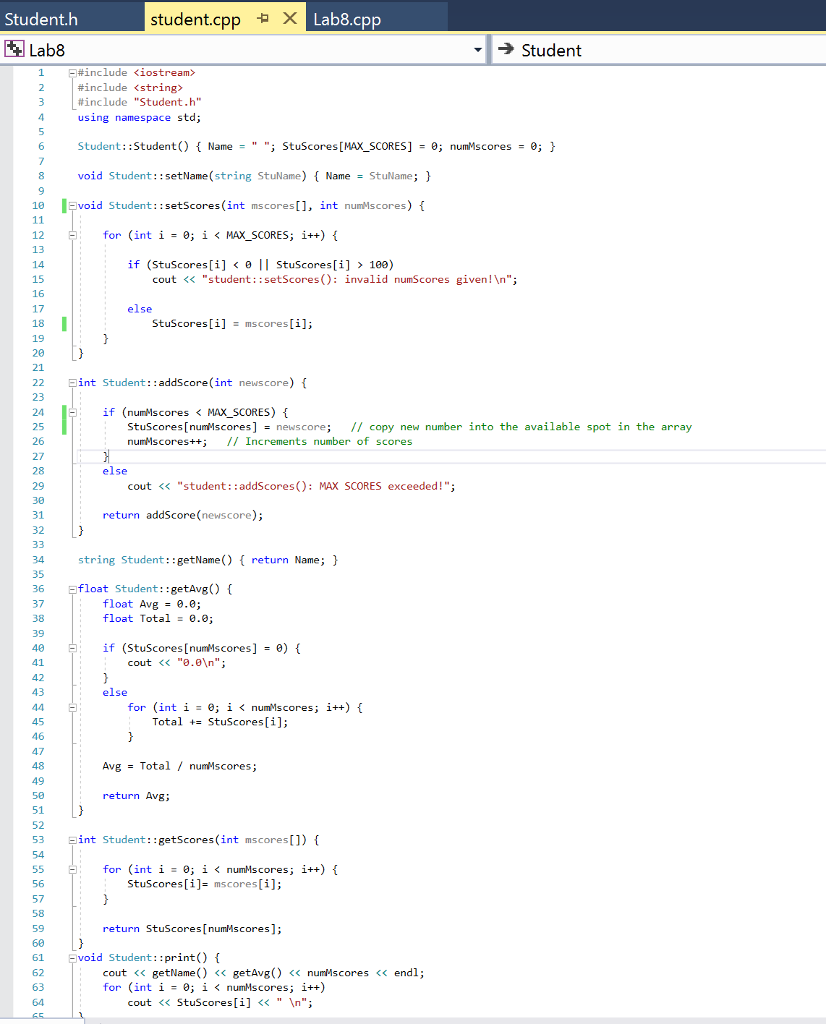
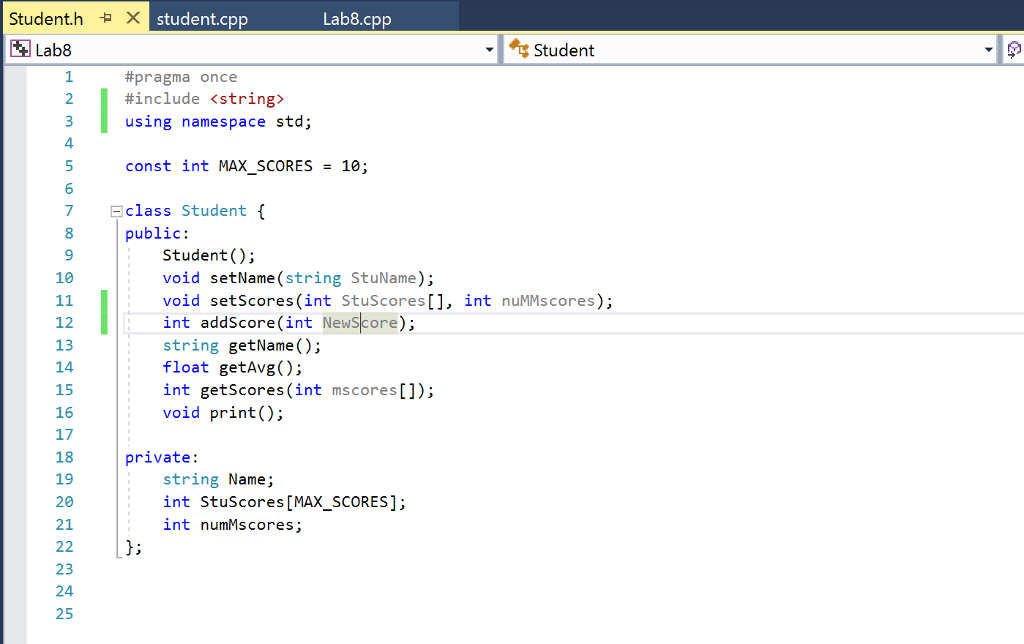
The first two images are set and cannot be changed. But the last two slides, student.cpp and student.h, can be. Please help
#include
#include
#include "Student.h"
using namespace std;
Student::Student() { Name = " "; StuScores[MAX_SCORES] = 0; numMscores = 0; }
void Student::setName(string StuName) { Name = StuName; }
void Student::setScores(int mscores[], int numMscores) {
for (int i = 0; i
if (StuScores[i] 100)
cout
else
StuScores[i] = mscores[i];
}
}
int Student::addScore(int newscore) {
if (numMscores
StuScores[numMscores] = newscore; // copy new number into the available spot in the array
numMscores++; // Increments number of scores
}
else
cout
return addScore(newscore);
}
string Student::getName() { return Name; }
float Student::getAvg() {
float Avg = 0.0;
float Total = 0.0;
if (StuScores[numMscores] = 0) {
cout
}
else
for (int i = 0; i
Total += StuScores[i];
}
Avg = Total / numMscores;
return Avg;
}
int Student::getScores(int mscores[]) {
for (int i = 0; i
StuScores[i]= mscores[i];
}
return StuScores[numMscores];
}
void Student::print() {
cout
for (int i = 0; i
cout
}
CAUsers KevintDocuments Visual Studio 20151ProjectstLab8\Debugtlab8.exe 0.000: Your name here 83.007: 88 77 66 75 95 87 93 student: :addScores: MAX_SCORES exceeded? Your name here 83.00 10: 88 77 66 75 95 87 93 93 83 73 Main: name Your name here Aug83.0 numMscores10 8877 66 75 95 87 93 93 83 73 Press any key to continue
Step by Step Solution
There are 3 Steps involved in it

Get step-by-step solutions from verified subject matter experts