







Question: HELP WITH EXCEL 13.)Liam plans to print the scenario section of the loan, calculator, workbook, prepare for printing as follows: a)set the entire row that
HELP WITH EXCEL 
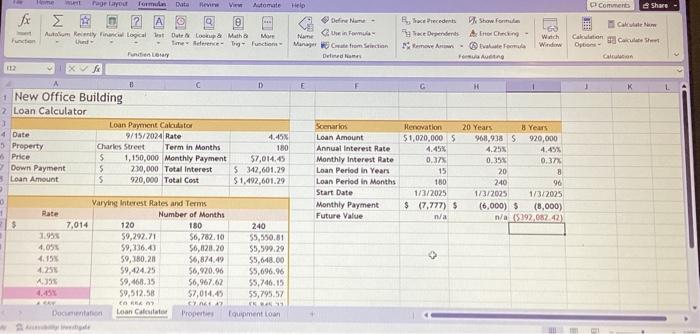
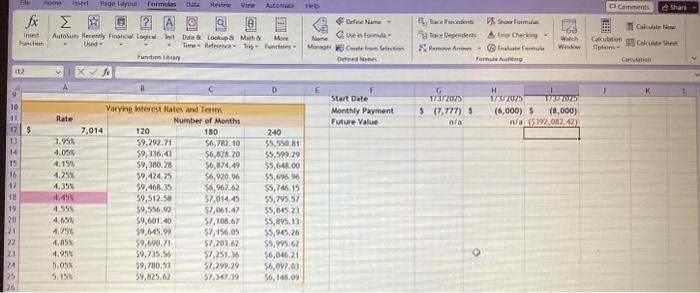
13.)Liam plans to print the scenario section of the loan, calculator, workbook, prepare for printing as follows:
a)set the entire row that contains the headings is the print titles for the worksheet.
B)set the area that contains the headings and data as the print area.
14.)hide the properties worksheet which contains data. Liam wants to keep private
please be extremely specific and deatiled with instructions thank you so much :)
13. Liam plans to print the Scenarios section of the Loan Calculator workbook. Prepare for printing as follows: a. Set the entire row that contains the headings as the print titles for the worksheet. b. Set the area that contains the headings and data as the print area. 14. Hide the Properties worksheet, which contains data Liam wants to keep private
Step by Step Solution
There are 3 Steps involved in it
1 Expert Approved Answer
Step: 1 Unlock

Question Has Been Solved by an Expert!
Get step-by-step solutions from verified subject matter experts
Step: 2 Unlock
Step: 3 Unlock
 Study Help