







Question: HELP WITH JAVA CODING IS NEEDED! WHAT I HAVE: import java.awt.*; import java.awt.event.*; import java.io.File; import java.io.FileInputStream; import java.io.FileOutputStream; import java.io.IOException; import java.io.ObjectInputStream; import java.io.ObjectOutputStream;
HELP WITH JAVA CODING IS NEEDED!
WHAT I HAVE:
import java.awt.*;
import java.awt.event.*;
import java.io.File;
import java.io.FileInputStream;
import java.io.FileOutputStream;
import java.io.IOException;
import java.io.ObjectInputStream;
import java.io.ObjectOutputStream;
import java.io.Serializable;
import javax.swing.*;
public class App2 extends JFrame implements ActionListener
{
JPanel jpBase, jp1, jp2, jp3, jp4;
JLabel jl1, jl2, jl3;
JTextField Answer, Question, Filepath;
JButton Update;
QAData qa;
public static void main(String[] args)
{
App2 a2 = new App2();
}
App2()
{
jpBase = new JPanel();
jpBase.setLayout(new GridLayout (4,1));
add(jpBase);
jp1 = new JPanel();
jpBase.add(jp1);
jl1 = new JLabel ("Answer");
jp1.add(jl1);
Answer = new JTextField(10);
jp1.add(Answer);
jp2 = new JPanel();
jpBase.add(jp2);
jl2 = new JLabel ("Question");
jp2.add(jl2);
Question = new JTextField(10);
jp2.add(Question);
jp3 = new JPanel();
jpBase.add(jp3);
jl3 = new JLabel ("Filepath");
jp3.add(jl3);
Filepath = new JTextField(10);
jp3.add(Filepath);
jp4 = new JPanel();
jpBase.add(jp4);
Update = new JButton ("Update!");
Update.addActionListener(this);
jp4.add(Update);
setSize(600, 400);
setDefaultCloseOperation(JFrame.EXIT_ON_CLOSE);
setVisible(true);
setTitle("App2");
}
@Override
public void actionPerformed(ActionEvent e)
{
if (e.getSource() == Update);
{
try
{
File f = new File(Filepath.getText());
f.createNewFile();
FileInputStream fis = new FileInputStream(f);
ObjectInputStream ois = new ObjectInputStream(fis);
this.qa = (QAData)ois.readObject();
ois.close();
fis.close();
}
catch (IOException ioe)
{
System.out.println("Could not read file. Creating size-zero Q&A array.");
ioe.printStackTrace();
}
catch (ClassNotFoundException cnfe)
{
System.out.println("Class not found.");
}
try
{
File f2 = new File(Filepath.getText());
qa.addElement(Answer.getText(), Question.getText());
FileOutputStream fos = new FileOutputStream(f2);
ObjectOutputStream oos = new ObjectOutputStream(fos);
oos.writeObject(qa);
oos.close();
fos.close();
}
catch (IOException ioe)
{
System.out.println("Unspecified I/O exception.");
}
}
}
}
class QAData implements Serializable
{
String[] answer = new String[0];
String[] question = new String[0];
void addElement(String answer, String question)
{
String[] answer2 = new String[this.answer.length + 1];
String[] question2 = new String[this.question.length + 1];
for(int index = 0; index
{
answer2[index] = this.answer[index];
}
for(int index = 0; index
{
question2[index] = this.question[index];
}
answer2[answer2.length - 1] = answer;
question2[question2.length - 1] = question;
this.answer = answer2;
this.question = question2;
}
}
WHAT I NEED:
Create a class named App2 which provides a GUI window for entering & saving question & answer text for a flashcard application.
1) The window will contain one panel that holds three text boxes (JTextFields), one button (JButton), and one QAData object.
a) The first two text boxes will be for answers and questions and should be labeled
b) Users can enter text into the text boxes
c) The third text box will contain a user-specified file path, e.g., C:/myfolder/myfile.dat
d) When the application launches, all text boxes will be empty
e) The button will be labeled update, i.e., JButton.setText("update");
f) Whenever the button is is clicked, the text boxes will be cleared
2) The App2 file should contain a supplementary class, QAData, which contains separate arrays of question and answer Strings and implements the Serializable interface. This class should follow the App2 class in the same file. When the button is clicked, the application will:
a) Load a QAData object from the user-specified file path (note: if no file is found with the path, the question & answer arrays should be created with size zero)
b) Add the String in the question text box to the question array
c) Add the String in the answer box to the answer array
d) Save the updated QAData object to the user-specified file path
Note: There are known problems with saving to a drive root folder (e.g., C:/) in Windows 10 and later. It is strongly recommended to test your application within a nested folder (e.g., C:/myfolder/).
Additional Constraints
The program should be implemented as a single file holding the public class App2. The application should shut down when the window is closed out.
WHAT I ENTER:
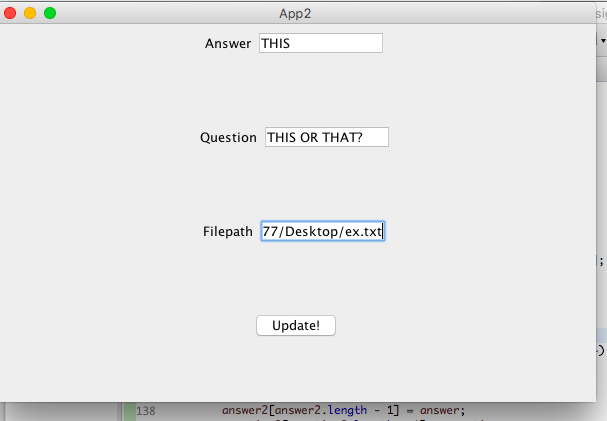
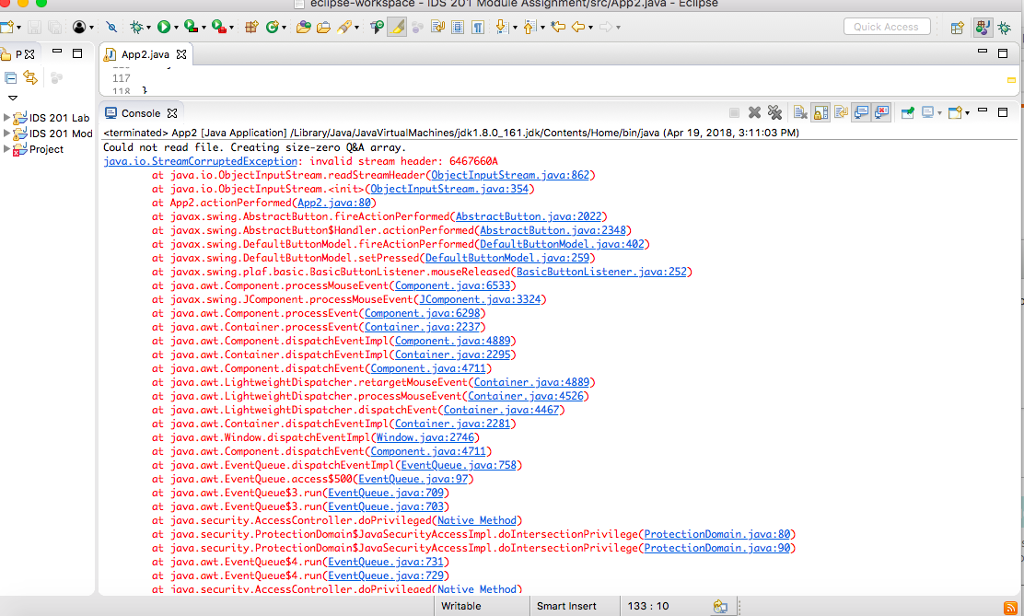
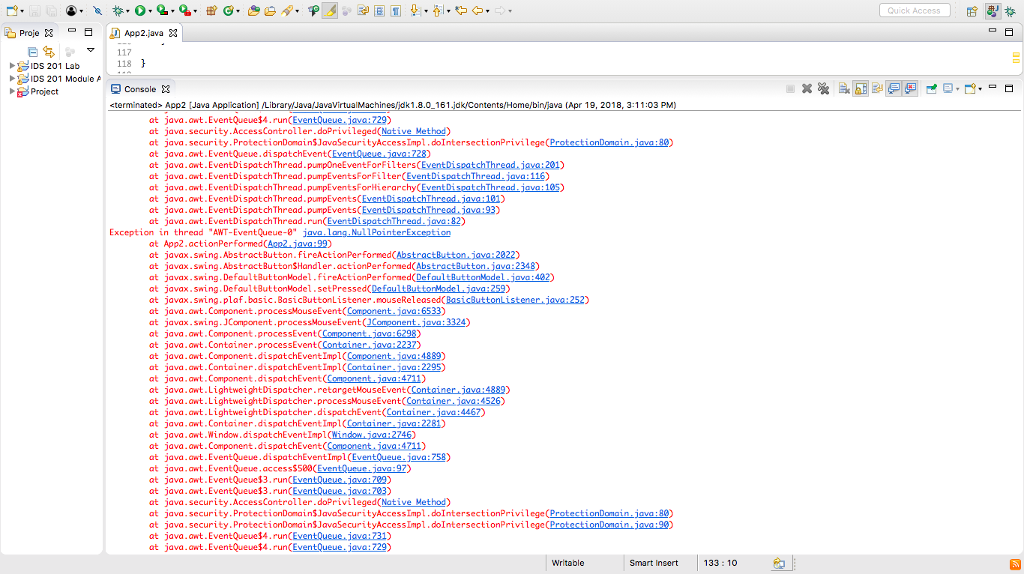
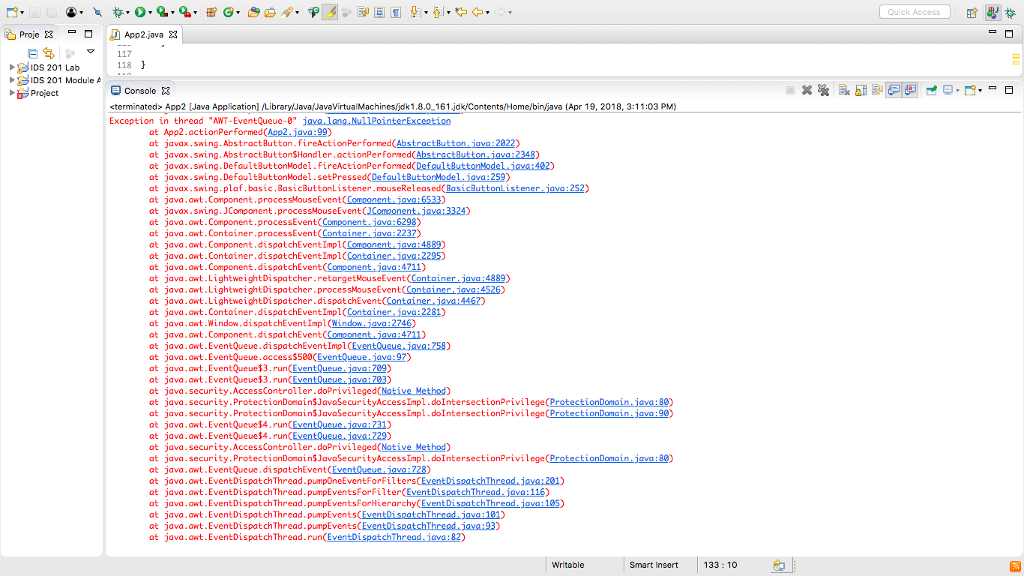
THE ERRORS I RECIEVE:
App2 Answer THIS Question THIS OR THAT? Filepath 77/Desktop/ex.tx Update! 138 answer2Tanswe r2.1ength - 1] =
Step by Step Solution
There are 3 Steps involved in it

Get step-by-step solutions from verified subject matter experts
 Study Help