







Question: Help with JavaScript project Please! Follow the prompts in the JavaScript file to make the map active. Specifically, write code ( as directed ) to
Help with JavaScript project Please! Follow the prompts in the JavaScript file to make the map "active." Specifically, write code as directed to make data about each city on the map appear on mouse over.
You won't have to edit any file other than projectjs Wherever you see that's where you'll need to add code. There are plenty of hints in the code comments!!
When you mouse over each city, populate the object you create with the following data:
City
State
Weather Office
Grid X
Grid Y
Chicago
IL
LOT
Denver
CO
BOU
Houston
TX
HGX
Los Angeles
CA
LOX
New York
NY
OKX
Pittsburgh
PA
PBZ
Seattle
WA
SEW
Washington
DC
LWX
GRADING:
Complete the definition of the City object:
points: Add the five field variables specified in the projectjss comments: name, state, weatherOffice, gridX, and gridY
points: Give City a method ie an object function named setData, accept five values as parameters
points: Set the object's field variables to the values passed in
Get a reference to the element with the class "cityinfo"
points: Set a global variable by selecting the element with the class "cityinfo"
Complete the handleCityMouseOver function:
points: Determine the weather office code of the city you're mousing over
points: Populate the City object's member data with that city's information see the table above
points: Write City's field values to their corresponding elements in the HTML
points: Show the element with the class cityinfo
Complete the handleCityMouseOut function:
points: Hide the element with the class cityinfo
Complete the handlePageLoad function:
points: Find all elements with a class of "city"
Add the following event listeners to these elements
points: listen for mouseover, call the function named handleCityMouseOver
points: listen for mouseout, call the function named handleCityMouseOut Assignment Content
NOTE: Since Im assigning this so late, this will be the last project in the course. What's more, everyone will get FULL CREDIT for the Final, as well as any assignments we didn't get to
This assignment will exercise your use of objects, events and manipulating the Document Object Model via JavaScript. In this project, start with the code provided here:
MPzip
Follow the prompts in the JavaScript file to make the map "active." Specifically, write code as directed to make data about each city on the map appear on mouse over.
You won't have to edit any file other than projectjs Wherever you see that's where you'll need to add code. There are plenty of hints in the code comments!!
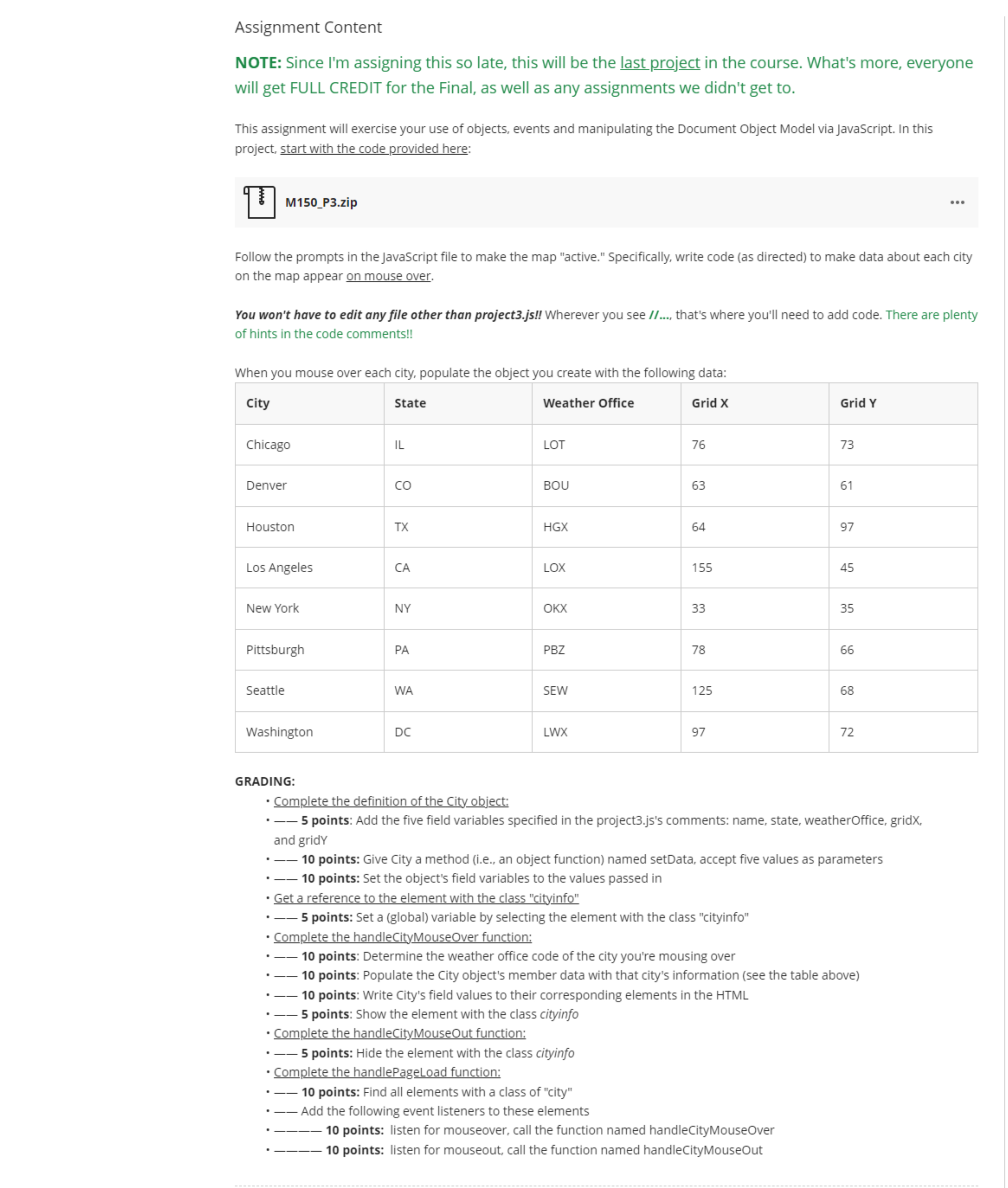
When you mouse over each city, populate the object you create with the following data:
tableCityState,Weather Office,Grid XGrid YChicagoILLOT,DenverCOBOU,HoustonTXHGXLos Angeles,CALOX,New York,NYOKX,PittsburghPAPBZSeattleWASEW,WashingtonDCLWX
GRADING:
Complete the definition of the City object:
points: Add the five field variables specified in the projectjss comments: name, state, weatherOffice, gridX, and gridY
points: Give City a method ie an object function named setData, accept five values as parameters
points: Set the object's field variables to the values passed in
Get a reference to the element with the class "cityinfo"
points: Set a global variable by selecting the element with the class "cityinfo"
Complete the handleCityMouseOver function:
points: Determine the weather office code of the city you're mousing over
points: Populate the City object's member data with that city's information see the table above
points: Write City's field values to their corresponding elements in the HTML
points: Show the element with the class cityinfo
Complete the handleCityMouseOut function:
points: Hide the element with the class cityinfo
Complete the handlePageLoad function:
points: Find all elements with a class of "city"
Add the following event listeners to these elements
points: listen for mouseover, call the function named handleCityMouseOver
points: listen for mouseout, call the function named handleCityMouseOut
Step by Step Solution
There are 3 Steps involved in it
1 Expert Approved Answer
Step: 1 Unlock

Question Has Been Solved by an Expert!
Get step-by-step solutions from verified subject matter experts
Step: 2 Unlock
Step: 3 Unlock
 Study Help