







Question: Help with this c++ program. Im using Microsoft Visual Studio Construct Binary Search Tree by Array Executive Summary: A binary search tree is a binary
Help with this c++ program. Im using Microsoft Visual Studio
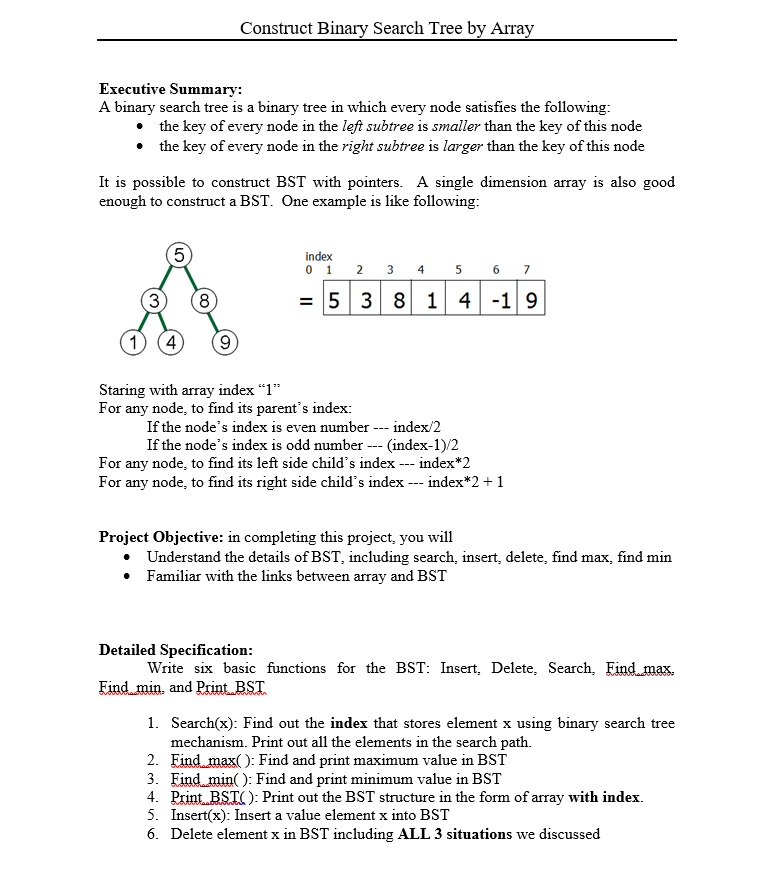
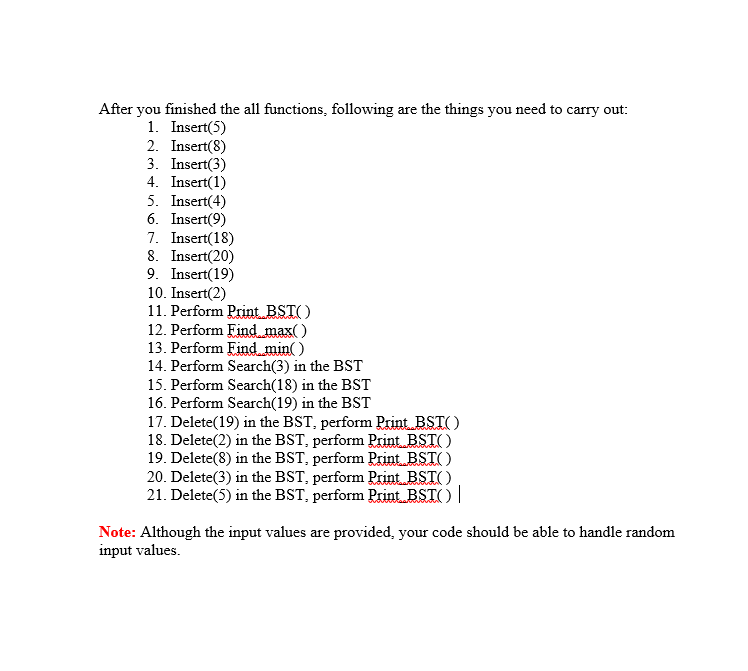
Construct Binary Search Tree by Array Executive Summary: A binary search tree is a binary tree in which every node satisfies the following the key of every node in the left subtree is smaller than the key of this node the key of every node in the right subtree is larger than the key of this node It is possible to construct BST with pointers. A single dimension array is also good enough to construct a BST. One example is like following index 0 1 2 3 4 3) (8 = 538| 114|-119 1 (4 (9 Staring with array index "1 For any node, to find its parent's index: If the node's index is even number If the node's index is odd number index/2 (index-1)/2 index*2 index*2 +1 For any node, to find its left side child's index For any node, to find its right side child's index Project Objective: in completing this project, you will Understand the details of BST, including search, insert, delete, find max, find min Familiar with the links between array and BST Detailed Specification Write six basic functions for the BST: Insert, Delete, Search, Find max Eind min, and Print BSIT 1. Search(x): Find out the index that stores element x using binary search tree mechanism. Print out all the elements in the search path. 2. Eind max(): Find and print maximum value in BST 3. Eind min(): Find and print minimum value in BST 4. PrintRSTC): Print out the BST structure in the form of array with index 5. Insert(x): Insert a value element x into BST 6. Delete element x in BST including ALL 3 situations we discussed
Step by Step Solution
There are 3 Steps involved in it

Get step-by-step solutions from verified subject matter experts
 Study Help