







Question: here is data Due: Friday March 2, 11:59pm on Bblearn Turn in: A copy of the program (.cpp file) and a sample output showing the
here is data
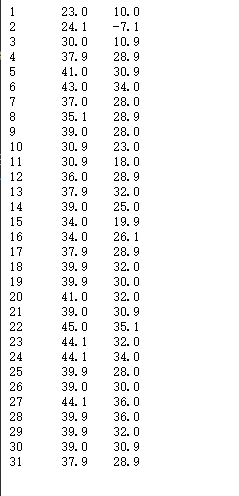
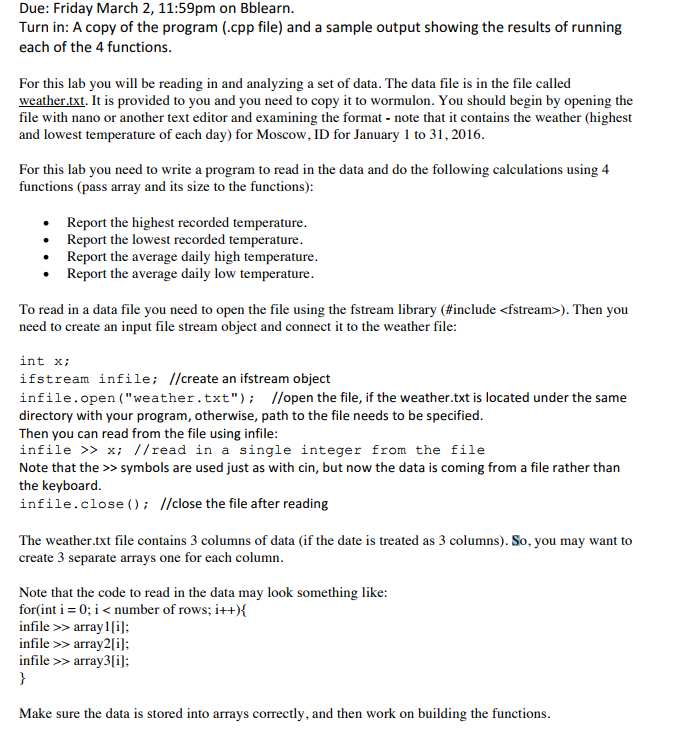
Due: Friday March 2, 11:59pm on Bblearn Turn in: A copy of the program (.cpp file) and a sample output showing the results of running each of the 4 functions For this lab you will be reading in and analyzing a set of data. The data file is in the file called weather.txt. It is provided to you and you need to copy it to wormulon. You should begin by opening the file with nano or another text editor and examining the format note that it contains the weather (highest and lowest temperature of each day) for Moscow, ID for January 1 to 31,2016 to write a program to read in the data and do the following calculations using 4 For this lab you need functions (pass array and its size to the functions) Report the highest recorded temperature Report the lowest recorded temperature Report the average daily high temperature Report the average daily low temperature To read in a data file you need to open the file using the fstream library (#include
Step by Step Solution
There are 3 Steps involved in it

Get step-by-step solutions from verified subject matter experts
 Study Help