







Question: Here is my Code if necessary: HelloRestApiApplication.java package com.example.demo; import org.springframework.boot.SpringApplication; import org.springframework.boot.autoconfigure.SpringBootApplication; import org.springframework.web.bind.annotation.RequestMapping; import org.springframework.web.bind.annotation.RequestParam; @SpringBootApplication public class HelloRestApiApplication { public static void
Here is my Code if necessary:
HelloRestApiApplication.java
package com.example.demo; import org.springframework.boot.SpringApplication; import org.springframework.boot.autoconfigure.SpringBootApplication; import org.springframework.web.bind.annotation.RequestMapping; import org.springframework.web.bind.annotation.RequestParam; @SpringBootApplication public class HelloRestApiApplication { public static void main(String[] args) { SpringApplication.run(HelloRestApiApplication.class, args); } } Greeting.java
package com.example.demo; public class Greeting { private final long id; private final String content; public Greeting() { this.id = 0; this.content = ""; } public Greeting(long id, String content) { this.id = id; this.content = content; } public long getId() {return id;} public String getContent() {return content;} }
HelloController.java
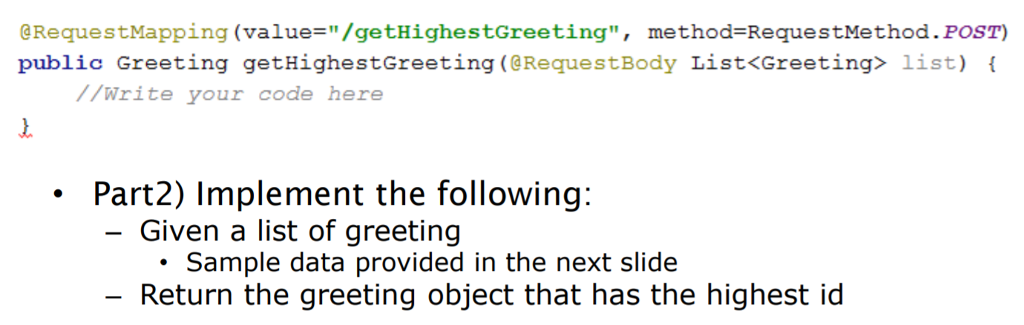
package com.example.demo; import org.springframework.web.bind.annotation.*; @RestController public class HelloController {CODE FROM THE TOP (@RequestMapping...)
}
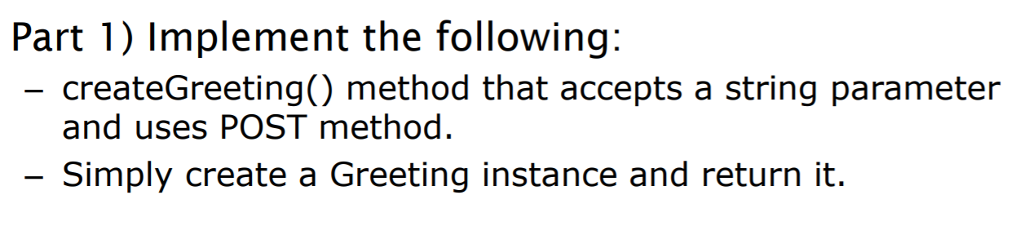
Part 1) Implement the following: createGreeting() method that accepts a string parameter and uses POST method Simply create a Greeting instance and return it
Step by Step Solution
There are 3 Steps involved in it
1 Expert Approved Answer
Step: 1 Unlock

Question Has Been Solved by an Expert!
Get step-by-step solutions from verified subject matter experts
Step: 2 Unlock
Step: 3 Unlock
 Study Help