







Question: here is sequence.m classdef sequence properties data offset end methods function s = sequence(data, offset) % SEQUENCE Sequence object % S = SEQUENCE(DATA, OFFSET) creates
 here is sequence.m
classdef sequence properties data offset end methods function s = sequence(data, offset) % SEQUENCE Sequence object % S = SEQUENCE(DATA, OFFSET) creates sequence S % using DATA and OFFSET % % Your Name 1 Jan 2014 s.data = data; s.offset = offset; end function display(s) var = inputname(1); if (isempty(var)) disp('ans ='); else disp([var '=']); end switch length(s.data) case 0 disp(' data: []') case 1 disp([' data: ', num2str(s.data)]) otherwise disp([' data: [' num2str(s.data) ']']) end disp([' offset: ' num2str(s.offset)]) end function y = flip(x) % FLIP Flip a Matlab sequence structure, x, so y = x[-n] end function y = shift(x, n0) % SHIFT Shift a Matlab sequence structure, x, by integer amount n0 so that y[n] = x[n - n0] end function z = plus(x, y) % PLUS Add x and y. Either x and y will both be sequence structures, or one of them may be a number. end function z = minus(x, y) % MINUS Subtract x and y. Either x and y will both be sequence structures, or one of them may be a number. end function z = times(x, y) % TIMES Multiply x and y (i.e. .*) Either x and y will both be sequence structures, or one of them may be a number. end function stem(x) % STEM Display a Matlab sequence, x, using a stem plot. end end end
Please help me to put the codes in the methods for flip, shift, plus, minus, and times so this class works. Thank you.
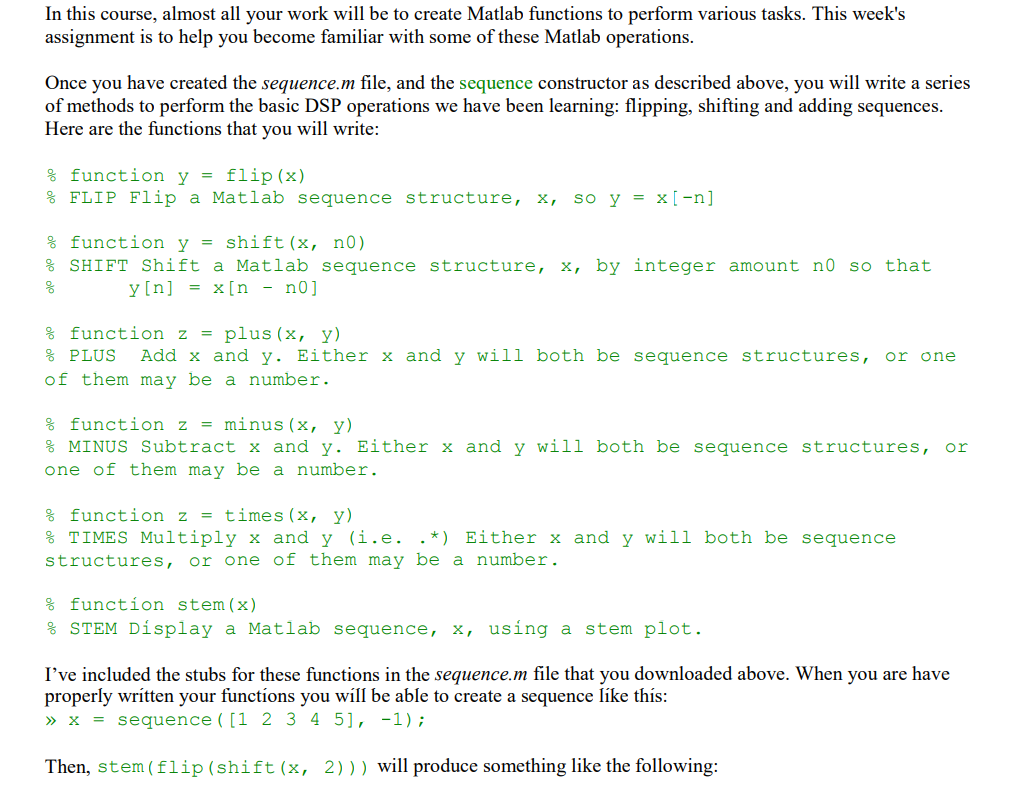
In this course, almost all your work will be to create Matlab functions to perform various tasks. This week's assignment is to help you become familiar with some of these Matlab operations. Once you have created the sequence.m file, and the sequence constructor as described above, you will write a series of methods to perform the basic DSP operations we have been learning: flipping, shifting and adding sequences. Here are the functions that you will write: % function y = flip (x) % FLIP Flip a Matlab sequence structure, x, so y = x[-n] % function y = shift (x, no) % SHIFT Shift a Matlab sequence structure, x, by integer amount no so that y[n] = x[n - no] 8 % function z plus (x, y) % PLUS Add x and y. Either x and y will both be sequence structures, of them may be a number. or one % function z = minus (x, y) % MINUS Subtract x and y. Either x and y will both be sequence structures, or one of them may be a number. % function z = times (x, y) % TIMES Multiply x and y(i.e. *) Either x and y will both be sequence structures, or one of them may be a number. % function stem (x) STEM Display a Matlab sequence, x, using a stem plot. I've included the stubs for these functions in the sequence.m file that you downloaded above. When you are have properly written your functions you will be able to create a sequence like this: >> X = sequence ([1 2 3 4 5], -1); Then, stem (flip (shift (x, 2))) will produce something like the following: In this course, almost all your work will be to create Matlab functions to perform various tasks. This week's assignment is to help you become familiar with some of these Matlab operations. Once you have created the sequence.m file, and the sequence constructor as described above, you will write a series of methods to perform the basic DSP operations we have been learning: flipping, shifting and adding sequences. Here are the functions that you will write: % function y = flip (x) % FLIP Flip a Matlab sequence structure, x, so y = x[-n] % function y = shift (x, no) % SHIFT Shift a Matlab sequence structure, x, by integer amount no so that y[n] = x[n - no] 8 % function z plus (x, y) % PLUS Add x and y. Either x and y will both be sequence structures, of them may be a number. or one % function z = minus (x, y) % MINUS Subtract x and y. Either x and y will both be sequence structures, or one of them may be a number. % function z = times (x, y) % TIMES Multiply x and y(i.e. *) Either x and y will both be sequence structures, or one of them may be a number. % function stem (x) STEM Display a Matlab sequence, x, using a stem plot. I've included the stubs for these functions in the sequence.m file that you downloaded above. When you are have properly written your functions you will be able to create a sequence like this: >> X = sequence ([1 2 3 4 5], -1); Then, stem (flip (shift (x, 2))) will produce something like the following
Step by Step Solution
There are 3 Steps involved in it

Get step-by-step solutions from verified subject matter experts
 Study Help