







Question: Here is the bar_chart_v2.py code: def print_bar(label, length): Print a single row of a bar chart. The length argument will be converted to an int
Here is the bar_chart_v2.py code: def print_bar(label, length): """Print a single row of a bar chart. The length argument will be converted to an int in order to determine the number of "=" symbols to use. For example: >>> print_bar("Ruby", 3.9) Ruby : === Args: label (str): The label for this bar length (float): The length of the bar """ raise NotImplementedError() def print_border(data): """Print a correctly-sized border of '-' characters. Print a number of '-' symbols equal to the maximum value in data (converted to an integer), plus 11. Args: data (list): floats that will determine the length of the bars """ raise NotImplementedError() def print_bar_chart(labels, data): """Print a nicely formatted bar chart. The chart will have one row for each of the five entries in the two provided lists. Args: labels (list): label strings data (list): floats that will determine the length of the bars """ raise NotImplementedError() if __name__ == "__main__": # Don't change this! Just finish the functions above. l1 = ['Python', 'Java', 'JavaScript', 'C#', 'PHP'] d1 = [29.9, 19.1, 8.2, 7.3, 6.2] print_bar_chart(l1, d1)
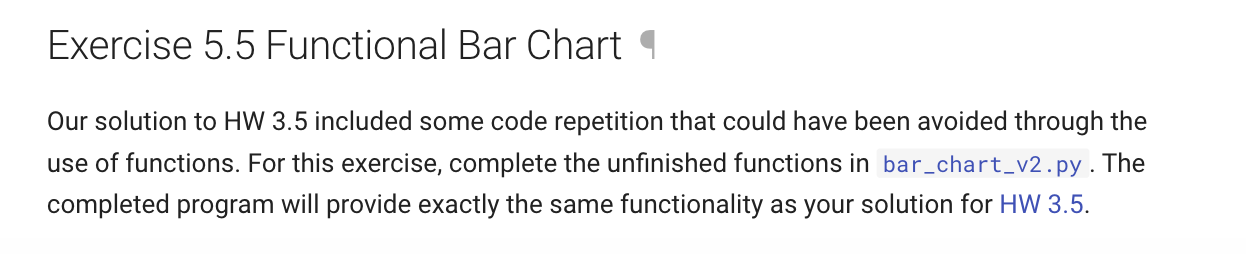
Exercise 5.5 Functional Bar Chart Our solution to HW 3.5 included some code repetition that could have been avoided through the use of functions. For this exercise, complete the unfinished functions in bar_chart_v2.py. The completed program will provide exactly the same functionality as your solution for HW 3.5
Step by Step Solution
There are 3 Steps involved in it
1 Expert Approved Answer
Step: 1 Unlock

Question Has Been Solved by an Expert!
Get step-by-step solutions from verified subject matter experts
Step: 2 Unlock
Step: 3 Unlock
 Study Help