







Question: here is the example ISDS 3110: Data and Information Management LAB #1: Single Entity Modeling Lab 1. Draw an Entity Relationship Diagram (ERD) data model
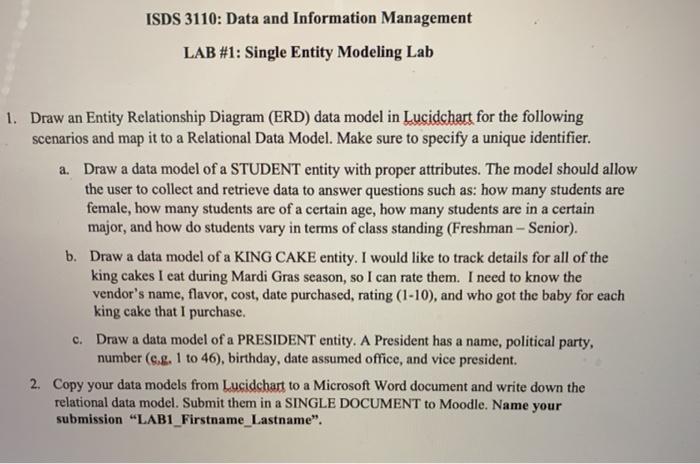
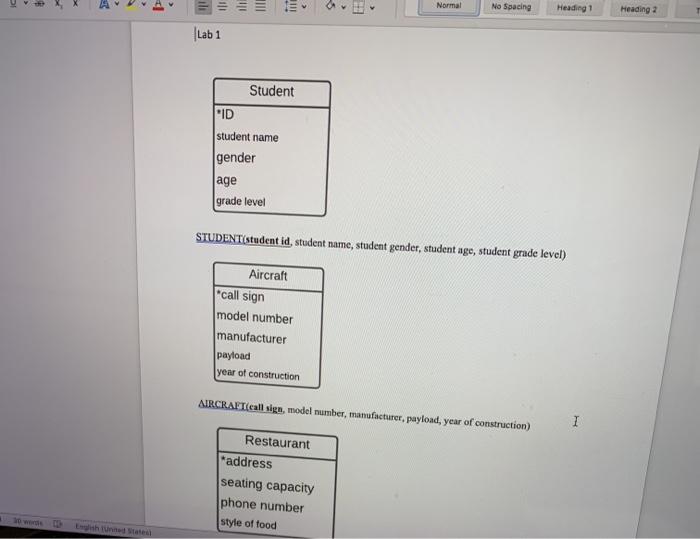
ISDS 3110: Data and Information Management LAB #1: Single Entity Modeling Lab 1. Draw an Entity Relationship Diagram (ERD) data model in Lucidchart for the following scenarios and map it to a Relational Data Model. Make sure to specify a unique identifier. a. Draw a data model of a STUDENT entity with proper attributes. The model should allow the user to collect and retrieve data to answer questions such as: how many students are female, how many students are of a certain age, how many students are in a certain major, and how do students vary in terms of class standing (Freshman - Senior). b. Draw a data model of a KING CAKE entity. I would like to track details for all of the king cakes I eat during Mardi Gras season, so I can rate them. I need to know the vendor's name, flavor, cost, date purchased, rating (1-10), and who got the baby for each king cake that I purchase. C. Draw a data model of a PRESIDENT entity. A President has a name, political party, number (e.g. 1 to 46), birthday, date assumed office, and vice president. 2. Copy your data models from Lucidchart to a Microsoft Word document and write down the relational data model. Submit them in a SINGLE DOCUMENT to Moodle. Name your submission "LAB1_Firstname_Lastname". ili 100 TII TE Normal No Spacing Heading 1 Heading 2 Lab 1 Student "ID student name gender age grade level STUDENT(student id, student name, student gender, student age, student grade level) Aircraft "call sign model number manufacturer payload year of construction AIRCRAFT(call sign, model number, manufacturer, payload, year of construction) 1 Restaurant "address seating capacity phone number style of food
Step by Step Solution
There are 3 Steps involved in it

Get step-by-step solutions from verified subject matter experts
 Study Help