







Question: Here is the text version of that second screenshot: CREATE TABLE Officer ( OfficerNumber INT UNSIGNED AUTO_INCREMENT, BadgeNumber INT NOT NULL, DepartmentName VARCHAR(30) NOT NULL,
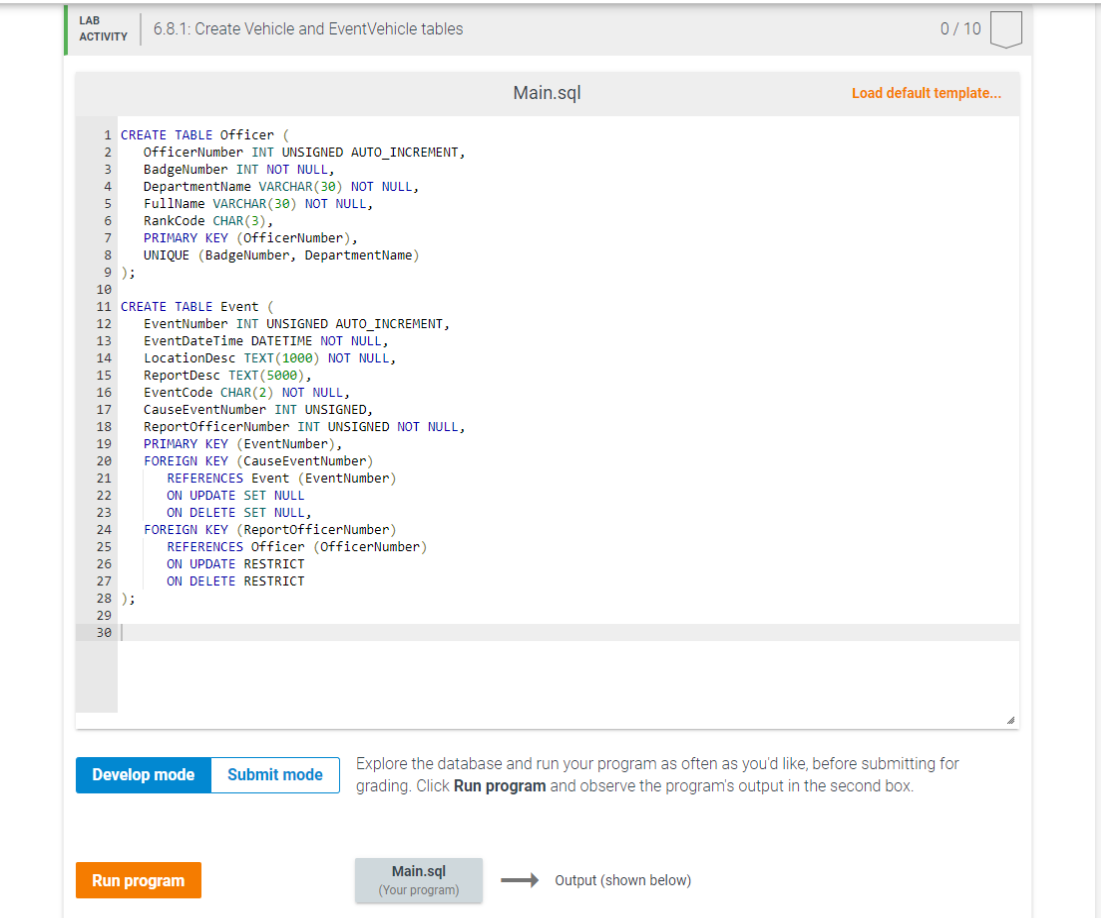
Here is the text version of that second screenshot:
CREATE TABLE Officer ( OfficerNumber INT UNSIGNED AUTO_INCREMENT, BadgeNumber INT NOT NULL, DepartmentName VARCHAR(30) NOT NULL, FullName VARCHAR(30) NOT NULL, RankCode CHAR(3), PRIMARY KEY (OfficerNumber), UNIQUE (BadgeNumber, DepartmentName) );
CREATE TABLE Event ( EventNumber INT UNSIGNED AUTO_INCREMENT, EventDateTime DATETIME NOT NULL, LocationDesc TEXT(1000) NOT NULL, ReportDesc TEXT(5000), EventCode CHAR(2) NOT NULL, CauseEventNumber INT UNSIGNED, ReportOfficerNumber INT UNSIGNED NOT NULL, PRIMARY KEY (EventNumber), FOREIGN KEY (CauseEventNumber) REFERENCES Event (EventNumber) ON UPDATE SET NULL ON DELETE SET NULL, FOREIGN KEY (ReportOfficerNumber) REFERENCES Officer (OfficerNumber) ON UPDATE RESTRICT ON DELETE RESTRICT );
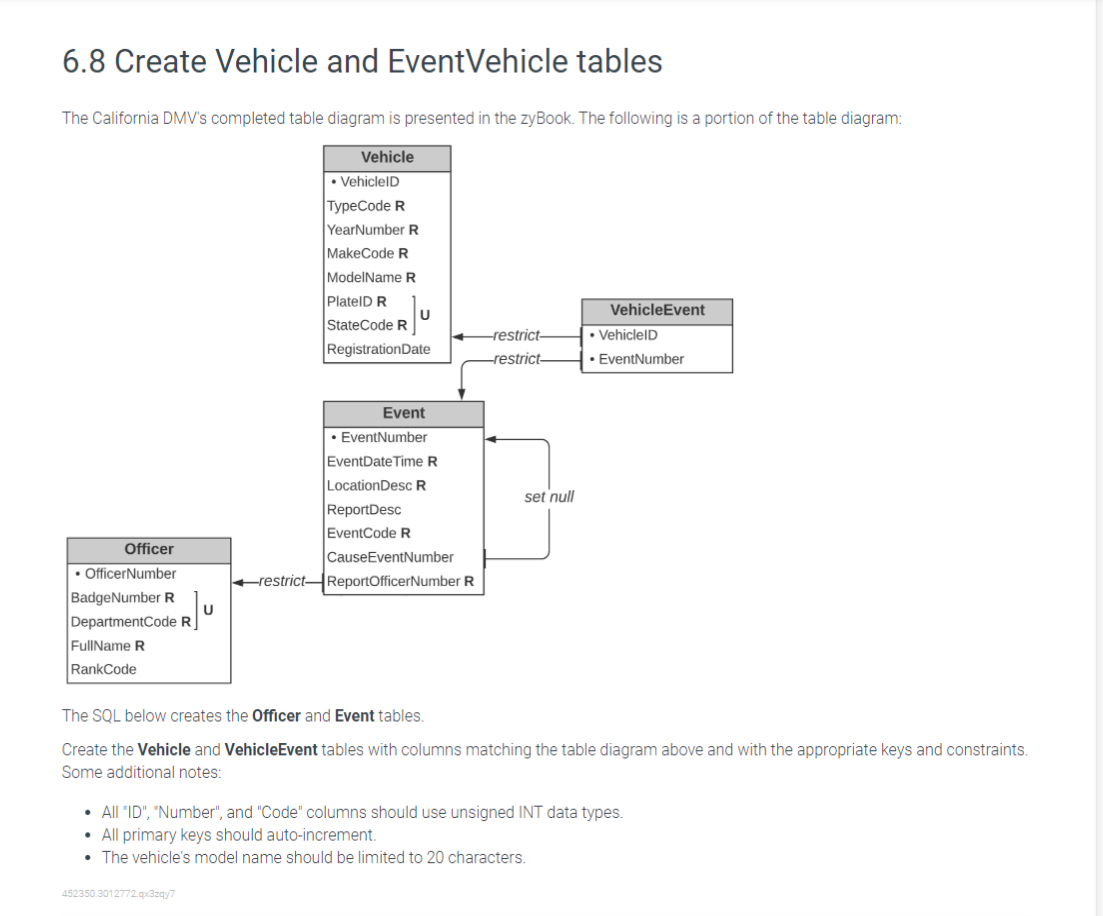
6.8 Create Vehicle and EventVehicle tables The California DMV's completed table diagram is presented in the zyBook. The following is a portion of the table diagram: The SQL below creates the Officer and Event tables. Create the Vehicle and VehicleEvent tables with columns matching the table diagram above and with the appropriate keys and constraints. Some additional notes: - All "ID", "Number", and "Code" columns should use unsigned INT data types. - All primary keys should auto-increment. - The vehicle's model name should be limited to 20 characters. Main.sql Load default template... Explore the database and run your program as often as you'd like, before submitting for grading. Click Run program and observe the program's output in the second box
Step by Step Solution
There are 3 Steps involved in it

Get step-by-step solutions from verified subject matter experts
 Study Help