







Question: Here's the Start-Up Code: Please try to make it look like this as much as possible: Thank You Use the reset.css from Project 1 to
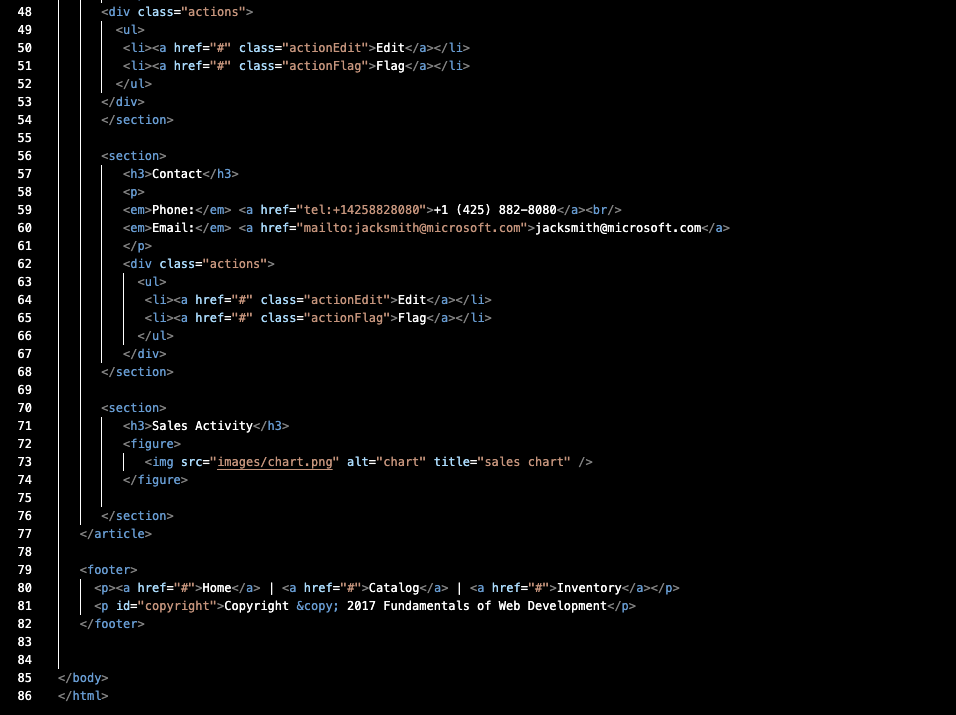
Here's the Start-Up Code: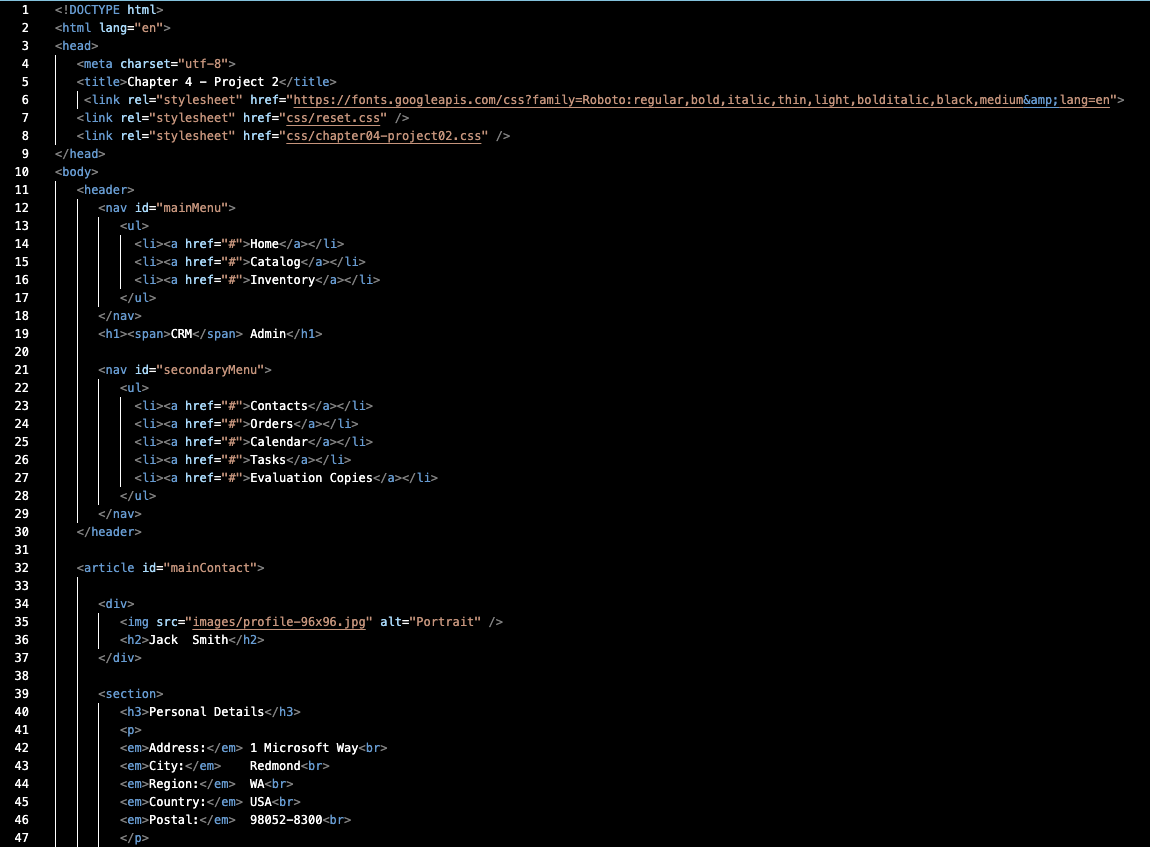
Please try to make it look like this as much as possible: 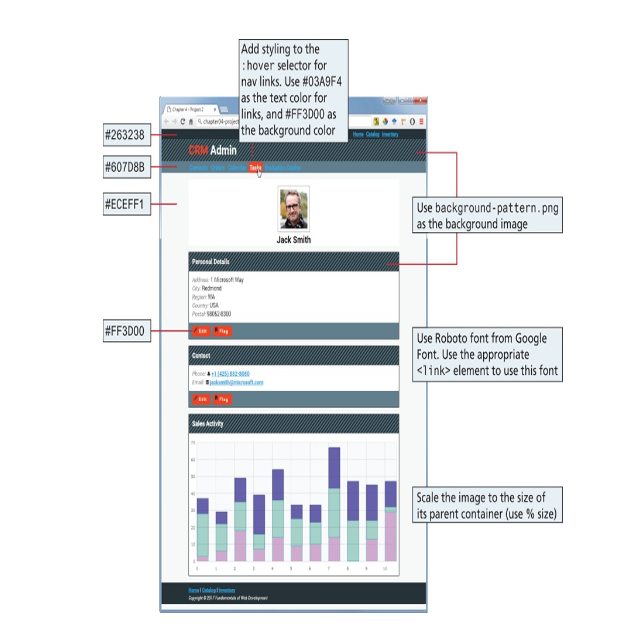
Thank You
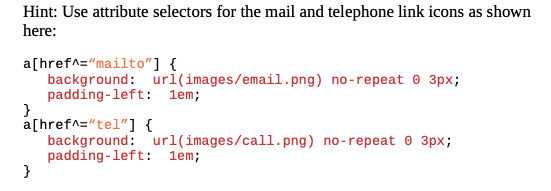
Use the reset.css from Project 1 to reset all default styles. Create an external style sheet named chapter04-project02.css. Add styles to chapter04-project02.css so that it looks similar to that shown in Eigure 4.34. Do not modify the markup within the element. This means defining styles for the header, footer, section, and other tags. Hint: Use attribute selectors for the mail and telephone link icons as shown here
Step by Step Solution
There are 3 Steps involved in it
1 Expert Approved Answer
Step: 1 Unlock

Question Has Been Solved by an Expert!
Get step-by-step solutions from verified subject matter experts
Step: 2 Unlock
Step: 3 Unlock
 Study Help