







Question: hey need to modify the code so that: import java.math.BigDecimal; import java.math.RoundingMode; public class main{ public BigDecimal calculatePi ( int iterations){ BigDecimal result = new
hey need to modify the code so that:
import java.math.BigDecimal;
import java.math.RoundingMode;
public class main{
public BigDecimal calculatePi ( int iterations){
BigDecimal result = new BigDecimal(0);
BigDecimal oddNum = new BigDecimal(1);
BigDecimal pow5 = new BigDecimal(5);
BigDecimal pow239 = new BigDecimal(239);
BigDecimal sign = new BigDecimal(1);
for (int count = 0; count 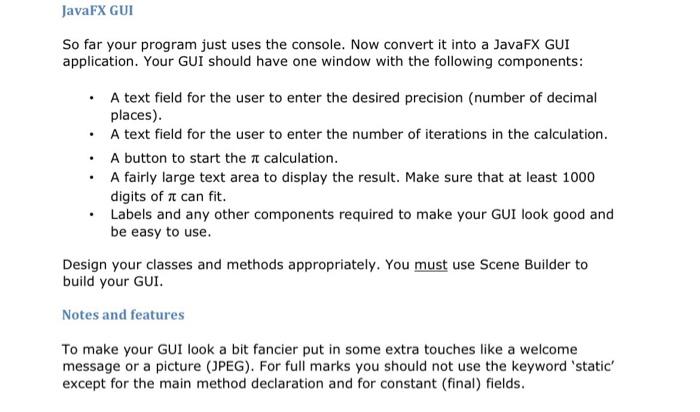
JavaFX GUI So far your program just uses the console. Now convert it into a JavaFX GUI application. Your GUI should have one window with the following components: A text field for the user to enter the desired precision (number of decimal places). A text field for the user to enter the number of iterations in the calculation. A button to start the a calculation. A fairly large text area to display the result. Make sure that at least 1000 digits of a can fit. Labels and any other components required to make your GUI look good and be easy to use. Design your classes and methods appropriately. You must use Scene Builder to build your GUI. Notes and features To make your GUI look a bit fancier put in some extra touches like a welcome message or a picture (JPEG). For full marks you should not use the keyword 'static' except for the main method declaration and for constant (final) fields BigDecimal next Term = new BigDecimal((pow.5multiply(oddNum)), 1000, RoundingMode.HALF_UP));
result = result.add(sign.multiply(nextTerm));
pow5 = pow5.multiply( new BigDecimal(5).multiply(new BigDecimal(5)));
pow239 = pow239.multiply(nee BigDecimal(239).multiply(new BigDecimal(239)));
oddNum= oddNum.add(new BigDecimal(2));
sign = sign.multiply(new BigDecimal(-1));
}
return result;
}
public static void main(String [] args){
Main myPi = new Main();
System.out.println(myPi.calculatePi(16));
}
}
Step by Step Solution
There are 3 Steps involved in it
1 Expert Approved Answer
Step: 1 Unlock

Question Has Been Solved by an Expert!
Get step-by-step solutions from verified subject matter experts
Step: 2 Unlock
Step: 3 Unlock
 Study Help