







Question: Hi , I ' d like you to answer this lab with every code that I need to write, there was a solution but it
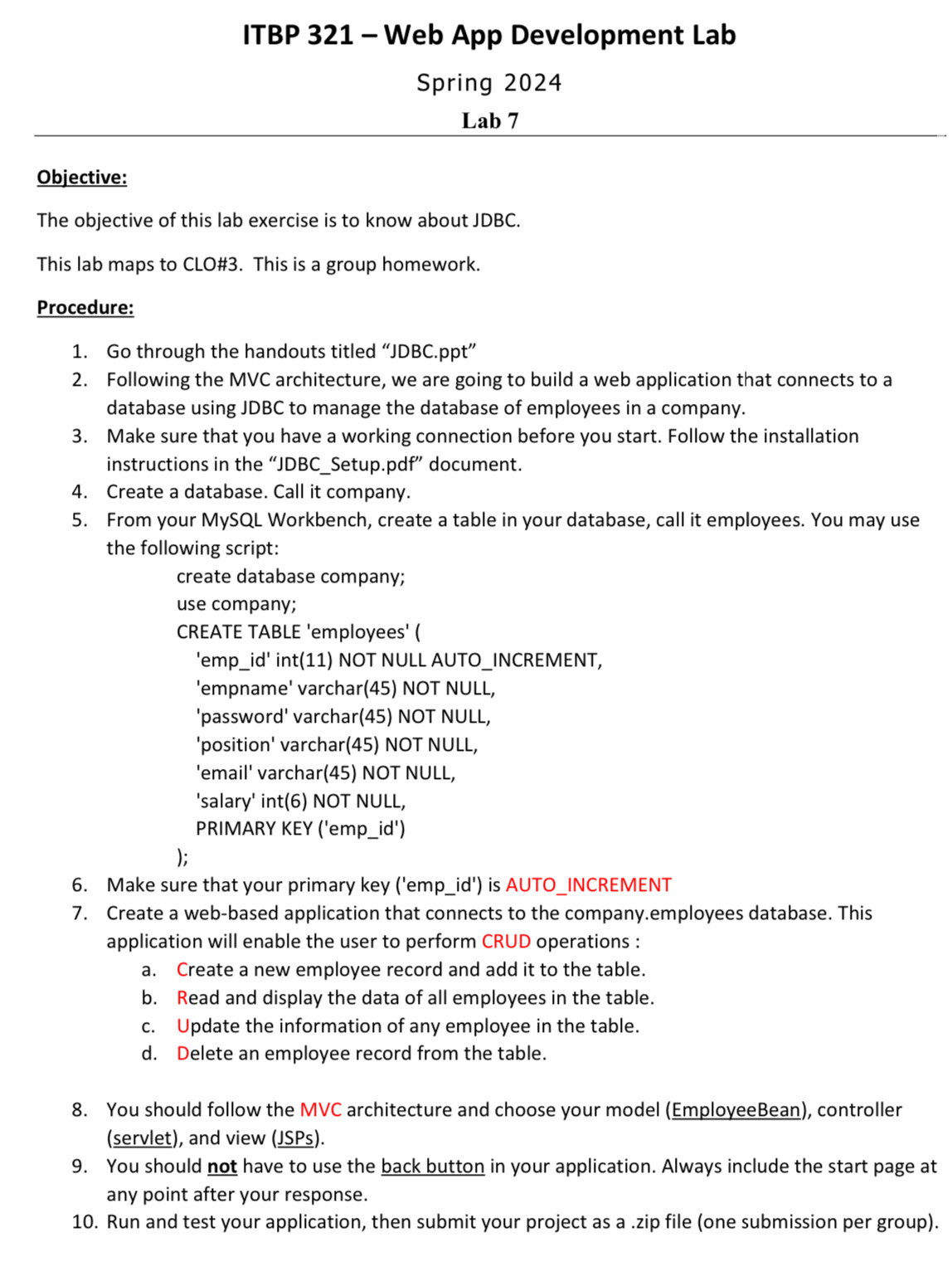
Hi Id like you to answer this lab with every code that I need to write, there was a solution but it was not solved by coding. Im using NetBeans with MySql to access php admin.
so please write the code for each file and if there is a filed where i need to add the path depending on my computer just add a comment to let me know.
Spring
Lab
Objective:
The objective of this lab exercise is to know about JDBC
This lab maps to CLO# This is a group homework.
Procedure:
Go through the handouts titled JDBCppt
Following the MVC architecture, we are going to build a web application that connects to a
database using JDBC to manage the database of employees in a company.
Make sure that you have a working connection before you start. Follow the installation
instructions in the JDBCSetup.pdf document.
Create a database. Call it company.
From your MySQL Workbench, create a table in your database, call it employees. You may use
the following script:
create database company;
use company;
CREATE TABLE 'employees'
'empid int NOT NULL AUTOINCREMENT,
'empname' varchar NOT NULL,
'password' varchar NOT NULL,
'position' varchar NOT NULL,
'email' varchar NOT NULL,
'salary' int NOT NULL,
PRIMARY KEY empid
;
Make sure that your primary key empid is AUTOINCREMENT
Create a webbased application that connects to the company.employees database. This
application will enable the user to perform CRUD operations :
a Create a new employee record and add it to the table.
b Read and display the data of all employees in the table.
c Update the information of any employee in the table.
d Delete an employee record from the table.
You should follow the MVC architecture and choose your model EmployeeBean controller
servlet and view JSPs
You should not have to use the back button in your application. Always include the start page at
any point after your response.
Run and test your application, then submit your project as a zip file one submission per group
Objective:
The objective of this lab exercise is to know about JDBC
This lab maps to CLO# This is a group homework.
Procedure:
Go through the handouts titled JDBCppt
Following the MVC architecture, we are going to build a web application that connects to a
database using JDBC to manage the database of employees in a company.
Make sure that you have a working connection before you start. Follow the installation
instructions in the JDBCSetup.pdf document.
Create a database. Call it company.
From your MySQL Workbench, create a table in your database, call it employees. You may use
the following script:
create database company;
use company;
CREATE TABLE 'employees'
'empid int NOT NULL AUTOINCREMENT,
'empname' varchar NOT NULL,
'password' varchar NOT NULL,
'position' varchar NOT NULL,
'email' varchar NOT NULL,
'salary' int NOT NULL,
PRIMARY KEY empid
;
Make sure that your primary key empid is AUTOINCREMENT
Create a webbased application that connects to the company.employees database. This
application will enable the user to perform CRUD operations :
a Create a new employee record and add it to the table.
b Read and display the data of all employees in the table.
c Update the information of any employee in the table.
d Delete an employee record from the table.
You should follow the MVC architecture and choose your model EmployeeBean controller
servlet and view JSPs
You should not have to use the back button in your application. Always include the start page at
any point after your response.
Run and test your application, then submit your project as a zip file one submission per group
Step by Step Solution
There are 3 Steps involved in it
1 Expert Approved Answer
Step: 1 Unlock

Question Has Been Solved by an Expert!
Get step-by-step solutions from verified subject matter experts
Step: 2 Unlock
Step: 3 Unlock
 Study Help