







Question: Hi, I have C++ assignment using Qt. Here I am succesful to create user interface. My assignment from my professor are actually simple: > draw
Hi, I have C++ assignment using Qt.
Here I am succesful to create user interface.
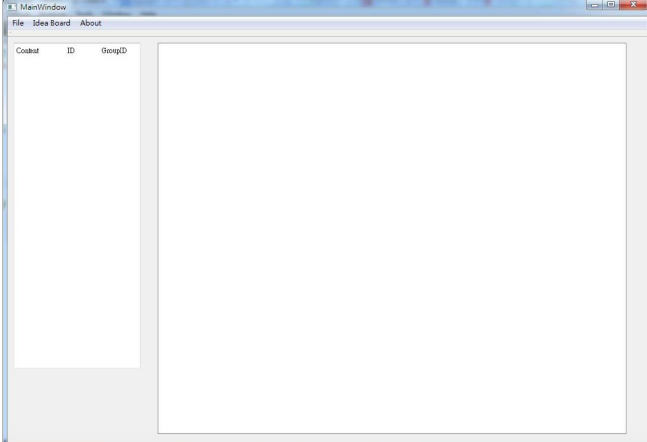
My assignment from my professor are actually simple:
> draw shapes of a circle at the right empty white space
> save the result in XML format
The process will be as follow:
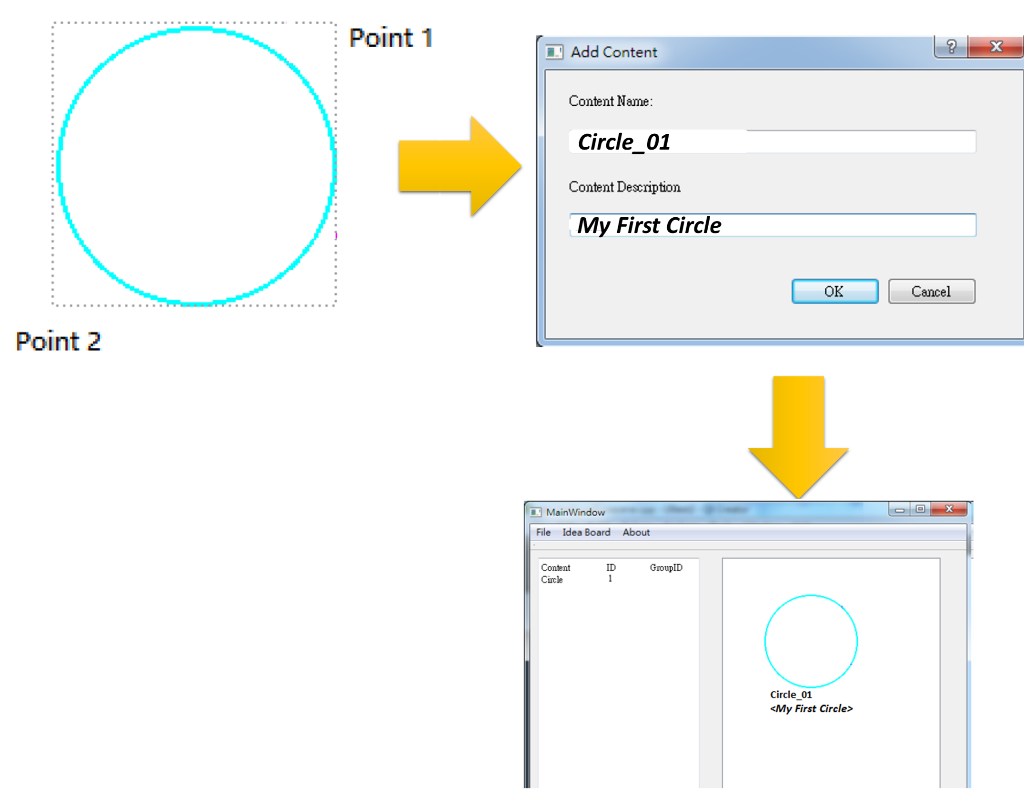
When starting to draw circle, we will firstly click anywhere in the empty right board ("point 1"), but dont release it. While keep pressing the click, we drag to any direction to extend the circle, then release it (at point 2). Then, the circle will automatically be created. (in the illustration above, click is at point 1, and release is at point 2, but at the actual program, the text point 1, point 2 do not exist; it is shown here to emphasize the position of mouse-click).
After the circle is created, the next step must happen, i.e. a dialog should appear automatically, which ask user to enter name and description. In the above illustration, I enter "Circle_01" as my name, and "My First Circle" for the description. After "OK" is clicked, on the right side (the drawing space), the Circle we created must shown withits Content Name and Content Description below the circle.
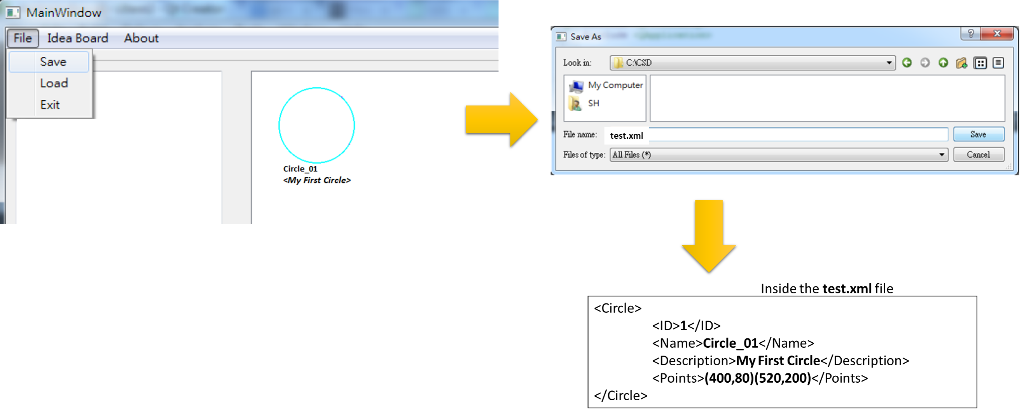
Final things, the program must be able to save in XML format:
The preocedure above are actually simple.
But I am still not familiar with Qt. Then, can any body show me how to do that in Qt? My professor only provide example with Qt, and ecourage me to use Qt.
But if you guys have another ways other than Qt, it is still fine.
Thank you
Best Regrads.
E MainWindow File Idea Board About Coutat ID GrouplD Point 1 E Add Content Content Name: Circle_01 Content Description My First Circle OK Cancel Point 2 E MainWindow File Idea Board About Content ID GroupID Circle Circle_01
Step by Step Solution
There are 3 Steps involved in it

Get step-by-step solutions from verified subject matter experts
 Study Help