







Question: Hi, I Require some help using the little man computer editor, my task is to make a program on the LMC editor/assembler to allow a
Hi,
I Require some help using the little man computer editor, my task is to make a program on the LMC editor/assembler to allow a user to make a selection from a menu to perform a certain operation. I can make the operations individually but can not figure out how to make all operations work in one program whilst incorporating a user menu.
I've attached an example screen shot of what is required and a screenshot of the editor I am using.
This is also the task question
"Your task is to develop a project using a simple von Neumann architecture, The Little Man computer. You will be tasked with the development and documentation of a number of applications written in Assembly. These applications will demonstrate the use of control statements and algorithms typically found in high level programming languages. You will be required to write your code into a single program file which, through the use of control statements, will trigger different tasks in your code. The final application will allow users to perform different algorithms and operations. You are required to program your application using numeric instructions, mnemonic codes and labels."
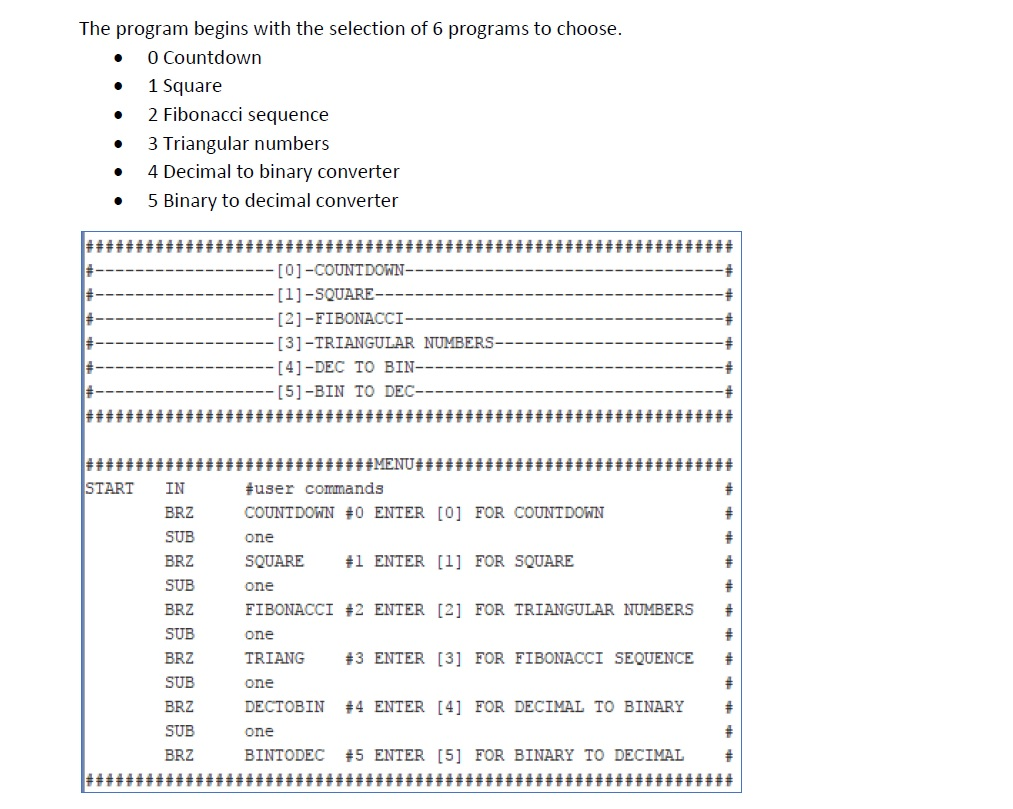
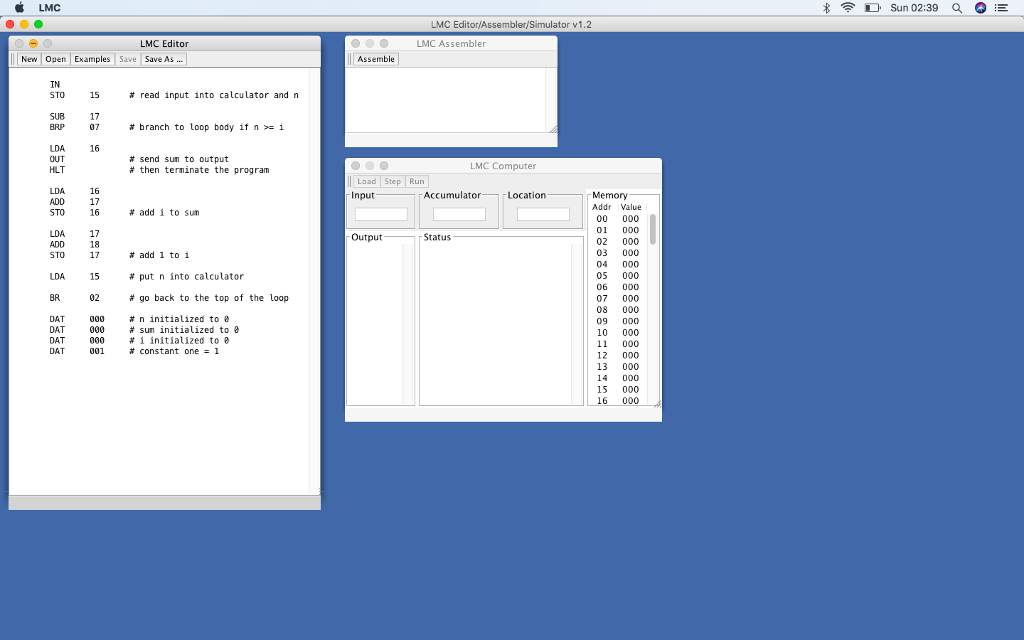
The program begins with the selection of 6 programs to choose. 0 Countdown * 1 Square . 2 Fibonacci sequence 3 Triangular numbers * 4 Decimal to binary converter . 5 Binary to decimal converter [01-COUNTDOWN [11-SQUARE -[2]-FIBONACCI [3]-TRIANGULAR NUMBERS [4]-DEC TO BIN [51-BIN TO DEC START IN BRZ SUB BRZ SUB BRZ SUB BRZ SUB BRZ SUB BRZ user commands COUNTDOWN #0 ENTER [0] FOR COUNTDOWN one SQUARE #1 ENTER [1] FOR SQUARE one FIBONACCI #2 ENTER [2] FOR TRIANGULAR NUMBERS one TRIANG #3 ENTER [3] FOR FIBONACCI SEQUENCE one DECTOBIN #4 ENTER [4] FOR DECIMAL TO BINARY one BINTODEC #5 ENTER [5] FOR BINARY TO DECIMAL D. Sun 02:39 Q LMC Editor/Assembler/Simulator v1.2 LMC Editor LMC Assembler New Open Examples Save SaveAs.. Assemble IN STO 15 read input into calculator and n SUB 17 branch to loop body if n >-i 16 LDA OUT HLT send sun to output # then terminate the program LMC Computer Load Step Run Input LDA STO LDA STO LDA BR 16 17 16 Accumulator Location Memory Addr Value # add i to sun 01 000 02 000 03 000 04 000 05 000 06 000 07 000 08 000 09 000 10 000 11 000 12 000 13 000 14 000 15 000 17 18 17 Output Status add 1 to 1 # put n into calculator # go back to the top of the loop 15 02 DAT DAT DAT DAT t n initialized to 000 # sum initialized to 0 000 # i initialized to 001 constant one1 6 000
Step by Step Solution
There are 3 Steps involved in it

Get step-by-step solutions from verified subject matter experts
 Study Help