







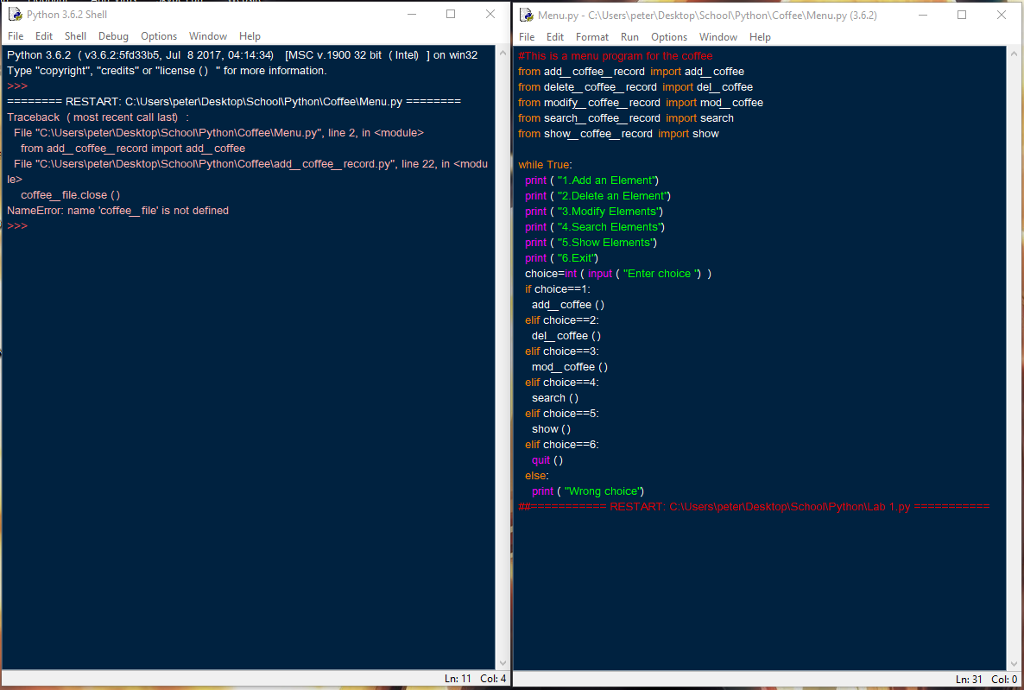
Question: Hi, I'm not sure why my Menu Program is not running, It says file is not defined when I already defined it. Can someone Help
Hi, I'm not sure why my Menu Program is not running, It says file is not defined when I already defined it. Can someone Help me run this program? (PYTHON). If anyone can run this can you show me the output, and what I did wrong (If there is something wrong?) Thank you in advance Menu
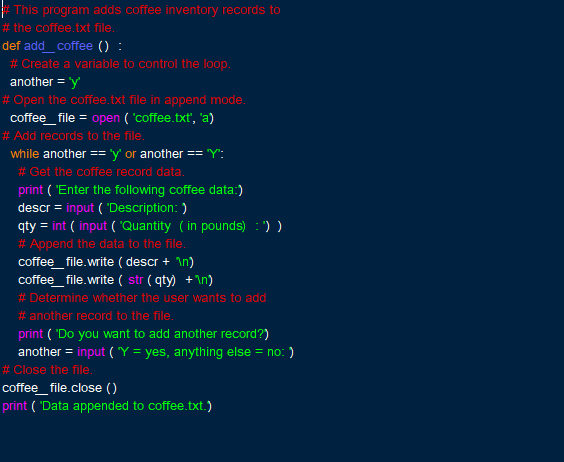
Add
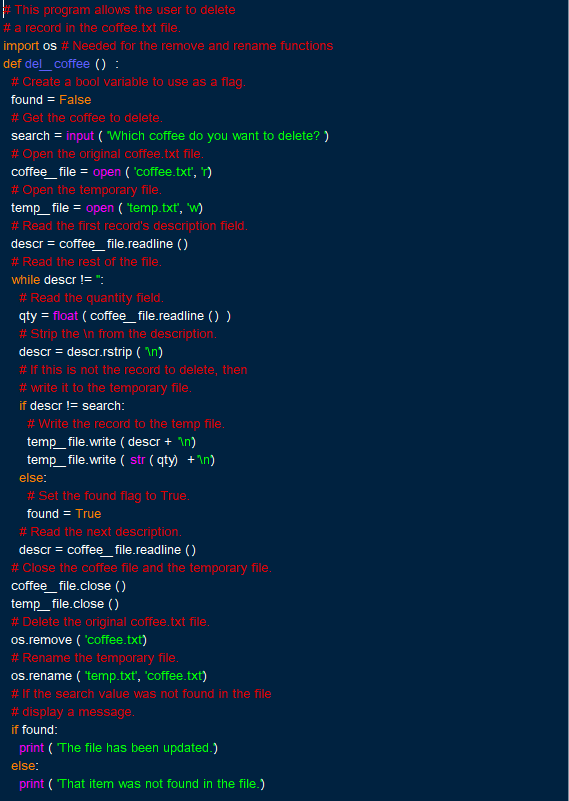
Delete
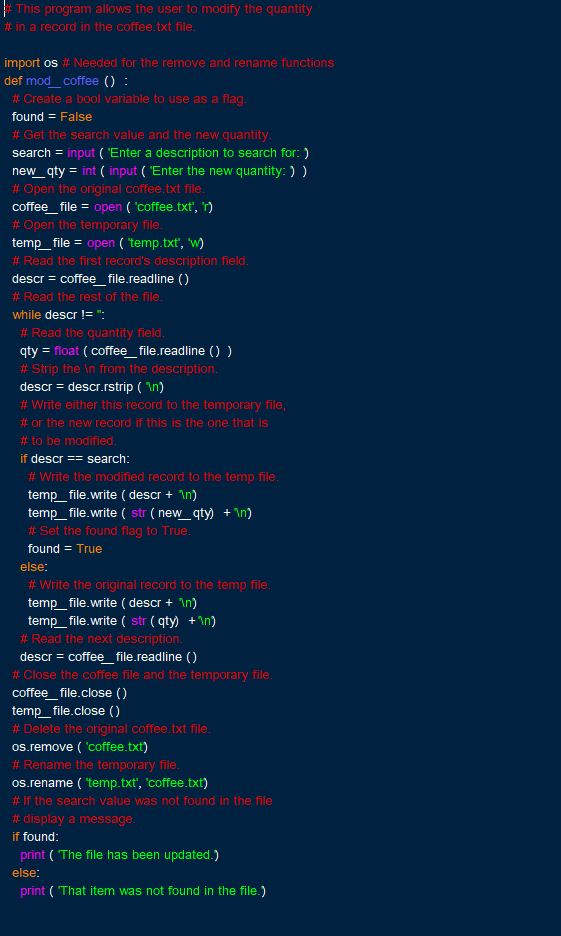
Modify
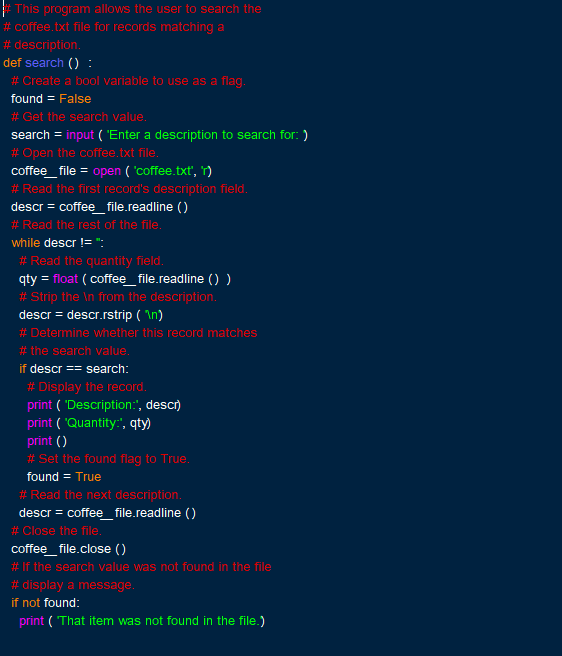
Search
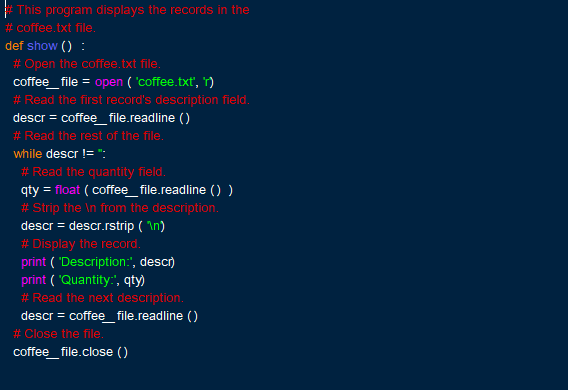
Show
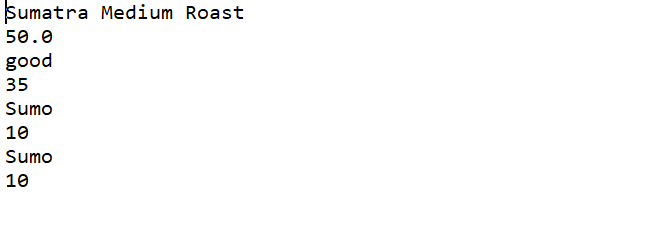
Text
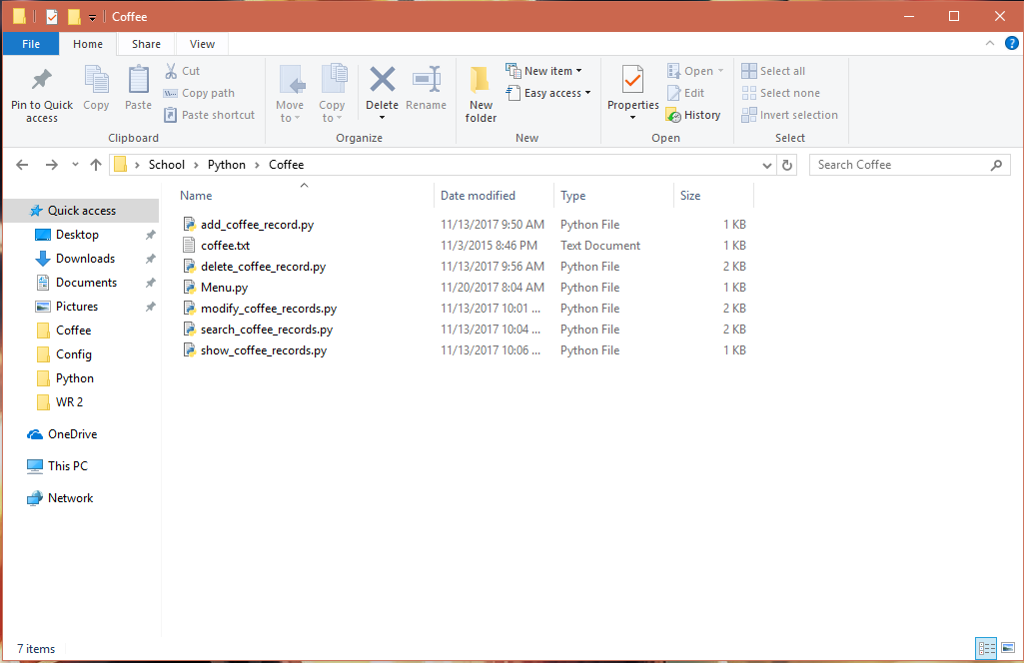
Inside Program Folder
Python 3.6.2 Shell File Edit Shel Debug Options Window Help Python 3.6.2 (v3.6.2:5fd33b5, Jul 8 2017, 04:14:34) [MSC v.1900 32 bit (Inte) Type "copyright", "credits" or "license () for more information. [Menu.py C: File Edit Format Run Options Window Help > oplSchooNPython CoffeelMenu.py (3.6.2) on win32 from add_ coffee_record import add_coffee from delete coffee record import del coffee from modify_coffee_record import mod_coffee from search coffee record import search Traceback (most recent call last File "C:UsersipetenDesktoplSchoonPython CoffeelMenu.py", line 2, in
Step by Step Solution
There are 3 Steps involved in it

Get step-by-step solutions from verified subject matter experts
 Study Help