







Question: hj active: Implement the thnctionality tor the GU [ developed in project 2.1 Classier Class Create a class Classifier: I Must contain private variables to
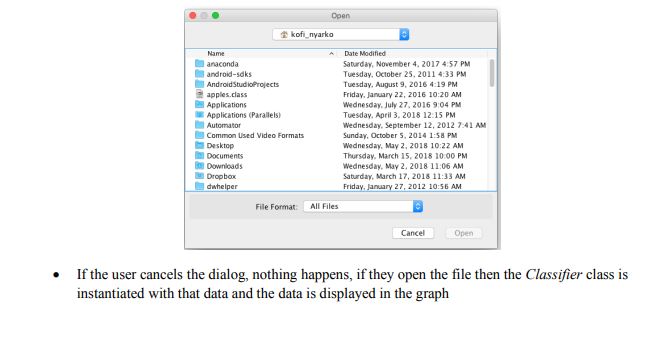
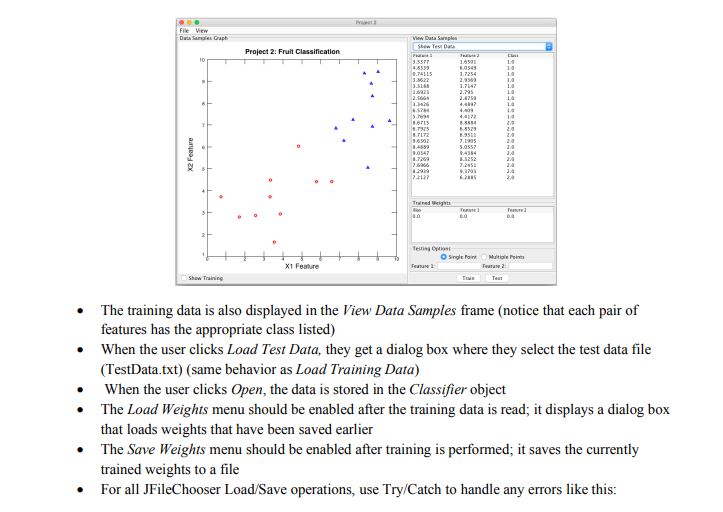
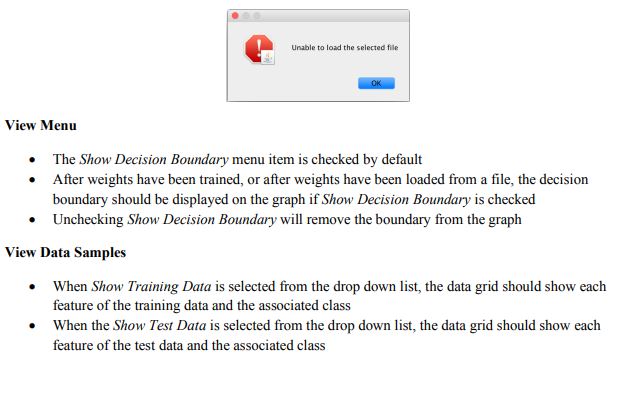
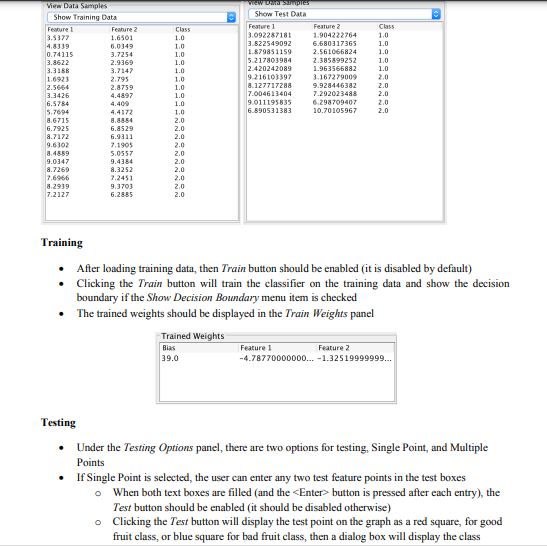
hj active: Implement the thnctionality tor the GU [ developed in project 2.1 Classier Class Create a class Classifier: I Must contain private variables to house all training and test data I Must have a constructor that accepts the training data le and loads the data I Must have a method to load the test data I Must have a method to return the training and test data I Must have a method to train the classier I Must have a method to test the classier [accepts two test features} I Must have a method to display the test data I Must have a method to display the decision boundary I Must have a method to set and get the weights I Must have a method to plot trainingftest data File Hem: I By default, the Load Test Data and Save WEi'ghts should be disabled. I Wl'ieo the user clicks on Load Test Date a dialog box should appear for them to select the data le containing the training data (hint: use JFi'teEhooser} * kofi_nyarko Name A Date Modified anaconda Sabarday, November 4. 2017 4:57 PM android-saks Tuesday, October 25, 2011 4:33 PM Android StudioProjects Tuesday. August 9, 2016 4:19 PM apples.class Friday, January 22, 2016 10:20 AM Applications Wednesday. July 27. 2016 9:04 PM Applications (Parallels) Tuesday, April 3. 2018 12:15 PM Automator Wednesday. September 12, 2012 7:41 AM Common Used Video Formats Sunday, October 5, 2014 1:58 PM Desktop Wednesday, May 2, 2018 10:22 AM Documents Thursday, March 15, 2016 10:00 PM Downloads Wednesday. May 2. 2018 11:06 AM Dropbox Saturday, March 17, 2018 11:13 AM dwhelper Friday, January 27, 2012 10:56 AM File Format. All Files Cancel Open . If the user cancels the dialog, nothing happens, if they open the file then the Classifier class is instantiated with that data and the data is displayed in the graphFile View Dita Tamales Graph Www Dats Simply Show Tey Das Projoct 2: Fruit Classification 10 1.7254 1.0 1.7147 3.675 24 ITLTE X2 Feature X1 Feature Shen Training Tam . The training data is also displayed in the View Data Samples frame (notice that each pair of features has the appropriate class listed) . When the user clicks Load Test Data, they get a dialog box where they select the test data file (TestData.txt) (same behavior as Load Training Data) When the user clicks Open, the data is stored in the Classifier object The Load Weights menu should be enabled after the training data is read; it displays a dialog box that loads weights that have been saved earlier The Save Weights menu should be enabled after training is performed; it saves the currently trained weights to a file . For all FileChooser Load/Save operations, use Try/Catch to handle any errors like this:Unable to load the selected file OK View Menu The Show Decision Boundary menu item is checked by default After weights have been trained, or after weights have been loaded from a file, the decision boundary should be displayed on the graph if Show Decision Boundary is checked . Unchecking Show Decision Boundary will remove the boundary from the graph View Data Samples . When Show Training Data is selected from the drop down list, the data grid should show each feature of the training data and the associated class When the Show Test Data is selected from the drop down list, the data grid should show each feature of the test data and the associated class\f\f
Step by Step Solution
There are 3 Steps involved in it

Get step-by-step solutions from verified subject matter experts
 Study Help