







Question: . Home Resources: Data Types, learn.snhu.edu Prompt For this project, you will be developing a PY file that contains your code in PyCharm and evaluating
Home
Resources: Data Types,
learn.snhu.edu
Prompt
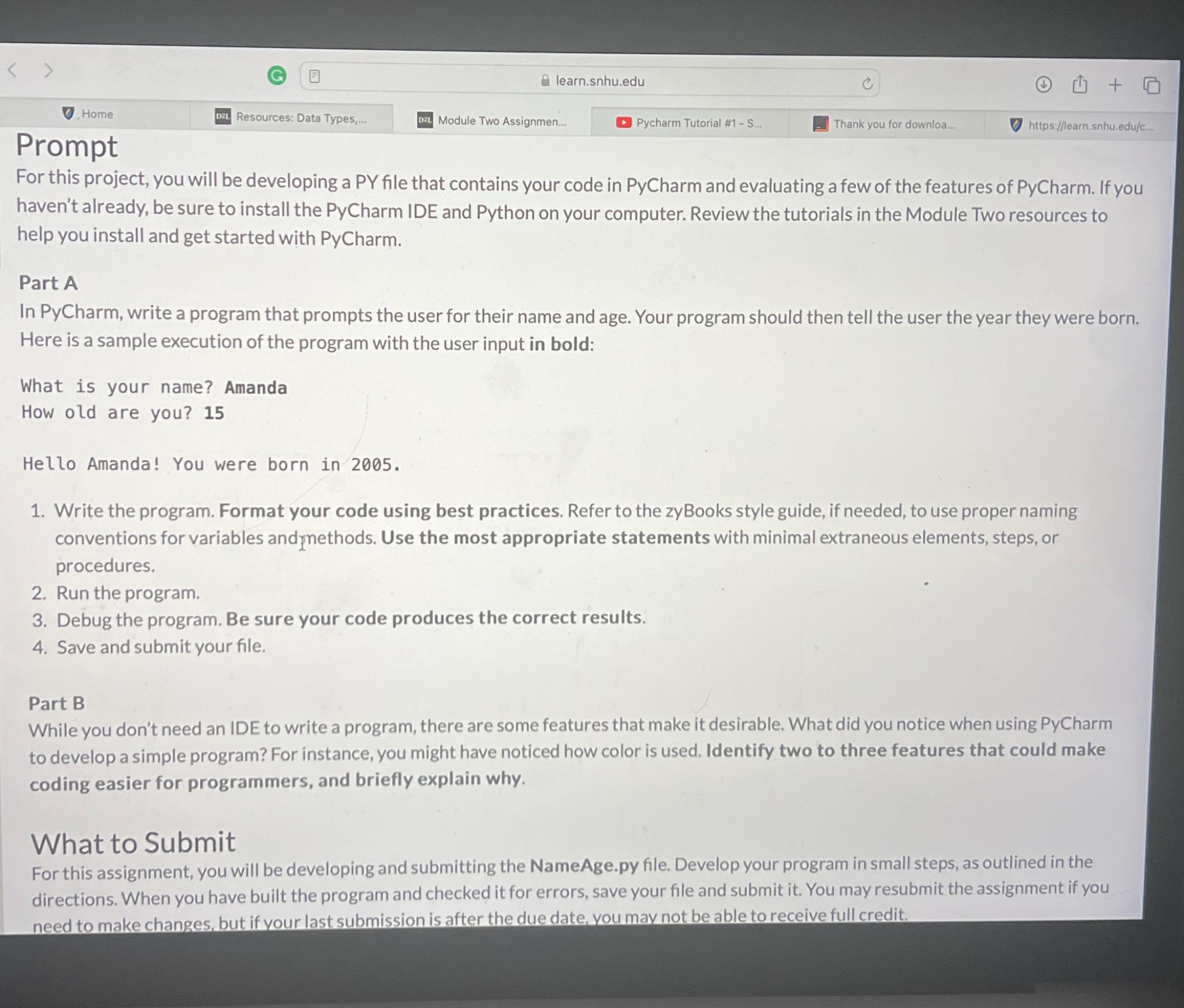
For this project, you will be developing a PY file that contains your code in PyCharm and evaluating a few of the features of PyCharm. If you haven't already, be sure to install the PyCharm IDE and Python on your computer. Review the tutorials in the Module Two resources to help you install and get started with PyCharm.
Part A
In PyCharm, write a program that prompts the user for their name and age. Your program should then tell the user the year they were born. Here is a sample execution of the program with the user input in bold:
What is your name? Amanda
How old are you?
Hello Amanda! You were born in
Write the program. Format your code using best practices. Refer to the zyBooks style guide, if needed, to use proper naming conventions for variables and methods. Use the most appropriate statements with minimal extraneous elements, steps, or procedures.
Run the program.
Debug the program. Be sure your code produces the correct results.
Save and submit your file.
Part B
While you don't need an IDE to write a program, there are some features that make it desirable. What did you notice when using PyCharm to develop a simple program? For instance, you might have noticed how color is used. Identify two to three features that could make coding easier for programmers, and briefly explain why.
What to Submit
For this assignment, you will be developing and submitting the
NameAge.py file. Develop your program in small steps, as outlined in the directions. When you have built the program and checked it for errors, save your file and submit it You may resubmit the assignment if you need to make changes, but if your last submission is after the due date, you mav not be able to receive full credit.
Step by Step Solution
There are 3 Steps involved in it
1 Expert Approved Answer
Step: 1 Unlock

Question Has Been Solved by an Expert!
Get step-by-step solutions from verified subject matter experts
Step: 2 Unlock
Step: 3 Unlock
 Study Help