







Question: Homework #1 Prepare an entity-relationship (ER) diagram using MySQL Workbench as described below. Be sure that your ER diagram has the following elements: entities; relationships
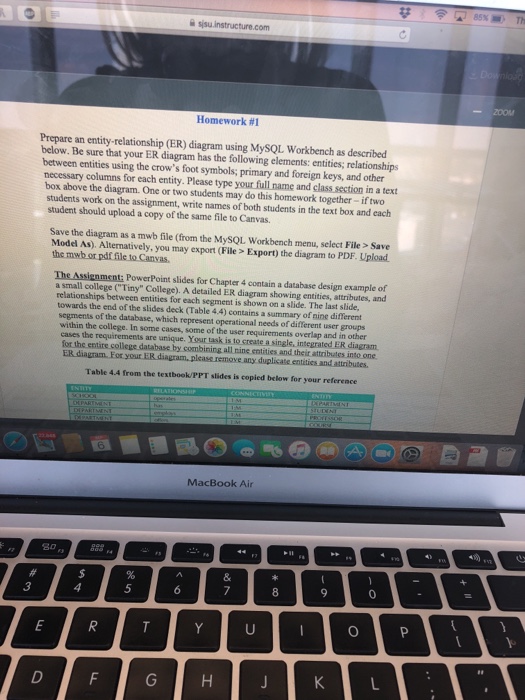
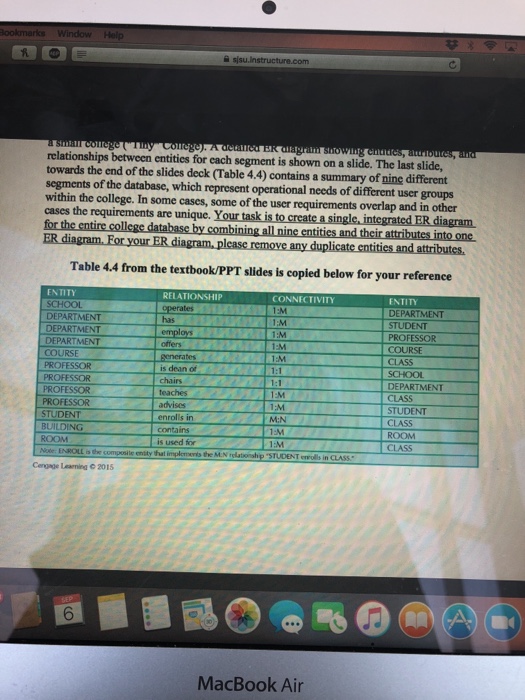
Homework #1 Prepare an entity-relationship (ER) diagram using MySQL Workbench as described below. Be sure that your ER diagram has the following elements: entities; relationships between entities using the crow's foot symbols; primary and foreign keys, and other necessary columns for each entity. Please type your full name and class section in a text box above the diagram. One or two students may do this homework together- if two students work on the assignment, write names of both students in the text box and each student should upload a copy of the same file to Canvas. Save the diagram as a mwb file (from the MySQL Workbench menu, select File> Save Model As). Alternatively, you may export (File> Export) the diagram to PDF. Upload the mwb or pdf file to Canvas, The Assignment: PowerPoint slides for Chapter 4 contain a database design example of a small college ("Tiny" College). A detailed ER diagram showing entities, attributes, and relationships between entities for each segment is shown on a slide. The last slide, towards the end of the slides deck (Table 4.4) contains a summary of nine different segments of the database, which represent operational needs of different user groups within the college. In some cases, some of the user requirements overlap and in other cases the requirements are unique. Your task is to create a single, integrated ER diagram for the entire college database by combining all nine entities and their attribvutes into one Table 4.4 from the textbook/PPT slides is copied below for your reference MacBook Air 80 3 8
Step by Step Solution
There are 3 Steps involved in it

Get step-by-step solutions from verified subject matter experts
 Study Help