







Question: Homework 2 3 : ( VBA ) Student Class Object Create a new class module called Student. Each Student object has attributes for a first
Homework : VBA Student Class Object
Create a new class module called Student. Each Student object has attributes for a first name, last name, age, grade classification freshman sophomore, junior, or senior major, GPA, and status.
Write a method that checks the student's GPA. If GPA is greater than update their grade classification to the next classification and update their status to "Good Standing." If they are a senior, update their grade classification to "graduate." If their GPA is lass than they do not progress to the next grade, and their status changes to "Probation."
Write a method that increases the student's age by when they have a birthday.
Write a method that "fixes" the studen's major, meaning, if the major is anything other than "Engineering," it changes the major to "Engineering."
Write a method that pops up a message box summarizing the student data to the user. As example message would look like:
"Steve Howie is years old and currently a Junior.
They are majoring in Engineering with a current GPA of
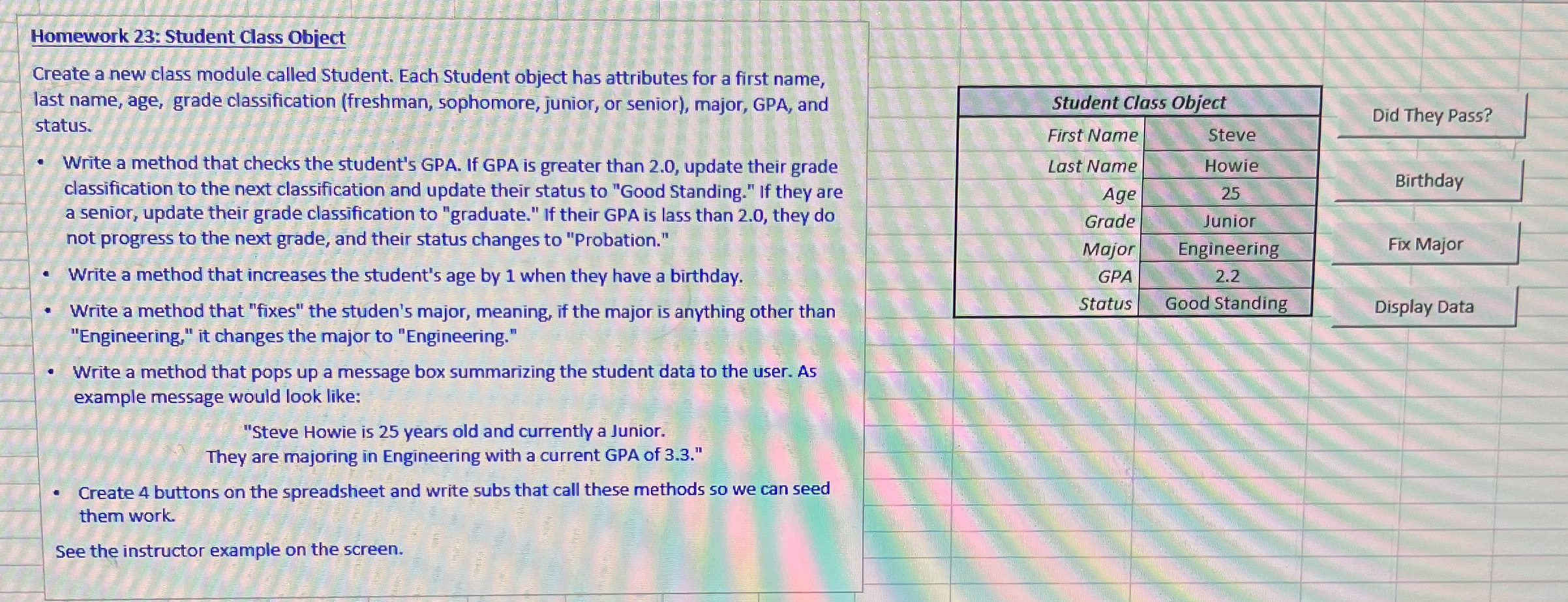
Create buttons on the spreadsheet and write subs that call these methods so we can seed them work.
See the instructor example on the screen.
Step by Step Solution
There are 3 Steps involved in it
1 Expert Approved Answer
Step: 1 Unlock

Question Has Been Solved by an Expert!
Get step-by-step solutions from verified subject matter experts
Step: 2 Unlock
Step: 3 Unlock
 Study Help